Accept Award and Abstract Submissions Online
Collect applications through online forms, assign reviewers to score submissions on custom criteria, and schedule accepted presentations for your conference—all in your membership database.
What Makes This Different
Built for associations managing submissions at any scale
No Separate Submission Platform
Other associations pay for standalone abstract management systems separate from their AMS. With i4a, submission forms are built into your membership database—applicant data connects directly to member records without exports or duplicate accounts.
Integrated with Your Member Database
When members submit applications, their contact info auto-populates from their member record. No duplicate data entry. Submission history tied to member accounts. Review committee members pulled from your membership roster.
Unlimited Submissions Without Per-Entry Fees
External abstract platforms charge per submission or per event. i4a pricing is per program or flat rate for multiple programs—accept 50 submissions or 5,000 without worrying about escalating costs as your programs grow.
Complete Workflow to Conference Schedule
From abstract submission → peer review scoring → acceptance decisions → conference session scheduling—manage the entire workflow in one system without exporting to external program builders or manual spreadsheet coordination.
Stop Managing Submissions Through Email Attachments
Most associations collect award applications, abstract submissions, and program applications through email or generic form builders—leading to scattered files, lost submissions, and manual tracking in spreadsheets.
With i4a's submission management, you can:
- Create online forms to collect submissions directly in your database
- Accept unlimited submissions without per-entry fees
- Assign reviewers and distribute submissions evenly across your review committee
- Score submissions on custom review criteria with automated score averaging
- Schedule accepted oral and poster presentations for your conference
- Track decisions and communicate with applicants
Real Example
A professional association runs an annual awards program that receives over 800 submissions each year:
- 800+ submissions annually collected through online forms
- Managed by one volunteer who assigns reviewers and tracks the entire program
- Custom scoring criteria for each award category
- Automated reviewer assignment distributes submissions evenly across the review committee
- Average scores calculated automatically to rank finalists and winners
Result: One person manages 800+ submissions across multiple years without manual spreadsheets or external review platforms.
From Form Creation to Final Decision
Simple submission workflow built into your membership system
1. Create Submission Form
Build custom forms
- Custom questions and file uploads
- Submission deadlines control form availability
- Member-only or public access
2. Collect Submissions
Applicants submit online
- Online forms linked from website
- File uploads stored securely
- Confirmation emails sent automatically
3. Assign Reviewers
Distribute review workload
- Auto-assign submissions evenly to reviewers
- Reviewer portal for scoring
- Custom criteria for each program
4. Review & Decide
Scores and scheduling
- Automated score averaging ranks submissions
- Track decisions and notify applicants
- Schedule presentations for conferences
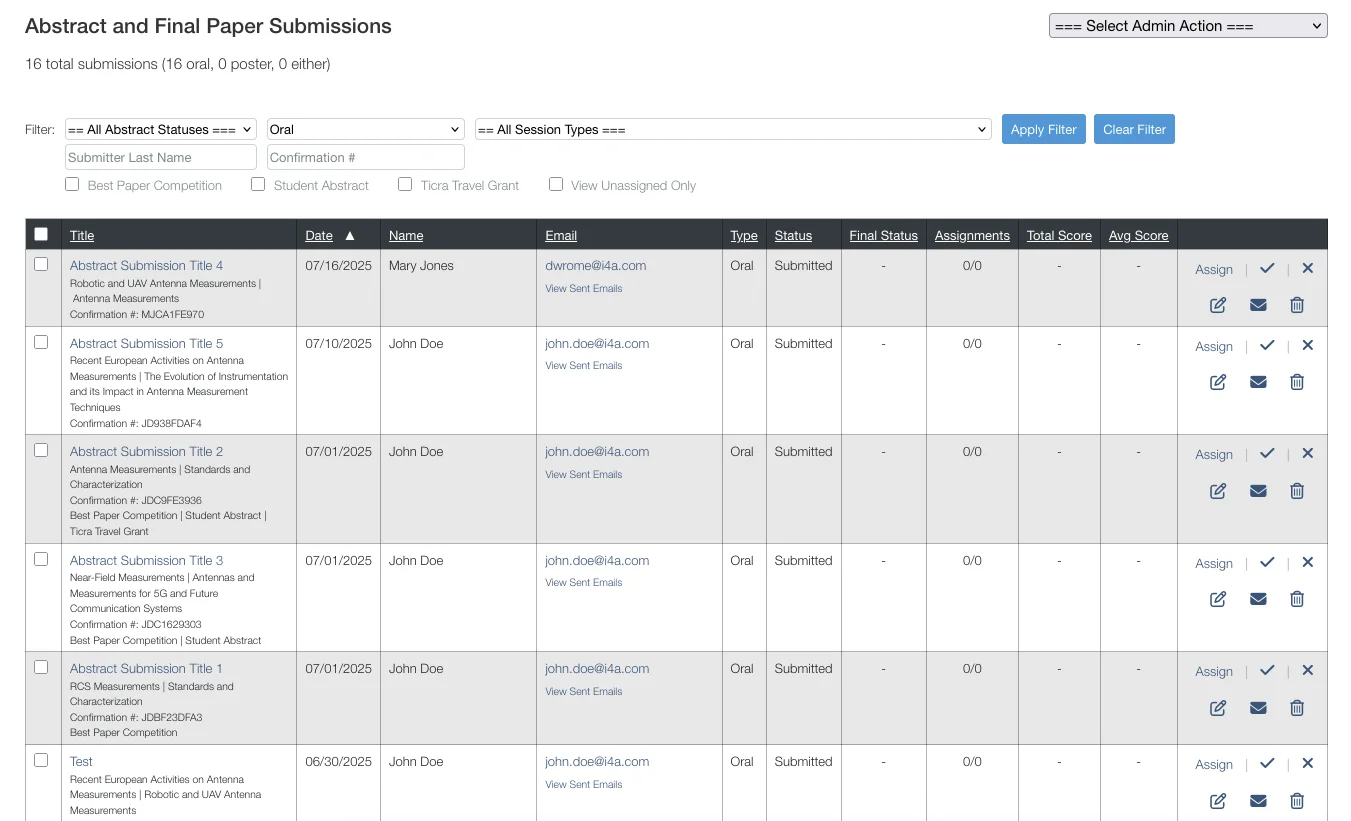
Affordable Add-On Module
Pay per submission program, or choose a flat rate for multiple programs per year. Accept unlimited entries without per-submission fees.
What Associations Use Submission Forms For
Awards, scholarships, conference programs, and more
Award Applications
Collect nominations for annual awards, professional recognition, or member achievements.
Abstract Submissions
Accept speaker proposals and presentation abstracts for conferences or educational programs.
Scholarship Applications
Review scholarship requests from student members with transcripts and recommendation letters.
Program Applications
Accept applications for leadership programs, mentorship matching, or volunteer opportunities.
Build Forms That Match Your Programs
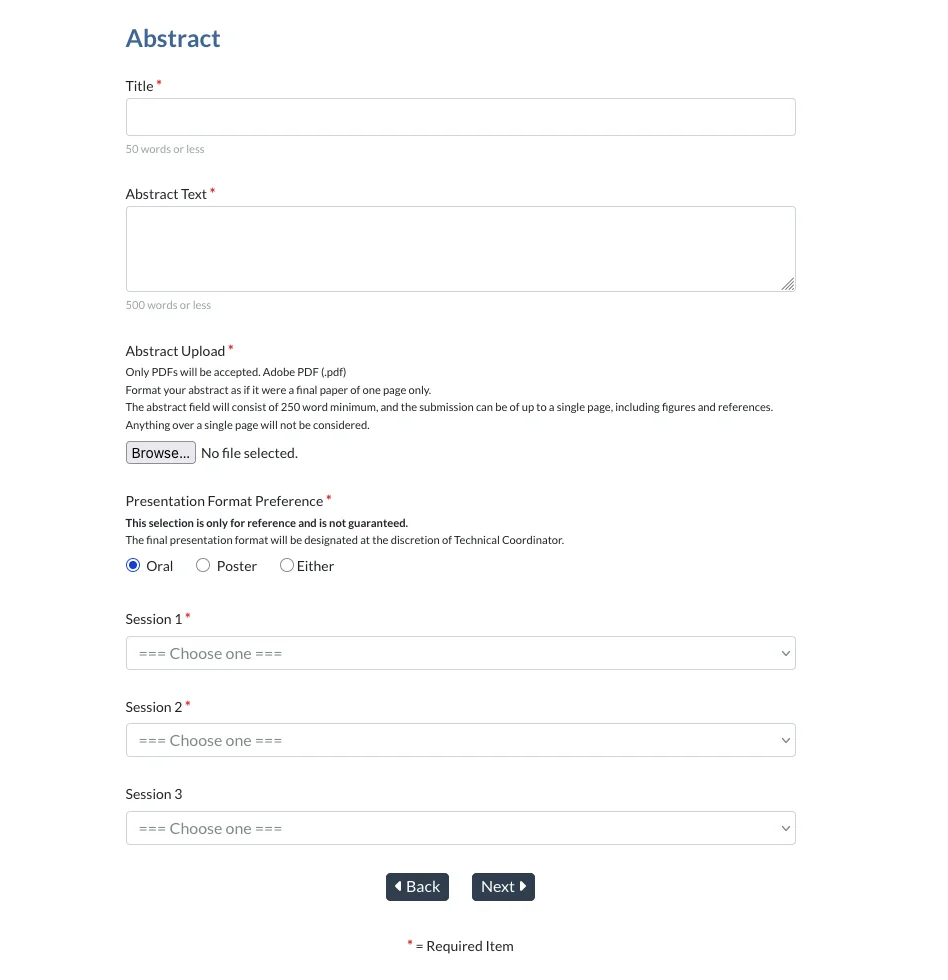
Add your own questions, collect file uploads, and configure settings to match how your awards, scholarships, or abstract programs work.
Form Configuration Options
- Custom questions: Add text fields, dropdowns, checkboxes, radio buttons, and text areas
- File uploads: Collect resumes, papers, supporting documents, or recommendation letters
- Submission deadlines: Set opening and closing dates to control when the form accepts entries
- Member-only or public: Limit to current members or open to anyone
- Confirmation emails: Applicants receive automatic confirmation when they submit
Pro Tip:
If the applicant is logged in as a member, their contact information is automatically pulled from their member record—no need to re-enter name, email, or organization.
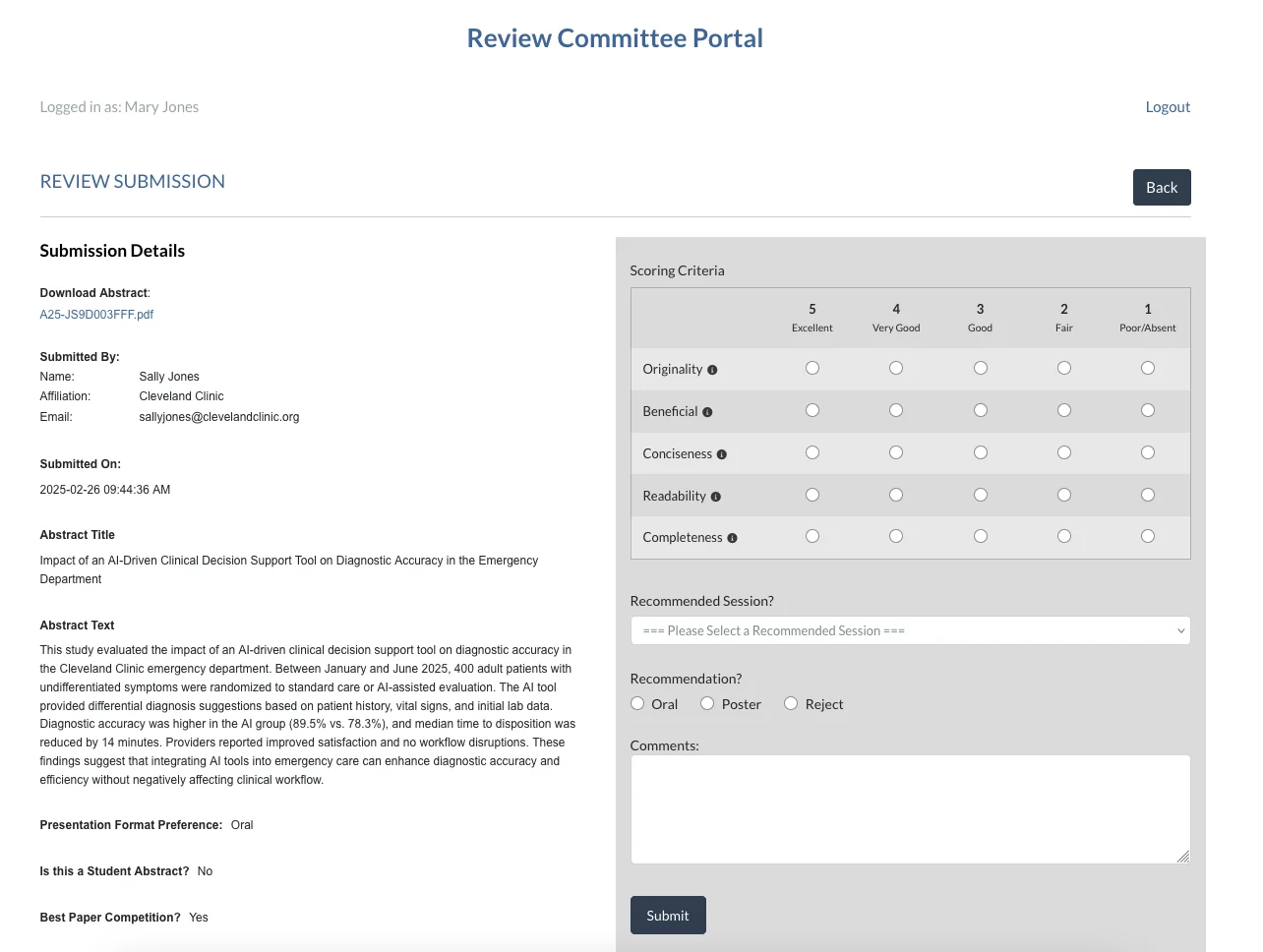
Distribute Review Workload and Score Submissions
Assign reviewers to submissions and let them score entries on custom criteria. The system automatically calculates average scores to help you rank and select winners or accepted presentations.
How Reviewer Assignment Works
- Auto-assign reviewers: Distribute submissions evenly across your review committee for balanced workloads
- Reviewer portal access: Reviewers log in to see only their assigned submissions
- Custom scoring criteria: Define your own review criteria (e.g., Relevance, Quality, Originality) with rating scales
- Automated score averaging: System calculates average scores across all reviewers for each submission
- Ranked results: View submissions sorted by average score to identify top candidates
Pro Tip:
With automated reviewer assignment, you can distribute 800+ submissions to 15 reviewers in seconds—ensuring even workload distribution without manual tracking.
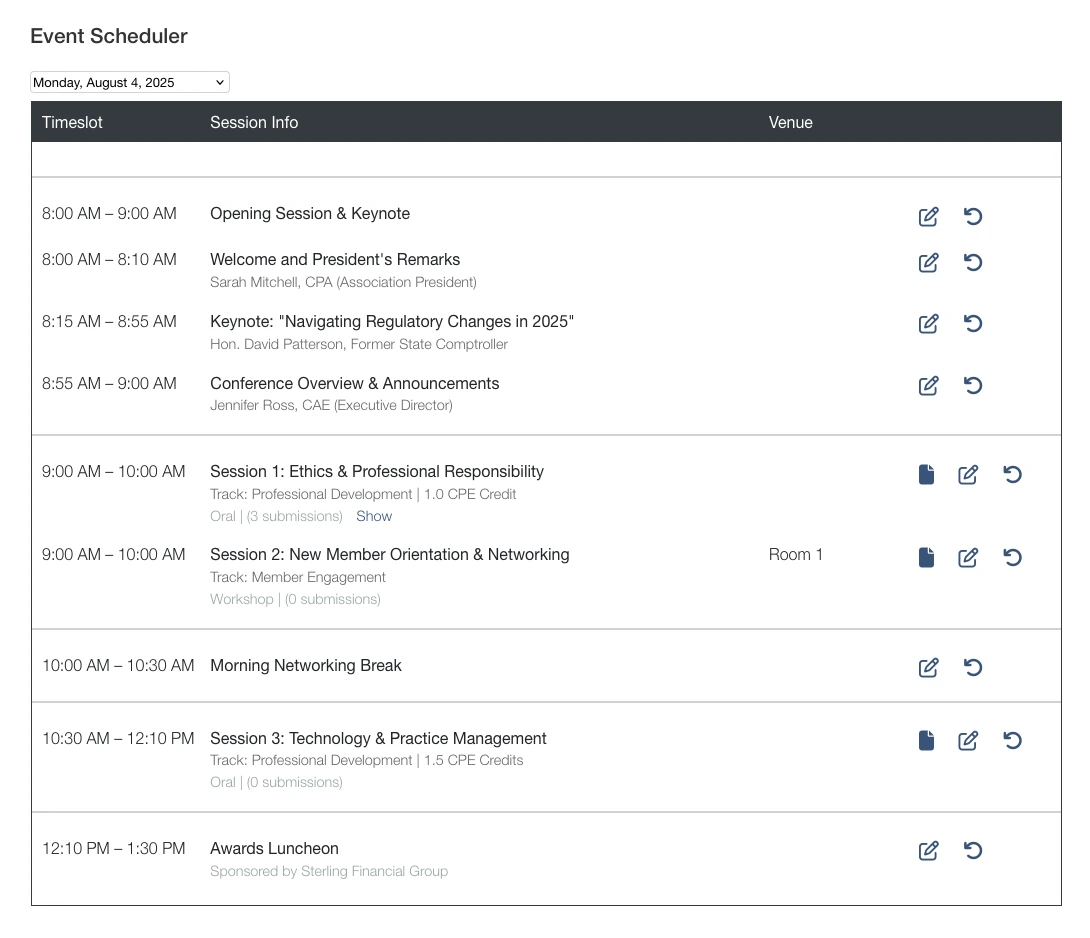
Schedule Accepted Presentations for Your Conference
Once you've accepted oral and poster presentations, use the program scheduler to build your conference agenda. Assign sessions, time slots, and rooms to create your final conference program.
Conference Scheduling Features
- Oral presentations: Schedule accepted talks into conference sessions and time slots
- Poster presentations: Organize poster sessions with accepted abstracts
- Session management: Create tracks, assign rooms, and set presentation times
- Program export: Generate your conference program from scheduled presentations
Complete Workflow:
From abstract submission → reviewer scoring → acceptance decisions → conference schedule—all managed in one system without exporting to external scheduling tools.
Complete Submission-to-Program Workflow
From collecting entries to scheduling conference sessions—all in one system
Automated Reviewer Assignment
Distribute hundreds of submissions across your review committee in seconds with balanced workloads.
Automatic Score Averaging
System calculates average scores across all reviewers—no manual spreadsheet formulas needed.
Conference Program Scheduler
Schedule accepted oral and poster presentations directly into your conference agenda.
One Person Can Manage It
Real clients manage 800+ submissions annually with just one volunteer coordinator.
Everything You Need to Manage Submissions
Comprehensive submission management from form creation through conference scheduling
What Membership Leaders Ask About Submission Management
Explore Related Features
See how our integrated platform works together
Ready to Streamline Abstract & Award Management?
Schedule a demo to see how i4a's AMS platform handles unlimited submissions, peer review workflows, and automated program scheduling in action. We'll walk through capabilities and pricing options for your submission programs.
