Member Community
Discussion forums, member blogs, and direct messaging integrated with your membership database. Members connect, share knowledge, and network year-round—access controlled automatically by membership status.
Forums, Blogs, and Messaging in One Platform
Everything you need to build year-round member engagement
Threaded Discussion Forums
Organize conversations by topic with nested replies
Member & Staff Blog Publishing
Members and staff share expertise through blog posts
Private Direct Messaging
Peer-to-peer networking without sharing contact info
Granular Access Control
Restrict forums by member type or contact type
Automatic Access Sync
Forum access updates with membership status changes
Volunteer Moderator System
Assign trusted members to moderate forums
Thread Subscriptions & Notifications
Members choose individual email alerts or daily email digest for forum activity
Member Portal Integration
A personalized feed of activity on threads being followed or posts by individuals they're connected to.
Media & File Attachments
Upload documents and images, embed videos from YouTube, Vimeo, Dailymotion, and Spotify
In-Forum Polling
Create polls within threads to gather feedback
Blog Following & Feeds
Follow favorite bloggers and get notified of posts
Advanced Search
Search past discussions by keyword, author, or date
Likes & Engagement Tracking
Members "Like" helpful posts to highlight best answers
Code of Conduct Enforcement
Members agree to guidelines before participating
Banned Words Filter
Auto-filter inappropriate language in posts
Who's Online Visibility
See which members are currently active in the community
Mobile-Responsive Design
Full community access on all devices
Integrated Community vs. Standalone Platforms
No Separate Login Required
Members use their existing credentials. Community features live inside your membership platform—one login, one database, zero integration headaches. Status changes (renewal, expiration, upgrade) automatically update community access in real time.
Dashboard Integration Drives Engagement
Alerts of forum activity and blog posts appear on the member portal when they log in for any reason—checking events, updating profiles, or renewing. Members see community activity where they already are, not in a separate site they have to remember to check.
Access Control Tied to Member Types
Create board-only discussions, student-specific spaces, sponsor forums, regional groups, or committee workspaces—all controlled by member types already in your database. No manual user group management, no spreadsheets tracking who should see what.
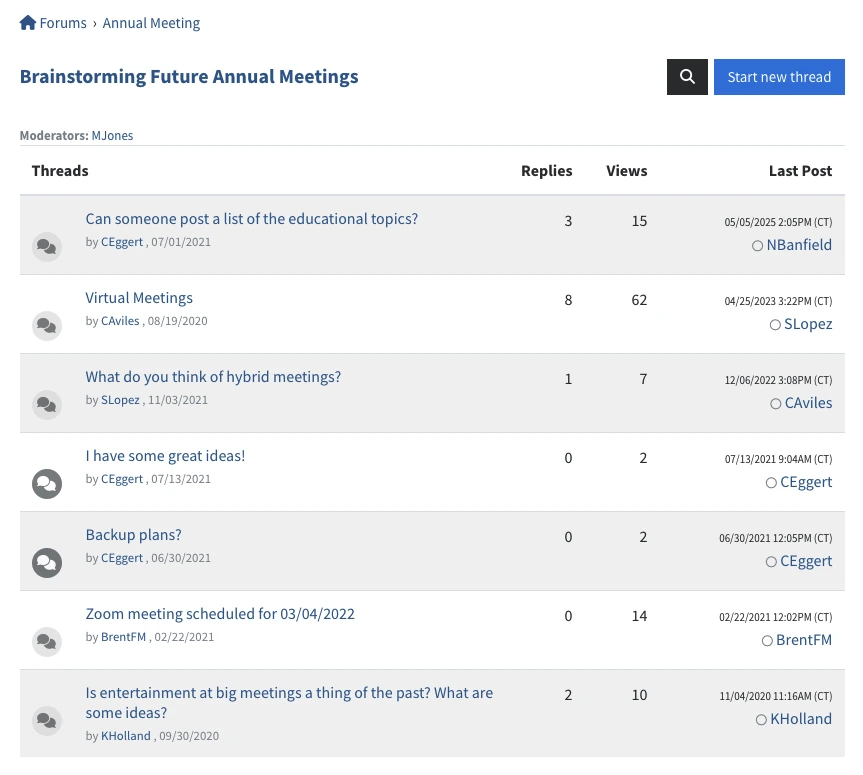
Organize Conversations by Topic and Audience
Create categories and forums to organize discussions. Control access by membership status, member type, or contact type—automatically synced with your database.
Forum Organization:
- Categories group forums under topics like "Industry News," "Regional Groups," or "Member Benefits"
- Forums are specific discussion spaces like "Advocacy Updates," "Career Advice," or "New Member Introductions"
- Access control: public, members-only, or restricted to specific member types (Board, Student, Professional)
Moderation Tools:
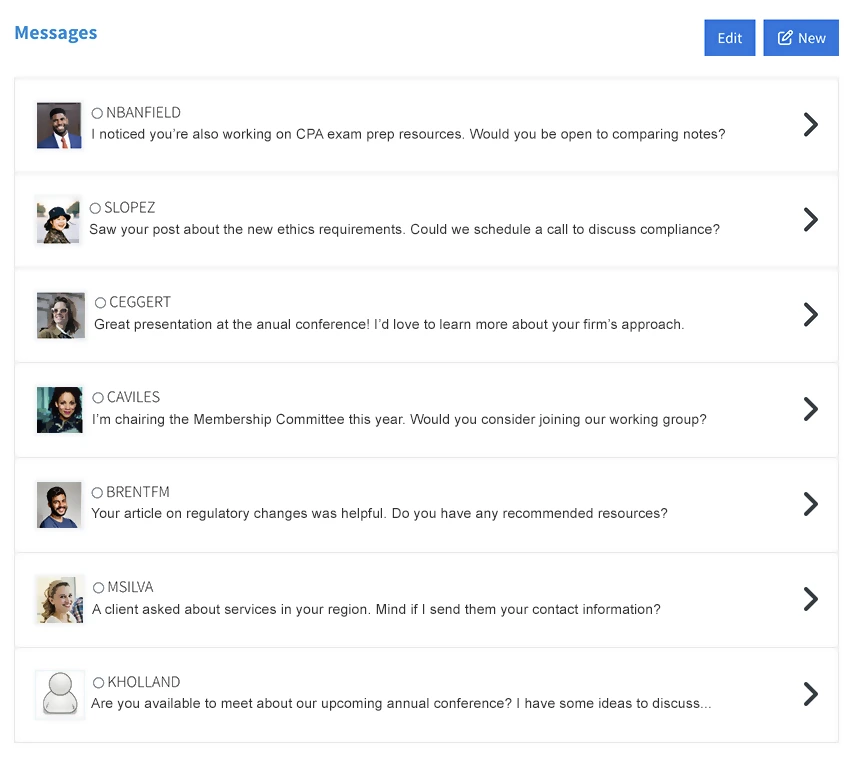
- Assign volunteer moderators to specific forums
- Moderators can edit/delete posts, move threads, pin discussions, and lock topics
- Staff admin accounts have full moderation privileges across all forums
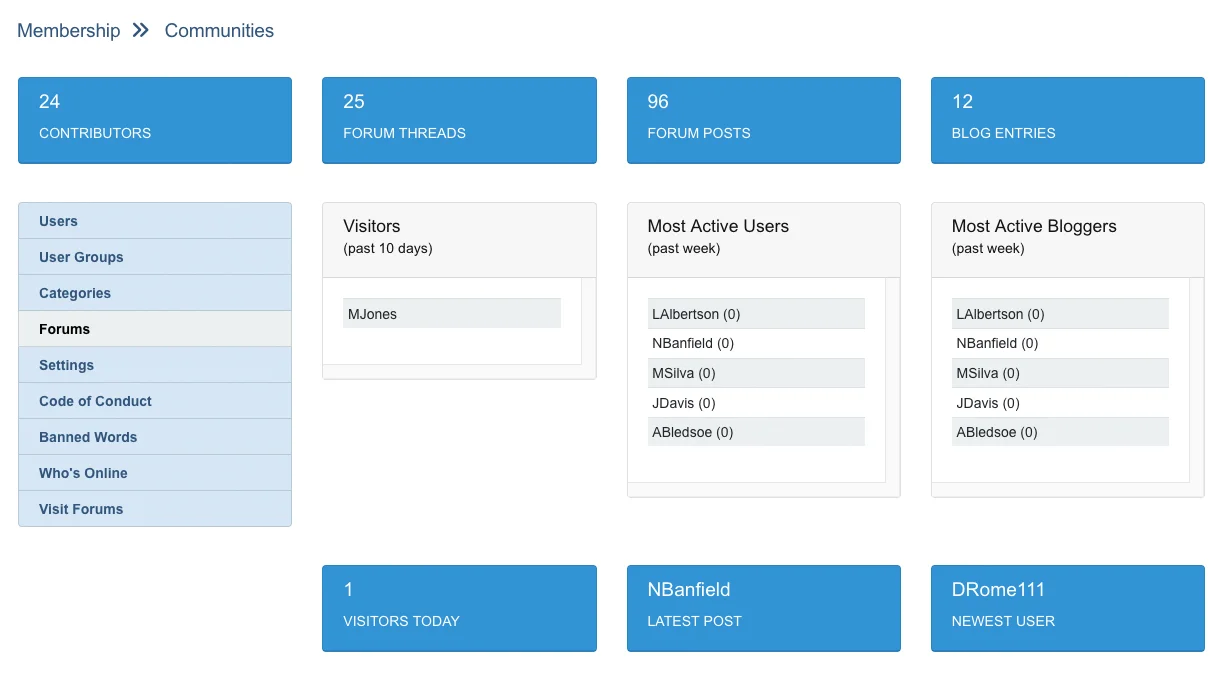
Let Members Share Their Expertise
Members publish blog posts to build thought leadership and share knowledge—all within your membership platform.
How Member Blogs Work:
- Members write articles, case studies, or insights to establish credibility
- Blog posts appear on the member welcome page, driving return visits
- Members "follow" bloggers they respect and receive updates when new posts are published
- Only current members can create and view blogs—clear renewal incentive
Benefits:
- Fresh content without relying solely on staff-created material
- Your site becomes a knowledge hub for industry expertise
- Members build connections based on shared interests
Strong community connections are critical for retention. Research shows that members with 5+ peer connections are 40-50% less likely to churn than isolated members.
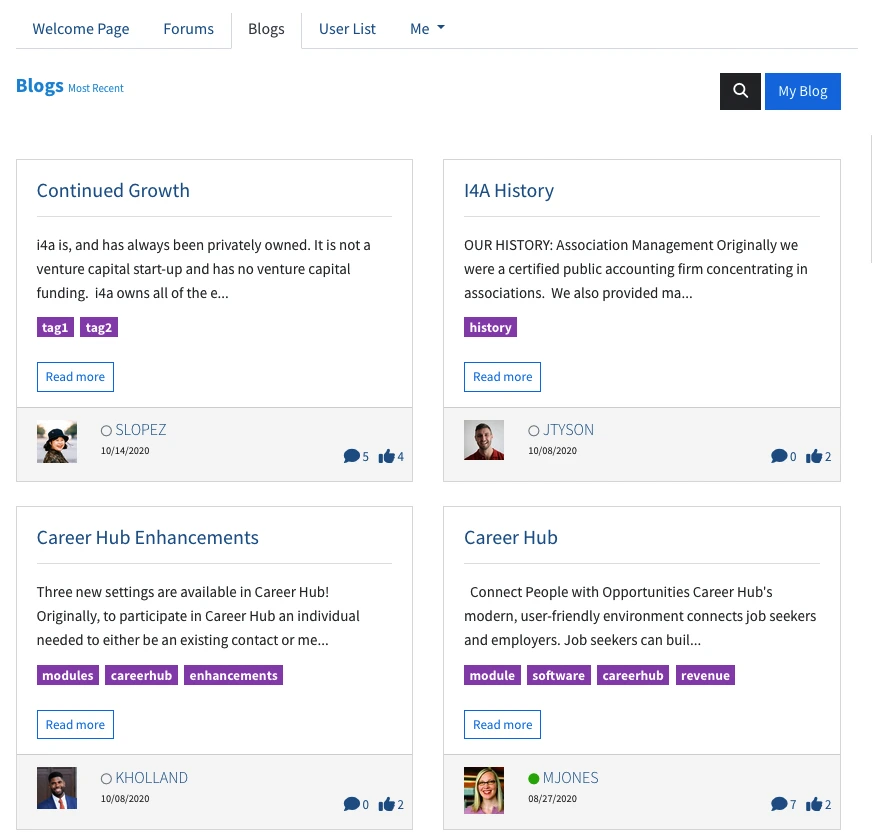
Enable Private Peer-to-Peer Connections
Members send private messages directly within the community platform—perfect for networking, mentorship, and collaboration.
Messaging Features:
- Click any display name in forums or blogs to send a direct message
- Email and in-app notifications when messages are received
- Conversation threads with the same person appear together for easy follow-up
- Messages are private—only visible to the two participants
Privacy & Security:
- Members connect without sharing personal contact information
- Staff and admins cannot view direct messages
- Members control their messaging preferences
Member Community FAQ
Explore Related Features
See how our integrated platform works together
Member Engagement Guide
Strategies for building engaged member communities through forums, SIGs, volunteer programs, and meaningful participation opportunities.
Ready to Build a Community Members Actually Use?
Schedule a demo and see how integrated forums, member blogs, and dashboard integration work in i4a's association software platform. Talk with experienced team members who understand how associations build year-round engagement.
