Website Builder for Associations
Build your complete website with member portals, public pages, and integrated forms—no coding required.
Everything You Need for Your Membership Website
A complete website solution designed specifically for associations and nonprofits
Member-Only Features
Secure, password-protected areas for your members:
- Member Portal: Self-service login for members to manage their own information
- Member Profiles: Customizable profile pages with contact details and custom fields
- Member Directories: Searchable directories with advanced filtering
- Gated Content: Restrict pages, documents, and resources to members only
Public Website Features
Everything you need for your public-facing site:
- Unlimited Pages: Create as many pages as you need with drag-and-drop simplicity
- Custom Forms: Build online forms for donations, scholarship applications, product orders, surveys, and custom workflows
- SEO Tools: Meta descriptions and page titles for better search rankings
- Mobile Responsive: Every page automatically adapts to phones, tablets, and desktops
What's Included
All features included with every i4a subscription—no add-ons required
- Drag-and-Drop Page Builder
- Text Blocks
- Image Blocks
- Video Blocks
- Button Blocks
- HTML Blocks
- Multi-Column Layouts
- Mobile-Responsive Automatically
- Saved Templates
- Divider Blocks
- Page Templates
- Embedded Member Directories
- Embedded Event Calendars
- Embedded Custom Forms
- News & Announcements Feeds
- Slideshow Banners
- Members-Only Page Restrictions
- Version History
- SEO Settings
- Unlimited Pages
Drag-and-Drop Page Builder
Build pages visually without coding
Text Blocks
Formatted content with headings, bullets, links
Image Blocks
Upload and style photos with rounded corners and shadows
Video Blocks
Embed YouTube or Vimeo videos directly
Button Blocks
Clickable buttons for registration, downloads, links
HTML Blocks
Full HTML editor for advanced customization
Mobile-Responsive Automatically
Pages adapt to phones, tablets, desktops
Page Templates
Save entire layouts for reuse
Saved Components
Reuse rows and blocks across pages
Brand Colors
Define, label, and reuse your brand color palette
Preview Before Publishing
Test desktop, tablet, mobile views
Auto-Save Drafts
Work saves automatically as you build
Version Control
Keep published pages live while editing
Content Restrictions
Restrict by member type, contact type, or meeting registrants
Member Directory Embed
Searchable directories auto-update from database
Event Calendar Embed
Upcoming events display automatically
Unlimited Pages
Create as many pages as you need
Custom CSS Support
Add custom styling for advanced users
Everything You Need to Build Professional Pages
Drag, drop, configure, and publish—no coding required
Text & Media Blocks
Add formatted content to your pages:
- Text blocks: Headings, paragraphs, bullets, and links with simple formatting
- Image blocks: Upload and style photos with rounded corners, shadows, and alignment options
- Video blocks: Embed YouTube or Vimeo videos directly into pages
- Button blocks: Create calls-to-action for registration, downloads, or navigation
Advanced Options
For users who need more control:
- HTML blocks: Full HTML editor for tables, forms, or custom code
- Dividers & spacers: Add horizontal lines or blank space between sections
- Custom CSS: Target specific blocks or rows with custom styling
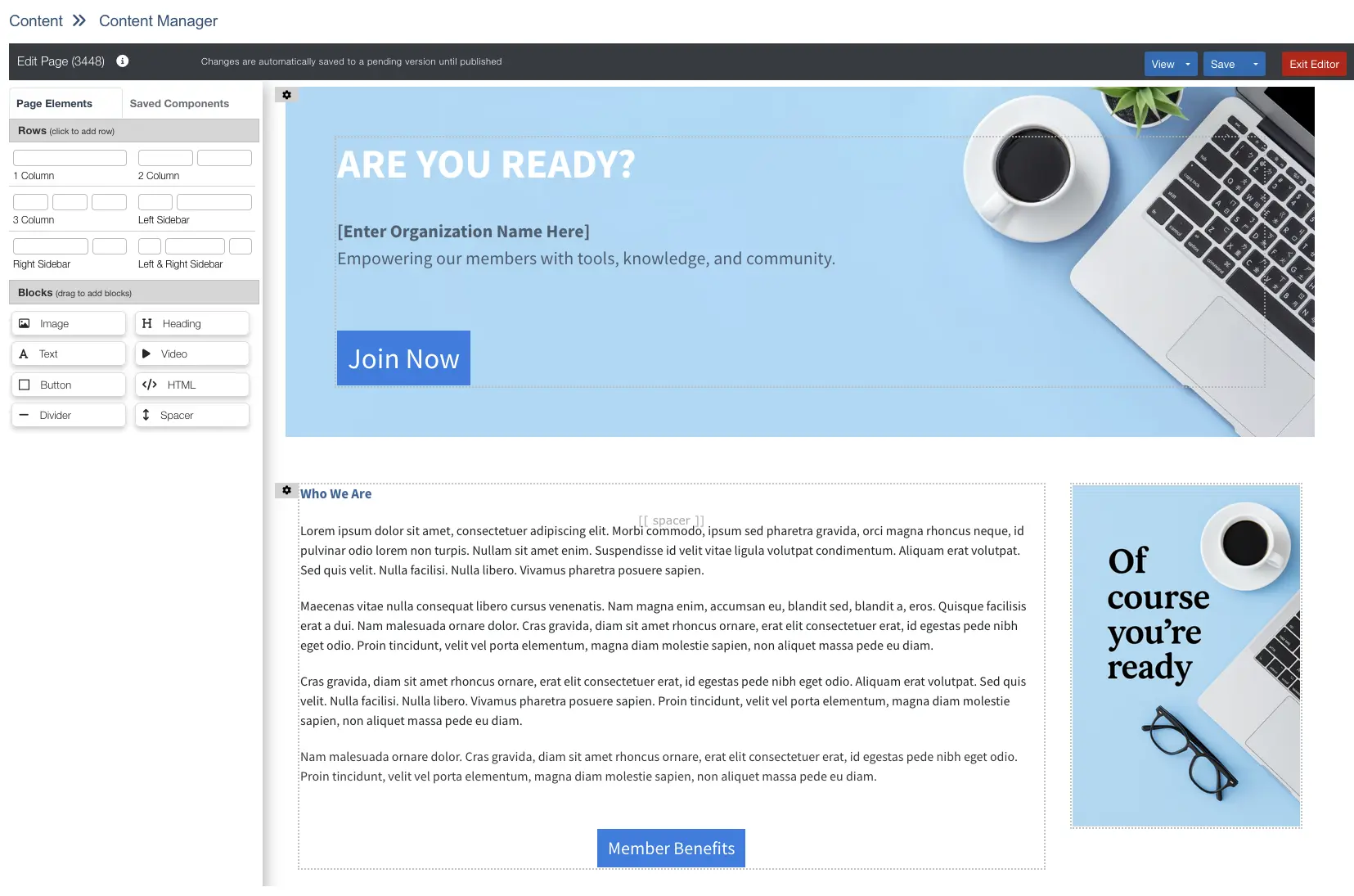
Flexible Page Management With Built-In Version Control
Complete control over your site—not just individual pages
What You Can Build & Manage
- Any page type: Text content, forms, reports, file downloads, or external links
- Member-only sections: Restrict pages by membership type, board status, or event registration
- Scheduled content: Auto-publish pages on specific dates (conference registrations, seasonal content)
- Multiple layouts: Text pages, directory listings, resource libraries, or redirects
Version Control That Protects Your Live Site
Edit pages safely without affecting what members see:
- Draft mode keeps your published page live while you work
- Preview changes before publishing (desktop, tablet, mobile views)
- Revert to the previous version if needed—one version history is saved
- Publish immediately or save drafts to publish when you're ready
SEO & Access Controls Built In
- Page-specific keywords for better search rankings
- Password-protected pages for member-only content
- Mobile menu configuration
- Meta descriptions and keywords for search engines
Safe, Confident Updates
Result: Your team updates the site confidently—no risk of breaking live pages, no waiting for developers to restore backups.
Every Page Works on Every Device
Your members access your website from phones, tablets, and desktops. The website builder ensures every page automatically adjusts to fit any screen size.
Mobile features:
- Automatic stacking: Multi-column layouts stack vertically on mobile for easy reading
- Flexible images: Images scale proportionally to fit smaller screens without distortion
- Readable text: Buttons and text remain legible and clickable on all devices
- Preview before publishing: Test how your page looks on desktop, tablet, and mobile
No extra work required:
Build once, and your pages automatically work on every device—no separate mobile site needed
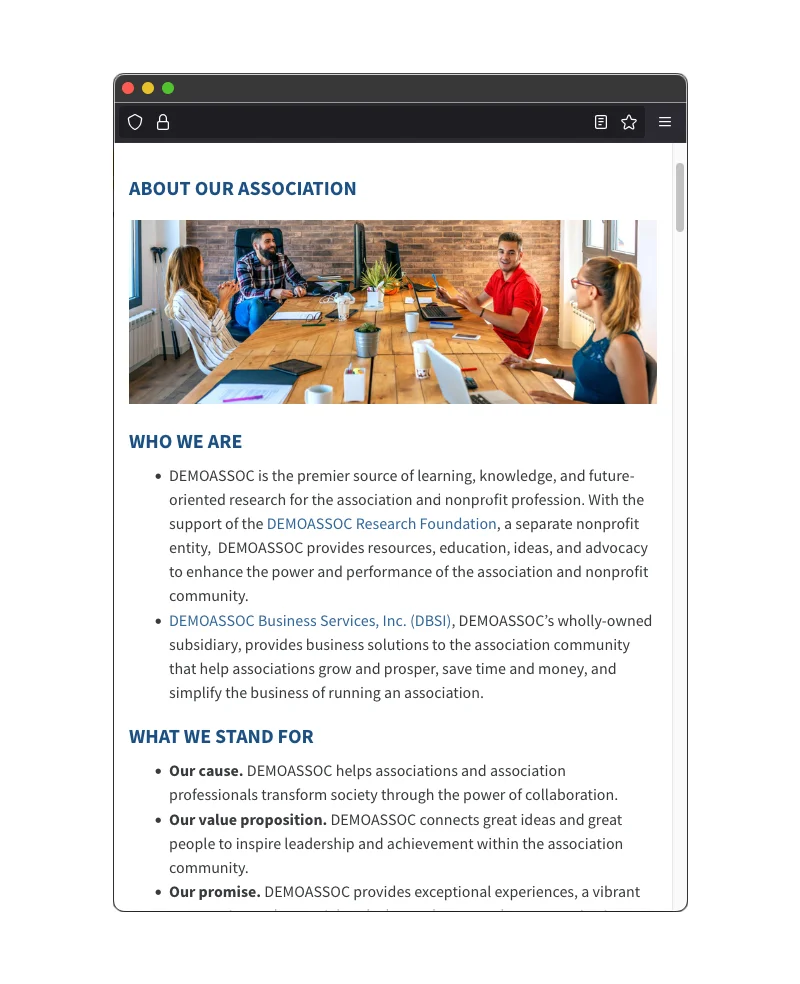
Stop Paying Developers for Simple Updates
See how i4a's drag-and-drop page builder lets your team update member portals, directories, and benefit pages—without waiting for developer invoices or learning code.
Schedule a DemoWebsite Building for Your Organization Type
See how associations like yours create member-facing web pages
Common Questions
Explore Related Features
See how our integrated platform works together
Ready to Build Member Pages Without Code?
Schedule a demo to see how i4a's software for associations with drag-and-drop page builder works for your organization. We'll show you how to create member portals, directories, and benefit pages in minutes.
