Association Website Templates You Can Try on Your Own Site
i4a's Theme Manager lets association staff preview a website theme on their own pages, at desktop, tablet and phone sizes, before anything goes live, and customize it with point-and-click settings, no code required. Themes are part of i4a's association website builder, so there is no second website system to learn, and the live site does not change until you publish a theme and assign it to your pages.
What Is i4a's Theme Manager?
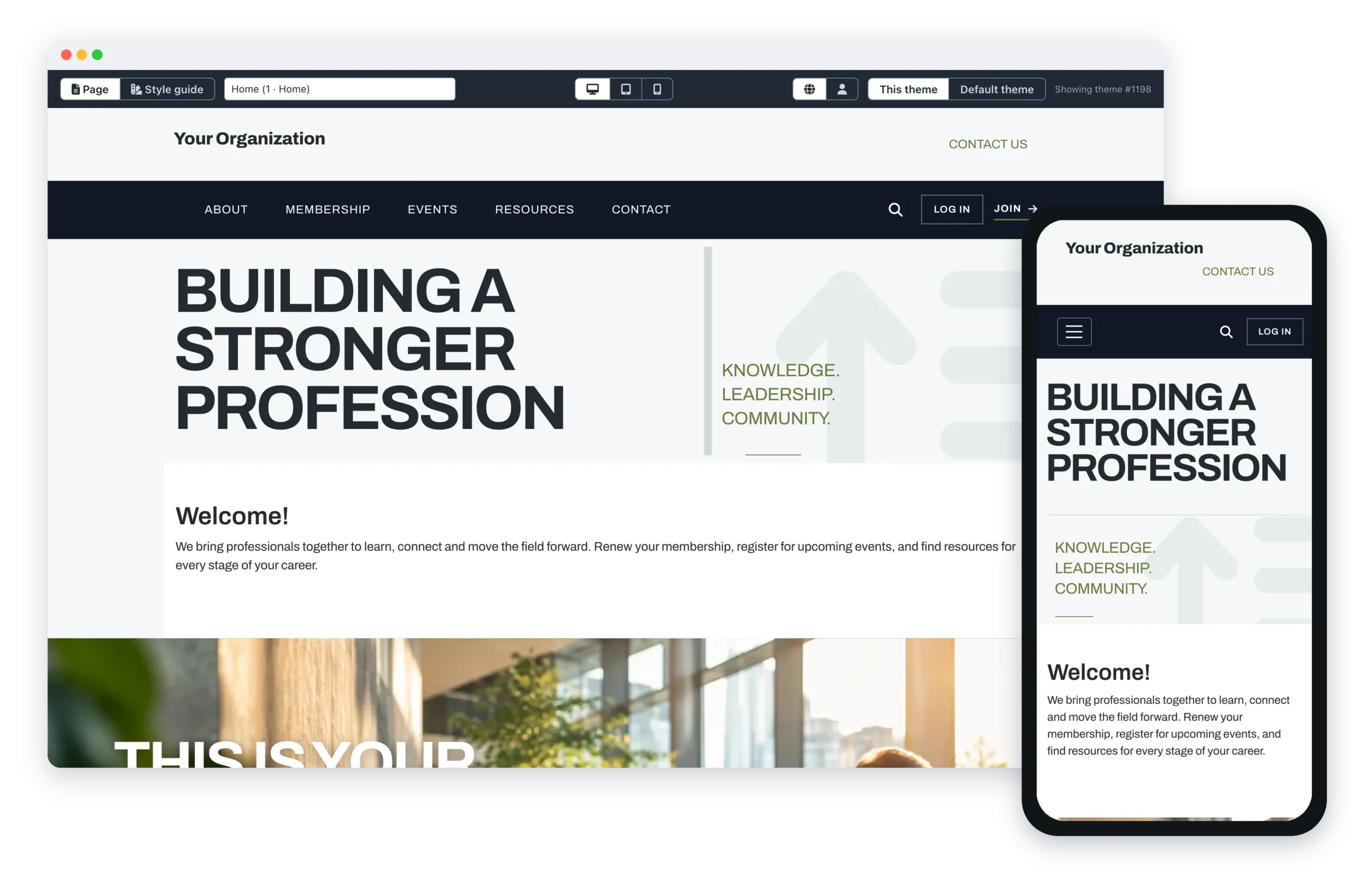
Theme Manager is where i4a customers choose and customize the design of their website. The new generation of themes adds a library of Stock Themes, included free, and Signature Themes with more distinctive layouts. Most website template galleries show a demo site with sample text; Theme Manager shows the theme on your own pages, with your own menus and content.
For associations already on i4a, pages, member records, events and payments stay where they are, because only the design around them changes.
What Do i4a's Website Themes Look Like?
A few of the Stock Themes, included free with i4a. Click any theme to see its full home page.
CompactThe classic two-bar header with slider. Included free.
RegentNavy and gold, membership-forward. Included free.
EmberPolished, contemporary front door. Included free.
CobaltContemporary, full-width front door. Included free.
MagazineEditorial layout with a full-width hero. Included free.
HarborFamiliar sidebar layout. Included free.
A few of the Signature Themes, a one-time $495 each:
SkylineBuilt for organizations that move industries forward. Signature Theme, $495 one time.
MeridianRefined and editorial, with a distinctive diagonal motif. Signature Theme, $495 one time.
StrataDesigned for associations with a clear mission and a strong voice. Signature Theme, $495 one time.
How Do You Try an i4a Theme on Your Own Website?
Trying a theme in i4a takes five steps, none of which involve code, and your live site stays the same until the last one.
- Pick a theme from the Design Gallery and install it.
- Preview it on your real pages, as the home page or an inside page, at desktop, tablet and phone widths.
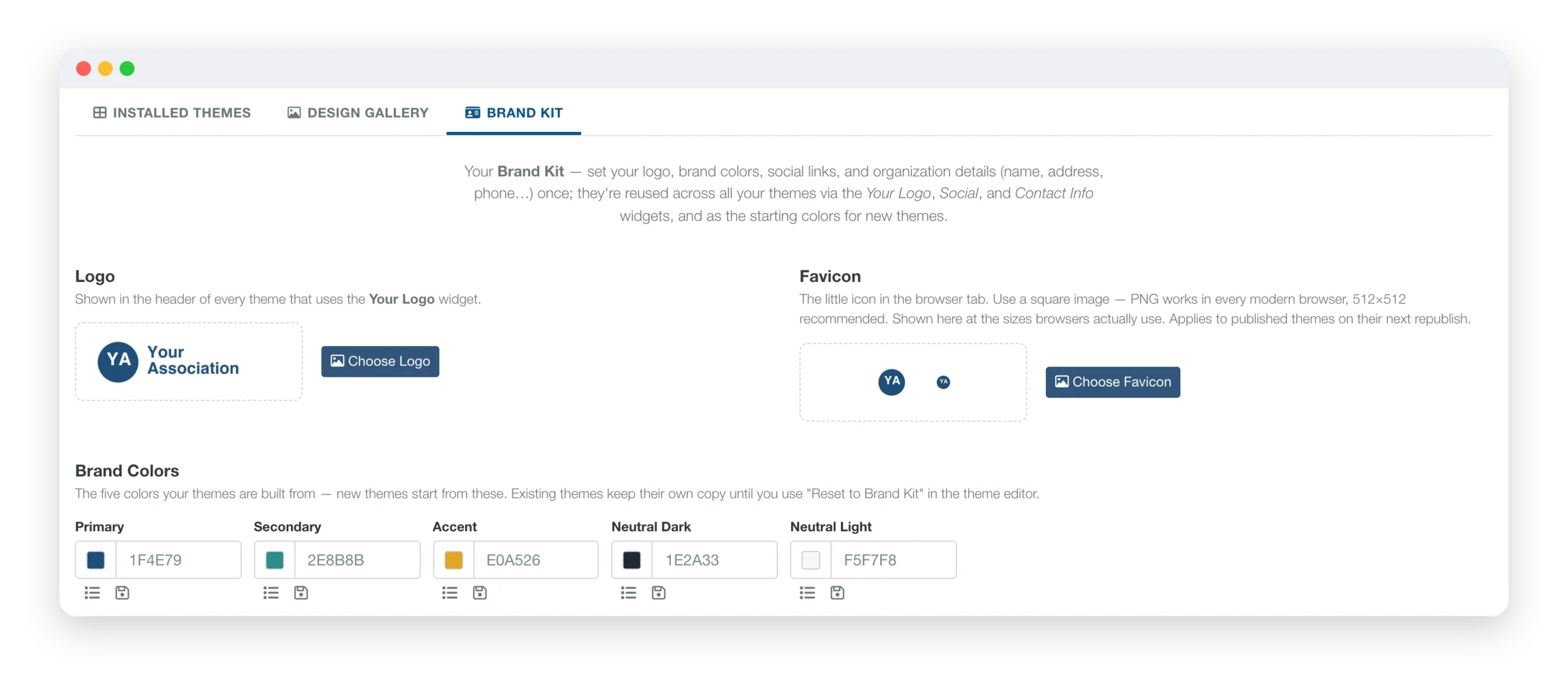
- Apply your brand from the Brand Kit, which keeps your logo, favicon, brand colors, contact details and social links in one place. A theme can switch to your brand colors when you install it.
- Adjust it with settings, not code: colors, fonts, layout, headers, footers, menus and buttons.
- Publish and assign it when you're ready. Publish makes your design the theme's published version, and assigning the theme to your pages puts it on your live site. If you publish a change you don't like, Restore Previous swaps it back to the version you published before.
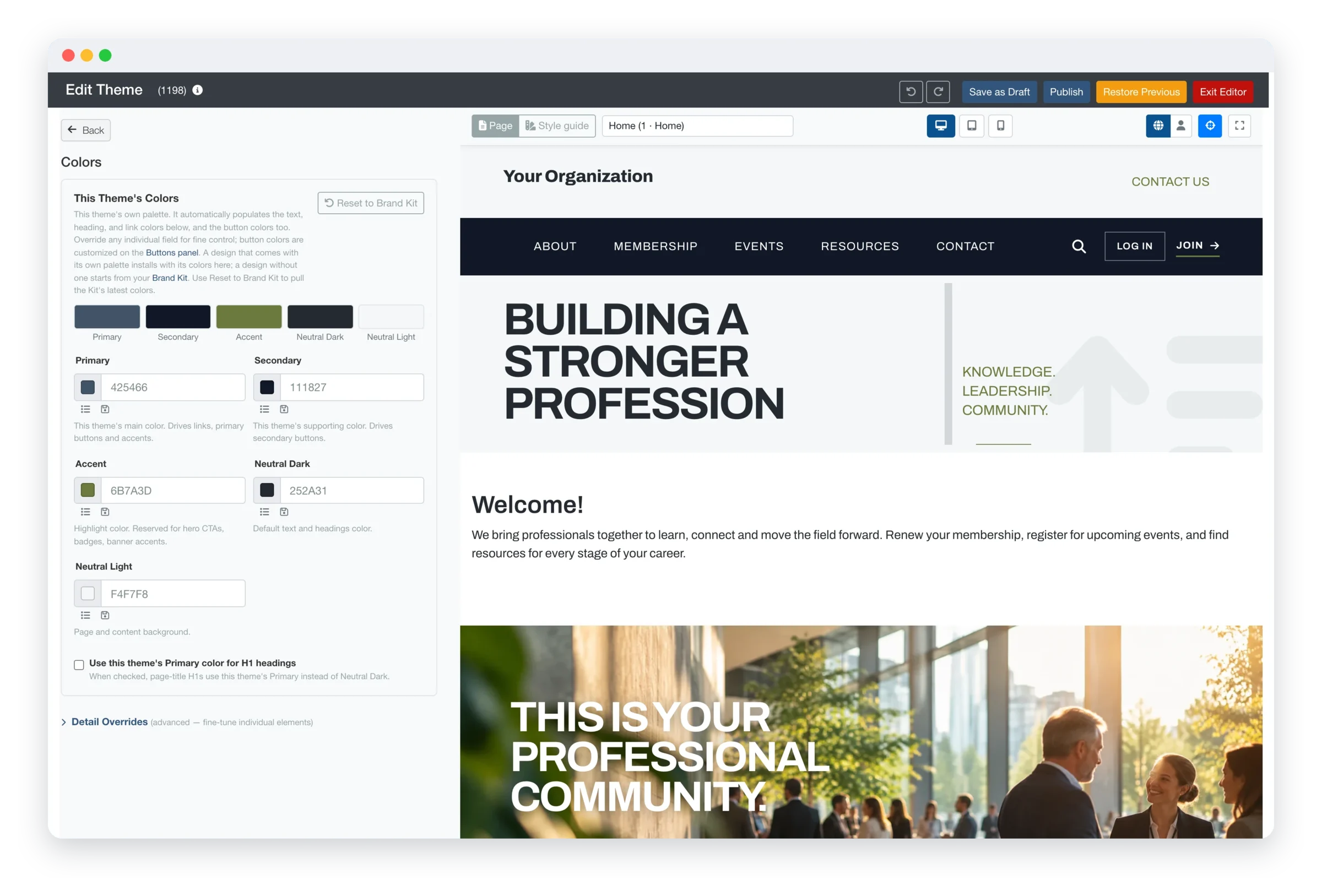
The theme editor: settings on the left, your own page on the right.
Does a New i4a Theme Change Your Website Content?
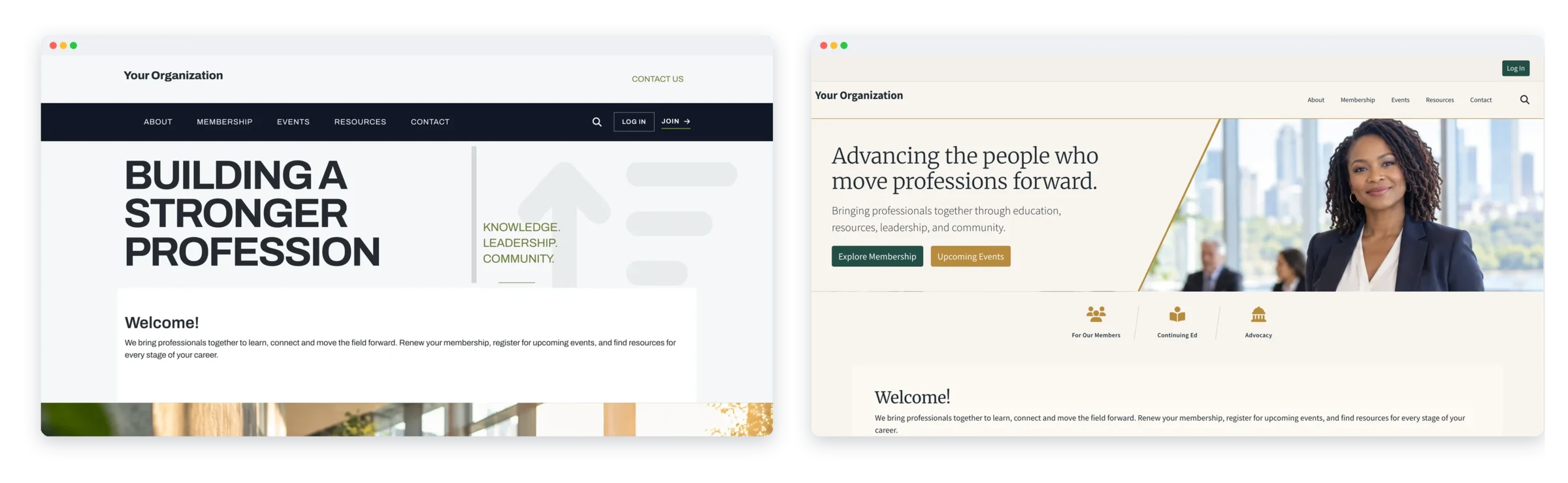
No. A new theme in i4a's Theme Manager changes the design around your content: the header, menus, colors, fonts, footer and the top of the home page. The text, pages and member areas inside it stay the same, so the same page can be shown in two different themes, as in this example.
What Can You Customize in an i4a Theme Without Code?
i4a's new themes give you more control over your site with point-and-click settings, no code required, in five areas:
- Colors, fonts, layout, headers, footers, images and navigation
- An image, a slideshow or a video at the top of your home page
- Image carousels, linked icon tiles and more login options
- A Brand Kit for your logo, favicon, brand colors, contact details and social links
- Optional custom CSS, only if you want finer control
How Do You Build Your Header and Footer in i4a?
Your header and footer in i4a are made of rows you stack and rearrange, and each row holds widgets: your logo, menu, search, member sign-in, social links, contact info, buttons, an events calendar, breaking news or a banner ad. All of it is point-and-click, with no code.
- Add up to three header rows and three footer rows, and drag them into any order
- Give each row its own colors, borders and spacing
- Pin your menu bar so it stays in view as visitors scroll
- Show a row on every page, only the home page, or the pages you pick
How Much Do i4a's Website Themes Cost?
Stock Themes are included free with i4a. Signature Themes are a one-time $495 each. Every theme can be previewed on your own pages before you choose, so you only pay for a Signature Theme you have already seen on your site.
Want our designers to do it for you?With i4a's Theme Designer Setup service, you pick the theme you like and an i4a designer sets it up to look like your organization: your logo, colors, photos, fonts and menus, all in place. You get two rounds of revisions so it ends up the way you want it, and you see everything in the preview before it goes live.
It's one flat rate of $995, or $1,490 with a Signature Theme, so you know the cost before we start.
Ask About Theme Designer SetupWhat Should You Know Before Choosing an i4a Theme?
The theme preview is for your i4a administrators while they are logged in; there is no public link to send to a board member, so reviewers look at it with a staff member or from screenshots. A theme sets the design, not the words: page content is written and edited in i4a's page editor. Sites with a custom design can keep it.
Frequently Asked Questions About i4a Website Themes
No. Your current theme now shows as a Legacy Theme in Theme Manager and keeps working as it always has. Your site stays exactly as it is until someone on your staff publishes a new theme and assigns it to your pages.
No. Your pages, member records, events and payments stay where they are. Only the design around them changes.
Yes. The preview shows any theme on your real pages at desktop, tablet and phone widths. The preview is available to your i4a administrators while they are logged in.
Yes. Restore Previous swaps a theme's current published version with the version you published before it.
Stock Themes are clean starting points included free with i4a. Signature Themes have more distinctive layouts and design touches and cost a one-time $495 each. You can preview any theme before you choose.
No. Choosing, customizing and publishing a theme all happen with point-and-click settings: colors, fonts, layout, headers, footers, menus and buttons. Custom CSS is there only if you want finer control.
Yes. Every theme is responsive, so pages adjust to phones and tablets.
Yes. With i4a's Theme Designer Setup service, you pick the theme and an i4a designer sets it up with your logo, colors, photos, fonts and menus, with two rounds of revisions. It costs $995, or $1,490 together with a Signature Theme.
Yes. Custom designs stay as they are. If you want to move to one of the new themes, i4a can help.
See Your Website in a New Theme Before You Commit
Stock Themes are included free, and every i4a price is published. Check the numbers first, then see the themes on a demo.