Quick Summary: Renewal Automation
- Auto-renew is the highest-impact feature: Members with stored payment methods and auto-billing renew at significantly higher rates than those using manual methods.
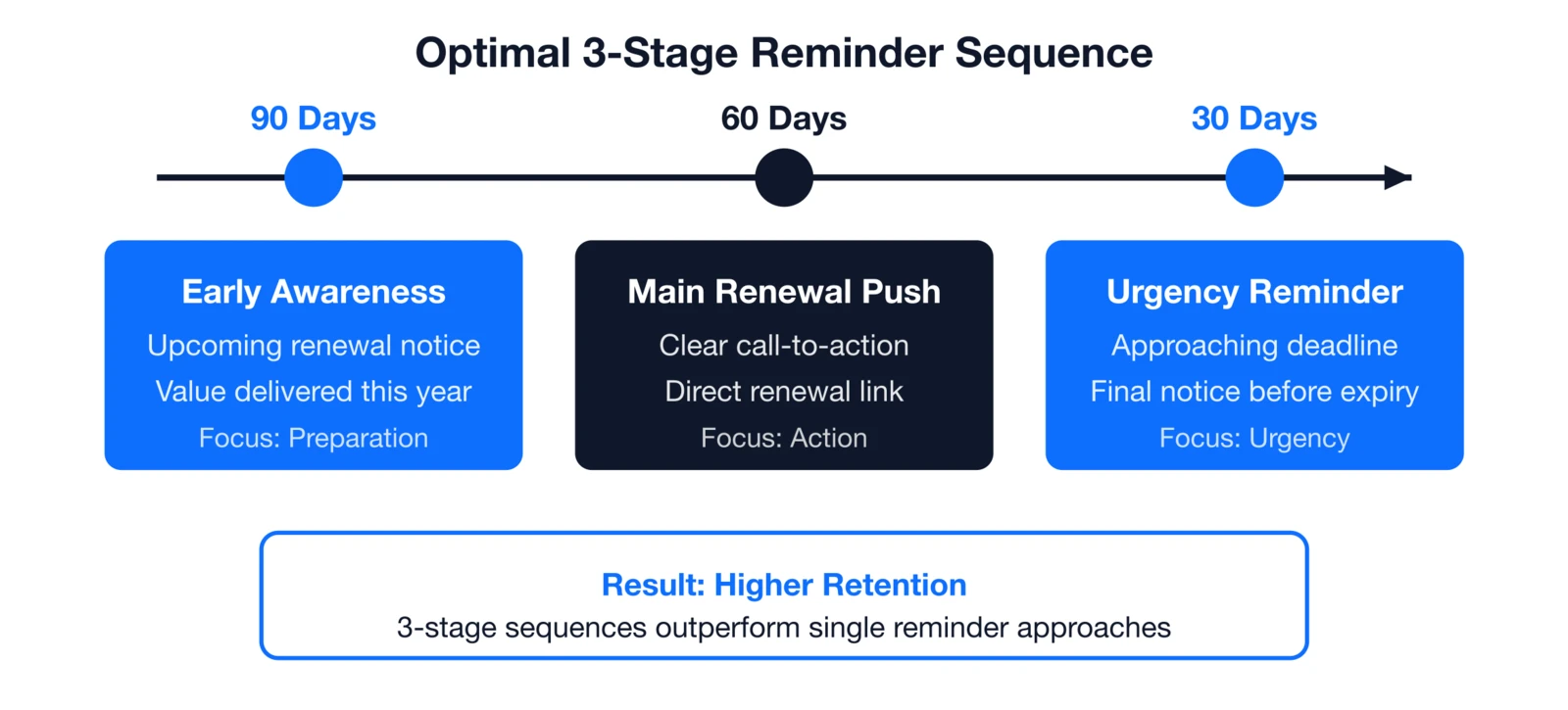
- 3-stage reminders outperform single emails: A 90/60/30-day sequence builds awareness to urgency, catching members at their most receptive moments.
- Most lapses are preventable: 52% of non-renewals stem from disengagement and 24% from forgetting—both issues automation directly addresses.
- Grace periods reduce friction: A 30–60 day window after expiration prevents lockouts and gives members time to complete payment.
- Failed payment recovery preserves revenue: Automated retry sequences with clear update links recover a significant portion of declined transactions.
Part of our comprehensive retention guide
Automate membership renewals to boost retention and cut staff workload. This guide covers 90/60/30-day reminders, auto-renew billing, grace periods, and win-back campaigns that actually work.
Why automate membership renewals?
Manual renewals waste time and frustrate members, but automation turns renewals into a seamless revenue engine. According to Sequence Consulting's 2026 Association Trends Report
The cost of manual renewals
Manual processes keep staff buried in grunt work instead of strategic priorities. Pulling lists into Excel, running mail merges, tracking payments—it's a seasonal nightmare that steals focus from member engagement. After working with associations for nearly 30 years, I've seen this pattern too many times: talented staff spending weeks on renewal busywork when they could be building member relationships. The good news? This is one of the most fixable problems in association management.
- Staff overload: Hours per renewal spent on lookups, invoices, database updates
- Member friction: Logging in, hunting forms, re-entering payments drops completions
- Inconsistent reminders: Members slip through uneven follow-ups
- Revenue leaks: Each lost percentage point costs thousands in dues annually
The benefits of automation
Automation delivers retention lifts that pay back fast, plus predictable year-round cash flow. A strong membership management system
Set up automated renewal reminder campaigns
Multi-touch reminders build awareness to urgency, catching members wherever they are in their decision journey. A proven 3-stage sequence drives higher rates than one-off blasts by meeting members when they're most receptive. Set it once in your email marketing tools
The optimal reminder sequence
- 90 days out: Early awareness—value recap, upcoming renewal notice
- 60 days out: Main push—direct link, clear call-to-action
- 30 days out: Urgency—deadline warning, final nudge
Organizations using this 3-stage sequence consistently beat single-reminder approaches.
Renewal email checklist
- Personalized date: "Your membership expires March 15, 2025"
- Direct renewal link: Pre-filled for fast renewal
- Exact dues: Their specific membership amount
- Payment options: Including installments if available
- Support contact: Quick help access
How i4a Automates Renewal Reminders: i4a's automated renewal reminder system lets you create an email campaign once and schedule it to automatically send to members expiring in your chosen date range (e.g., "expiring in next 30 days"). The recipient list updates automatically each time it sends, so you set it up once and it runs indefinitely.
Implement automated dues collection
Auto-renew tops every impact list—members stay seamlessly, revenue flows steady without chasing. Opt-in storage charges exactly on expiration date with instant confirmation, eliminating forgetfulness entirely.
How auto-renew works

- Members securely save card/bank in profile
- Opt in (always optional—no auto-enrollment)
- System auto-charges on renewal date
- Instant confirmation email extends expiration
The impact
Auto-renew adopters see substantial retention lifts; cash smooths across the year instead of seasonal lumps. Staff stop chasing invoices; members stop forgetting. The renewal just happens.

Best practices for auto-renew
- Always optional: Clear permission required
- 30-day notice: Email charge details ahead
- Easy opt-out: Link in every communication
- Graceful retries: Handle failures automatically
- Heavy promotion: Push at signup and reminders
How i4a Handles Automated Dues Collection: i4a's payment system allows members to securely save credit cards or bank accounts and opt into automatic billing. On their renewal date, i4a automatically charges their stored payment method, sends instant confirmation, and updates their expiration date – all without staff involvement. Members can view, update, or disable auto-renew anytime in their self-service portal.
Configure grace periods for seamless access
Grace periods bridge the gap from expiration to renewal processing, keeping access live when members need it most. Without them, instant lockouts create frustration exactly when you're asking for money. The right window (30-60 days) balances urgency with payment reality like ACH delays.
What is a grace period?
A grace period is a window of time after expiration during which members maintain access while processing their renewal—preventing the frustrating scenario where a member loses access before they've had time to renew.

What happens without grace periods
- Sudden access cuts: Members lose portal mid-renewal attempt
- Support floods: "I can't log in!" tickets spike
- Dropped completions: Frustrated members walk away
- Payment blind spots: Ignores processing times
Grace periods lift completion rates—a tiny config with outsized results.
How to configure grace periods
- 30 days: Covers payment basics
- 60 days: Ideal balance for most associations
- 90 days: Generous but preserves some urgency
Members retain full access with gentle portal reminders during the grace period.
How i4a Implements Grace Periods: i4a allows you to configure grace periods by membership type. Members who expire remain active during the grace period with full access to the member portal, event registration, and resources. Grace period status is clearly indicated in admin reports so you can track members in renewal status.
Offer flexible payment options
Payment barriers silently kill renewals—flexibility removes them completely. Supporting cards, ACH, invoices, and installments matches every member's reality, especially corporates or higher-dues segments.
Payment methods to offer
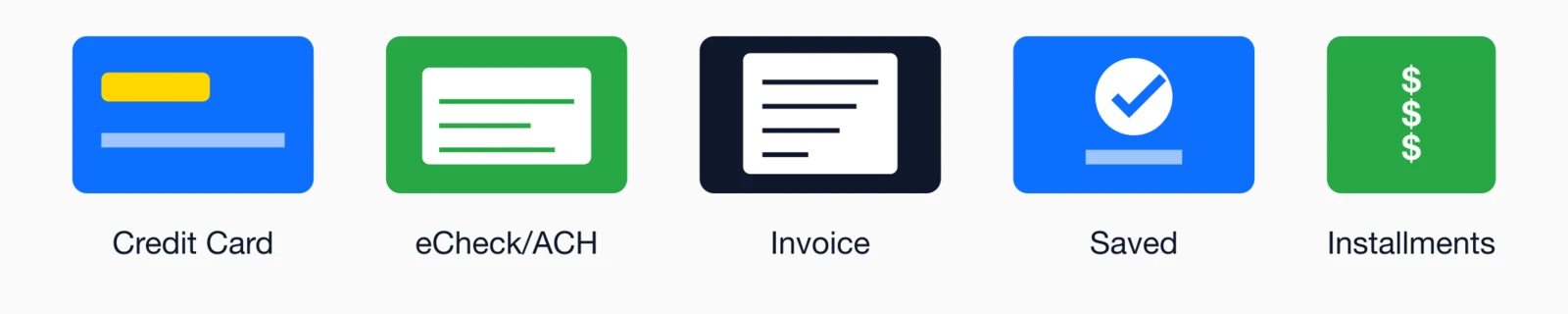
- Credit cards: Visa, MC, AmEx, Discover
- eCheck/ACH: Corporate favorite, lower fees
- Invoicing: Accounting department approvals
- Saved payment methods: One-click renewals
Installment payment plans
Installments particularly lift high-value memberships; automate the billing schedule:
- Spread annual dues over 3, 6, or 12 monthly payments
- Particularly effective for higher-priced memberships ($500+)
- Automated monthly billing reduces administrative burden
How i4a Handles Payment Flexibility: i4a supports credit cards, eCheck/ACH, and installment plans out of the box. Members can save payment methods for fast, simple renewals. For installment plans, i4a can automatically split dues into monthly payments and process them on schedule. All payment history is visible in the member's transaction history.
Personalize renewal communications
Generic "Dear Member" emails disappear into inboxes; personalized ones cut through with relevance. Use profile data for names, dates, tenure, and usage to build emotional connection and trust. Here's what I've learned watching thousands of renewal campaigns: the associations that treat renewals as a conversation—not a transaction—consistently outperform those sending the same generic message to everyone. Your data already knows who each member is. Use it.
Personalization elements that convert
- Name + date: "Hi Sarah, expires March 15"
- Dues exact: "$195 Professional membership"
- Tenure milestone: "Member since 2018"
- Usage proof: "3 events, 12 downloads this year"
- Custom fields: Industry, chapter, specialty
Why personalization wins
Higher opens, clicks, and completions every time. Go deeper with segmentation:
- By type: Students vs. professionals vs. retirees
- By tenure: Loyal vs. new members
- By engagement: Active vs. at-risk messaging
- By history: First renewals need process education
See our professional association renewal strategies and healthcare retention guide
Create a self-service renewal portal
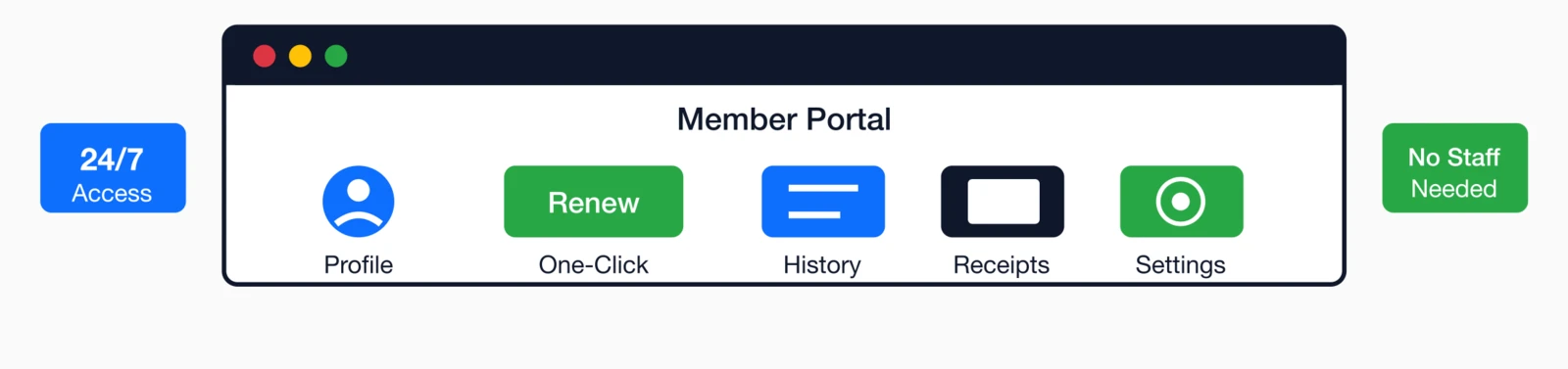
Portals shift renewals from staff burden to member self-service, available 24/7. Members handle everything themselves—pre-filled forms, saved payments, instant receipts—slashing support volume dramatically.
What members expect now
- Fast, simple renewals: Prefilled + saved payment methods
- Status dashboard: Clear expiration/renewal view
- Payment management: Add/update/remove cards
- Auto-renew toggle: Easy on/off control
- Transaction history: All payments + receipts
- Profile updates: Keep data current
What you gain
Staff saves hours weekly; data stays fresh; members feel empowered. The portal runs 24/7—members can renew at 11pm Sunday. Support tickets drop since they check status and grab receipts themselves.
How i4a's Member Portal Works: i4a includes a fully-featured member portal
Automate renewal confirmation and receipts
Instant confirms eliminate "Did my payment go through?" panic, cutting support inquiries during peak season. Smart confirms also reinforce value right at decision close.
Confirmation email essentials
- Thanks message: Personal appreciation
- Receipt details: Transaction ID, amount, method, date
- New expiration: "Active through March 15, 2026"
- Downloadable PDF: Membership card/certificate
- Next steps: Portal access, upcoming benefits
- Future renewal: "Next due March 2026"
Use this moment to highlight underused benefits or events.
Segment and target lapsed members
Win-backs turn lapsed members into found revenue—many just need the right nudge at the right time. A 3-stage post-expiration sequence recovers what manual follow-up misses.

Lapsed win-back sequence
- 30 days post-lapse: "We miss you" + quick survey—why they left
- 60 days post-lapse: Special offer—discount, waived fee, or installments
- 90 days post-lapse: Final outreach—new features since they left
Segment smart
- Payment failures: Get update links
- Low-engagement: Get value refreshers
- Recent joiners: Get onboarding redo
Frictionless rejoin using existing profiles converts best.
Monitor renewal metrics and optimize
Metrics turn automation into continuous improvement—monthly reviews reveal exactly what's working. Track these to spot opportunities and crush underperformers.
Key metrics to watch
- Retention rate: Overall + by member type/region
- Days to renew: From first reminder to completion
- Payment preferences: Cards vs. ACH vs. installments
- Auto-renew adoption: Enrollment + retention lift
Optimization playbook
- A/B test: Subjects, length, personalization elements
- Timing tweaks: Add 14-day if 30-day dominates
- At-risk segments: Low-retention types need custom flows
How i4a Tracks Renewal Metrics: i4a's custom reporting tools let you build reports to track retention rates by member type, renewal trends over time, and membership activity month-over-month. Built-in segmentation lets you filter by any field to identify patterns. QuickBooks-compatible export makes it easy to track revenue by renewal period.
Implement failed payment recovery
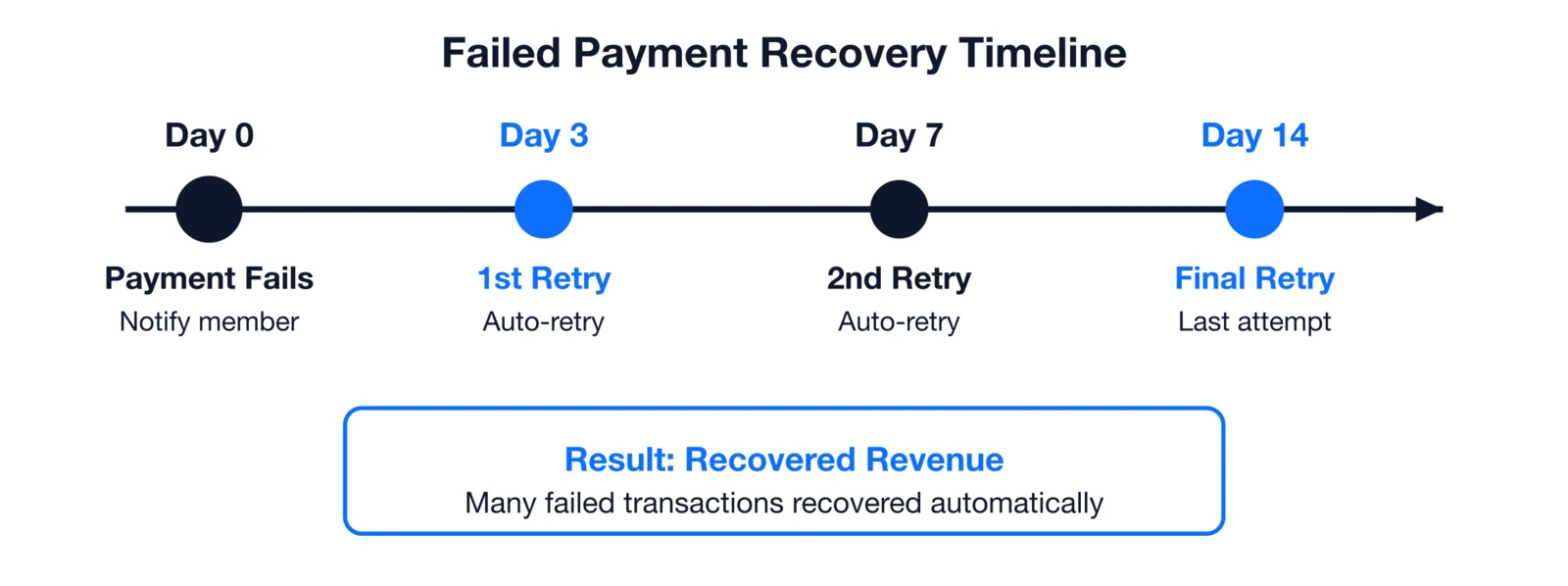
Even perfect auto-renew hits snags—expired cards, bank declines. Smart retry logic recovers a significant portion of these automatically, turning losses into revenue.
Automated recovery flow
- Day 0: Instant failure notice + update link
- Day 3: First auto-retry
- Day 7: Second retry
- Day 14: Final attempt + alternatives
Failed payment email best practices
Craft emails that inform without frustrating—members fix issues faster when guidance is clear and supportive.
- Clear subject: "Action Required: Update Payment for Your Membership"
- Explain simply: "Your card ending in 4242 was declined (this happens often with expired cards)."
- No blame tone: Focus on solution, not fault—"Let's get you back to active status."
- Direct fix link: Straight to portal's payment update page
- Alternatives offered: "Update card, switch to eCheck, or call support."
- Support contact: Phone/email for those needing help
These turn frustration into quick fixes. Without recovery, failed payments quietly become churn—members assume it's done and walk away. With smart retries and emails, you recover a significant portion automatically, preserving revenue.
Putting it all together: Implementation roadmap
Don't tackle everything at once—phase for quick wins and momentum. This 4-phase approach delivers results in your next cycle.
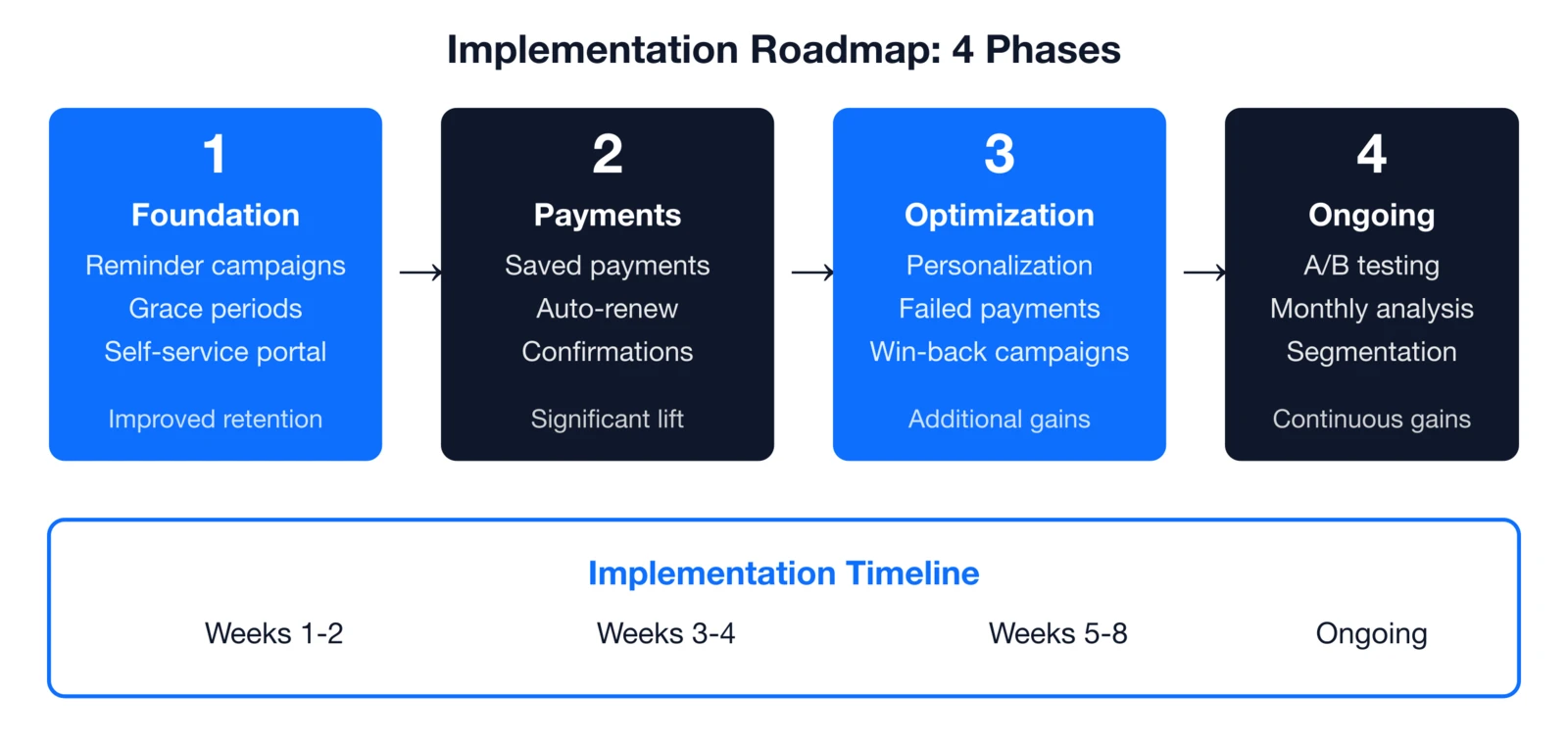
Phase 1: Foundation (weeks 1-2)
Reminders (90/60/30), grace periods, portal → Quick retention lift
Phase 2: Payments (weeks 3-4)
Saved payments, auto-renew, confirms → Major revenue gain
Phase 3: Optimization (weeks 5-8)
Personalization, failed recovery, win-backs → Incremental wins
Phase 4: Continuous (ongoing)
A/B testing, monthly analysis, segments → Year-over-year growth
Getting started
The best time was yesterday—the next best time is now. Start with Phase 1 for cycle-one results, then layer in payments. Every month delayed costs real dues revenue. I've helped associations implement these systems for decades, and the ones who start small but start soon always outperform those waiting for the "perfect" moment. Pick one thing from this guide—automated reminders, grace periods, whatever fits—and get it running before your next renewal cycle. You'll wonder why you waited.

How i4a helps automate renewals
i4a bundles every feature here as standard: unlimited members, automated everything, custom reporting. Scale without usage fees or limits.
- Automated Reminders: Send to any expiration date range
- Automated Billing: Secure storage + auto-renew
- Grace Periods: Configure by membership type
- Self-Service Portal: Members handle renewals themselves
- Flexible Payments: Cards, eCheck, invoices, installments
- Custom Reporting: Track retention metrics your way
For complete retention strategies, explore our full membership retention guide
Key takeaways
- Automated renewals boost retention while slashing staff time on manual processing
- 3-stage reminders (90/60/30 days) outperform single emails every time
- Auto-renew programs deliver significantly higher retention than manual methods
- Grace periods and failed payment retries prevent unnecessary losses
- Self-service portals cut support calls and let members renew 24/7 on their terms
Ready to Automate Your Renewals?
i4a's membership software includes automated renewal reminders, self-service portals, and flexible payment options—so you can increase retention while reducing staff workload.
See How It WorksRelated resources
Comprehensive guide to membership databases, renewal automation, self-service portals, and choosing the right membership software.
Learn how AMS platforms combine membership, events, email, and payments in one integrated system.
How to Reduce Membership Churn: 10 Proven Strategies for 2026
10 proven strategies to improve member retention beyond renewal automation.
How to Automate Membership Processes (Save 10+ Hours/Week)
Extend automation beyond renewals to onboarding, events, and member communications.
Comprehensive guide to automating association operations—from renewals to communications to event management.
