Quick Summary: Data Migration
- Clean data first: Remove duplicates, update old contact info, and standardize formats before moving anything to your new system.
- Follow three phases: Pre-migration planning, migration execution, and post-migration validation ensure a structured transition.
- Test with a subset: Start with 50-100 records to verify accuracy and field mappings before full migration.
- Run parallel systems: Keep your legacy system active for 2-4 weeks to ensure continuity and catch any issues.
Part of our AMS Buying Guide
Switching membership management platforms can feel daunting—after all, your member data is the heartbeat of your organization. But with the right plan, migrating that data can be a smooth, low-stress process that protects your records, improves data quality, and keeps operations running without a hitch.
After helping associations migrate their data for nearly three decades, I've seen what works and what doesn't. The good news? Most migration anxiety comes from uncertainty, not actual risk. When you follow a structured approach—like the best practices outlined by ASAE
Whether you're managing multiple client databases as an AMC
Phase 1: Pre-migration planning
Good planning is the difference between a seamless migration and a major headache. Start by assessing your current data, cleaning it up, and documenting how it will map into your new system.
Audit your current data
Understand the scope of what you're working with before moving anything. Ask yourself:
- How many total member records do you have?
- What custom fields exist in your database?
- Which historical data (transactions, events, communications) needs to carry over?
- What data is outdated, duplicated, or no longer relevant?
Using your current system's reporting and analytics tools can make this audit easier and more precise. It's your foundation for a clean, structured migration.
Clean your data first
Migration is the perfect moment to refresh your database. Don't move messy, inconsistent data—fix it first:
- Remove duplicate records
- Update old contact information
- Standardize formats (like phone numbers and addresses)
- Archive inactive or obsolete records
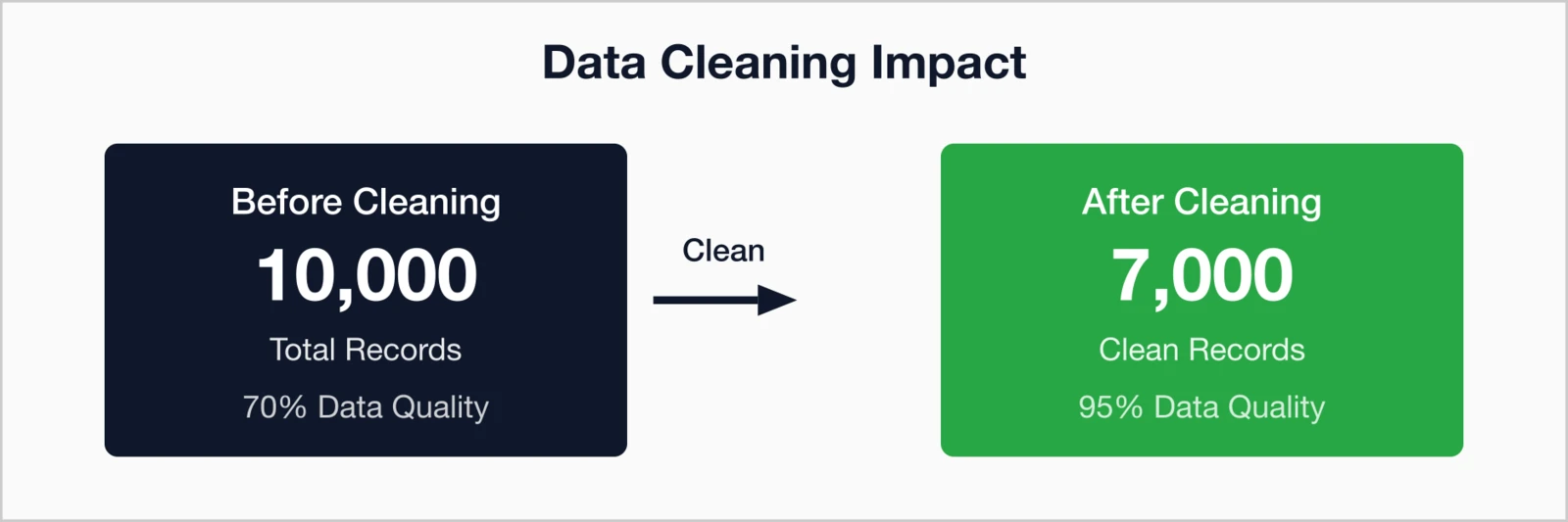
Pro Tip: Many organizations find that up to a quarter of their records are outdated or duplicated. Cleaning now means better reporting accuracy and more reliable data in your new system.
Create a data mapping document
Map how your current fields will translate into the new system. This document should outline:
- Which fields match directly
- Which need to be split or merged
- Which custom fields to recreate
- Any transformations needed for consistent formatting
A modern membership management system
Phase 2: Migration execution
Once planning is complete, it's time to move—carefully. Test early, migrate in stages, and verify rigorously to protect your data.
Test with a subset first
Don't migrate everything in one day. Start with a small test batch—50 to 100 records—to:
- Verify data accuracy
- Test workflows and automations
- Validate field mappings
- Adjust your process before full migration
Migrate in phases
Breaking migration into smaller parts reduces risk and eases troubleshooting:
- Phase 1: Core member data (names, contact info, membership status)
- Phase 2: Financial records (transactions, payments, invoices)
- Phase 3: Event data (registrations, attendance, participation history)
- Phase 4: Historical documents (communications and archived files)
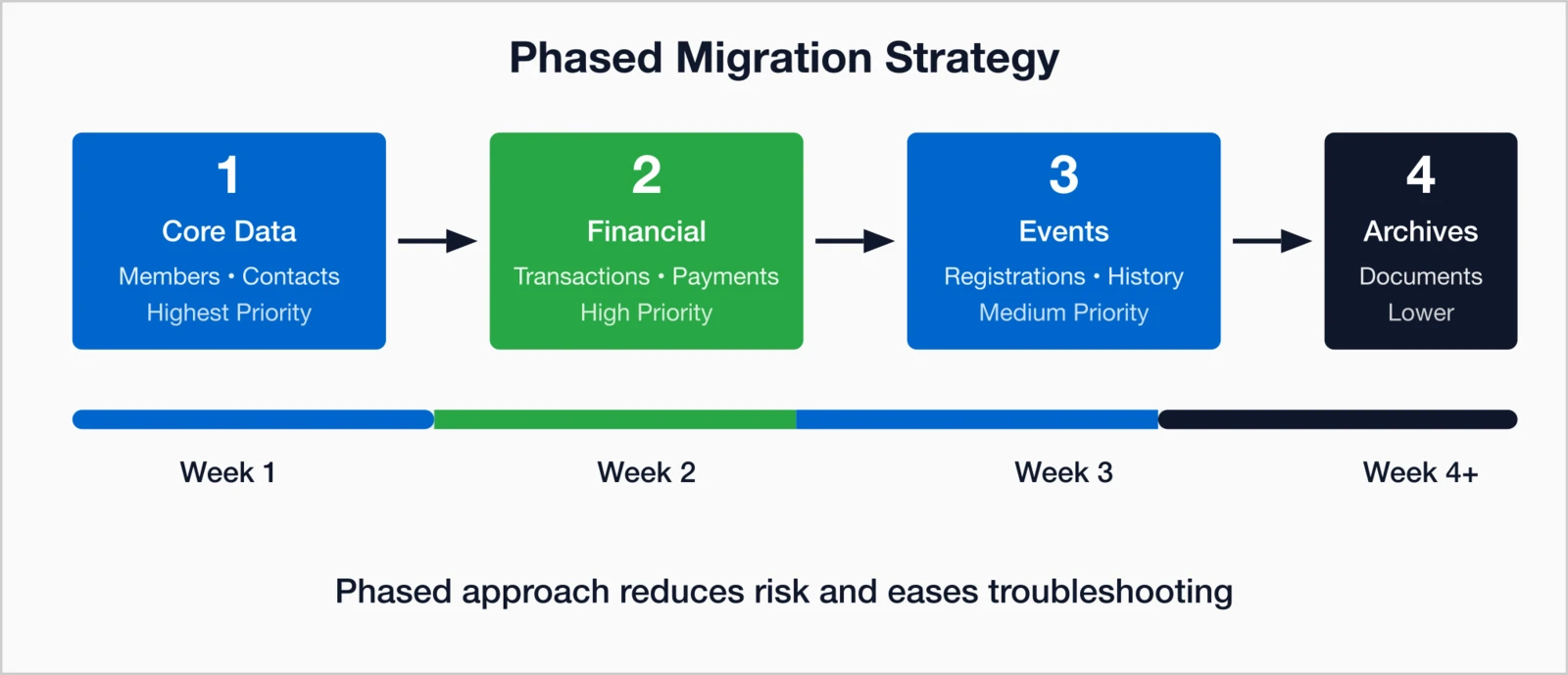
A phased timeline—spanning four weeks or more depending on complexity—helps your team monitor quality every step of the way. I always recommend this approach because it gives everyone time to catch issues early, before they become bigger problems. In my experience, organizations that rush through migration in a single weekend often spend more time fixing errors afterward than they would have spent doing it right the first time.
Maintain data integrity
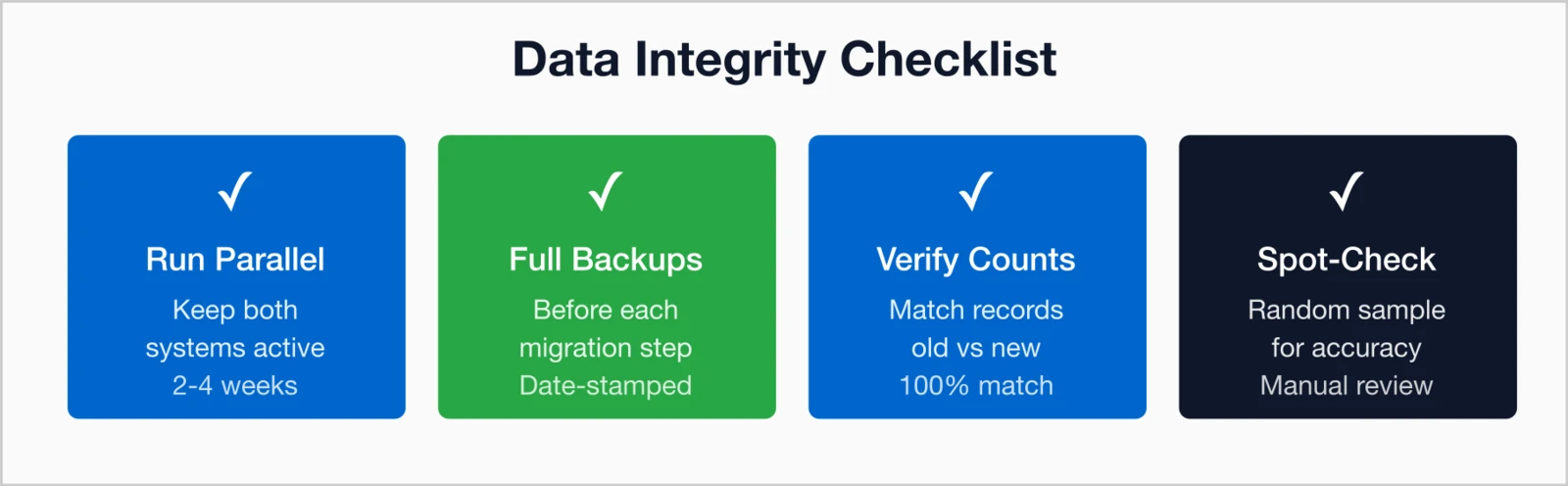
Safeguard your data throughout migration:
- Keep your legacy system active for 2–4 weeks
- Back up before each migration step with date-stamped copies
- Verify record counts before and after
- Spot-check random records for accuracy and completeness
This protects against data loss, ensures continuity, and gives your staff confidence in the new environment.
Phase 3: Post-migration
Once your data is in place, it's time to ensure everything works as expected—both for your team and your members.
Validate everything
Test every key function to make sure data flows correctly throughout the system:
- Member portal logins and account access
- Email and communication workflows
- Event registrations and payment processes
- Reporting and data exports
- Integrations with third-party systems
Verifying your member community portal and event registration workflows
Train your team
Even the best system is only as strong as the team using it. Build internal confidence by:
- Offering hands-on training sessions
- Creating quick-reference guides
- Appointing "power users" to assist colleagues
- Scheduling refresh sessions after launch
Communicate with members
Keep your members in the loop to strengthen trust and reduce confusion:
- Announce the upcoming changes well in advance
- Provide clear login and portal instructions
- Offer prompt help for any access or account issues
- Highlight benefits and new features that improve their experience
How i4a simplifies migration
At i4a, we've guided hundreds of organizations through migrations of all sizes—ensuring their data, teams, and members transition with confidence. Our migration process includes:
- Contact import wizard: Intuitive, step-by-step tools with helpful video tutorials
- Dedicated migration specialist: A single point of contact throughout the process
- Flexible scheduling: We adapt to your timeline, not the other way around
- Testing environment: Preview your data before going live
- Comprehensive training: Practical sessions to get your team comfortable fast
- Post-launch support: Continuous help long after rollout
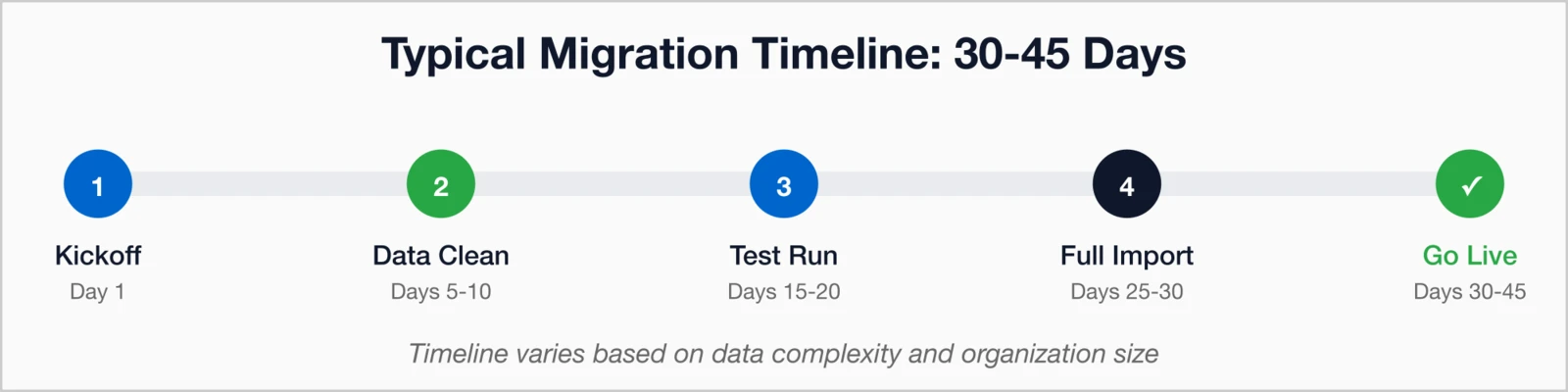
Timeline length varies depending on data complexity and organizational size, but most organizations complete migration within 30–45 days. What I tell every association considering a switch: don't let fear of migration keep you stuck with software that isn't serving your needs. A well-planned migration is an investment that pays off in cleaner data, better workflows, and a fresh start with a system that actually works for your team.
Key takeaways
- Clean before you move: Eliminate duplicates, update contact details, and standardize formats early
- Follow a three-phase plan: Plan, execute, and validate
- Test, test, test: Use a subset first to catch field or integration issues
- Run in parallel: Keep old and new systems active together for 2–4 weeks to prevent disruption
A careful, phased approach turns data migration from a stressful chore into an opportunity—to improve data health, streamline workflows, and start stronger on your new platform.
Ready to Make the Switch?
Let's discuss your association management software data migration needs and create a plan that works for your organization.
Let's Discuss Your MigrationRelated resources
Top Membership Software Features
Essential features to look for in your new platform.
10 Questions to Ask During a Software Demo
Critical questions to ask vendors.
How to Automate Membership Processes
Maximize your new system's automation features.
Post-migration support is critical for success.
