Quick Summary: Hybrid Events
- Budget 30-50% more: Hybrid done properly costs significantly more than either in-person or virtual alone.
- Design for remote first: If virtual attendees feel like afterthoughts watching through a window, they won't return.
- Audio is the #1 failure: Bad audio makes virtual unwatchable—invest in isolated audio feeds, not room mics.
- Consider alternatives: Sometimes separate in-person and virtual events serve members better than poor hybrid.
Part of our event best practices guide
Hybrid event strategies require intentional design for two audiences—not just "pointing a camera at the stage." This guide covers technology requirements, pricing models, and engagement tactics that make both in-person and virtual attendees feel valued.
I've watched associations struggle with hybrid formats, often because they treated it as simply "adding a camera to an in-person event." True hybrid requires intentional design for both audiences, and that takes more planning, more technology, and more budget than either format alone.
This guide covers how to plan hybrid events that genuinely serve both audiences—or help you decide whether hybrid is even the right choice for your situation.
The hybrid reality check
Before committing to hybrid, you need an honest assessment of what you're taking on—because hybrid done poorly is worse than not doing it at all. Industry research shows 63% of associations plan to host in-person only events in 2025, signaling a shift back from the pandemic-era virtual explosion. But that still leaves a significant portion embracing hybrid formats, especially for members who value flexibility.
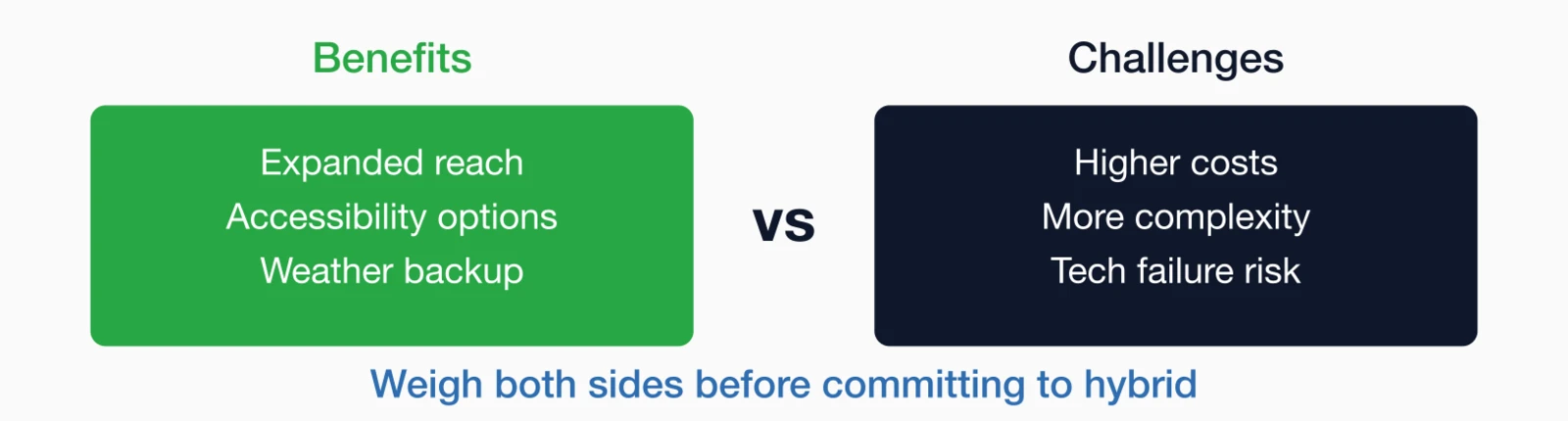
Why associations go hybrid
- Expanded reach: Members who can't travel can still participate
- Accessibility: Options for members with health, mobility, or financial constraints
- International inclusion: Time zones permitting, global members can join
- Weather/disruption backup: Virtual option if travel becomes impossible
- Revenue opportunity: Additional registrations beyond venue capacity
Honest challenges
- Higher costs: Streaming, production, platforms, and extra staff
- Complexity: Managing two experiences simultaneously
- Engagement gap: Hard to make remote attendees feel equally included
- Cannibalization risk: Some in-person attendees may switch to virtual
- Technology failures: More points of potential problems
Is Hybrid Right for You? If your virtual audience will be small (under 50), the cost per virtual attendee may not justify hybrid. Consider whether separate virtual programming would serve members better.
Hybrid event models
Not all hybrid events work the same way, and choosing the right model upfront can save you significant headaches. Here are the four main approaches, with guidance on when each makes sense:
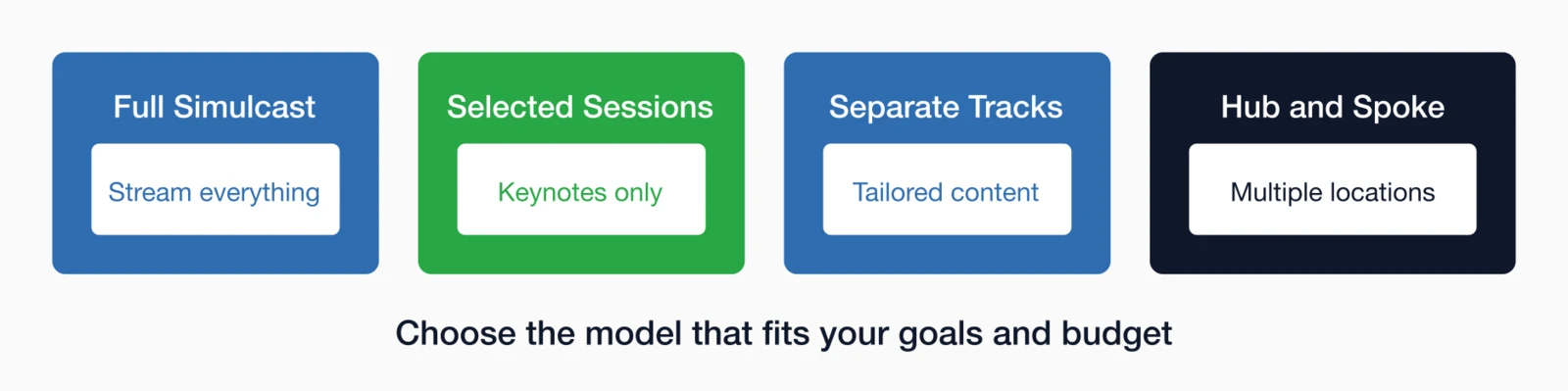
Full simulcast
What it is: Every session is streamed live to virtual attendees.
- Pros: Virtual attendees get the complete experience
- Cons: Most expensive; virtual attendees may feel like passive observers
- Best for: Conferences where content is the primary draw
Selected sessions
What it is: Only keynotes and major sessions are streamed; breakouts are in-person only.
- Pros: Lower cost; clear value differentiation for in-person
- Cons: Virtual attendees get incomplete experience
- Best for: Events where networking is as important as content
Separate tracks
What it is: In-person and virtual attendees have some different programming.
- Pros: Content tailored to each audience; virtual feels intentional
- Cons: More content to develop; potentially confusing
- Best for: Organizations with resources to create dual experiences
Hub and spoke
What it is: Multiple in-person locations connected virtually.
- Pros: In-person energy at multiple sites; reduced travel for many
- Cons: Complex logistics; requires local coordination
- Best for: National organizations with strong regional chapters
Technology requirements
Technology can make or break a hybrid event—and the technology requirements are more demanding than most associations realize. Here's what you actually need to deliver a professional experience:
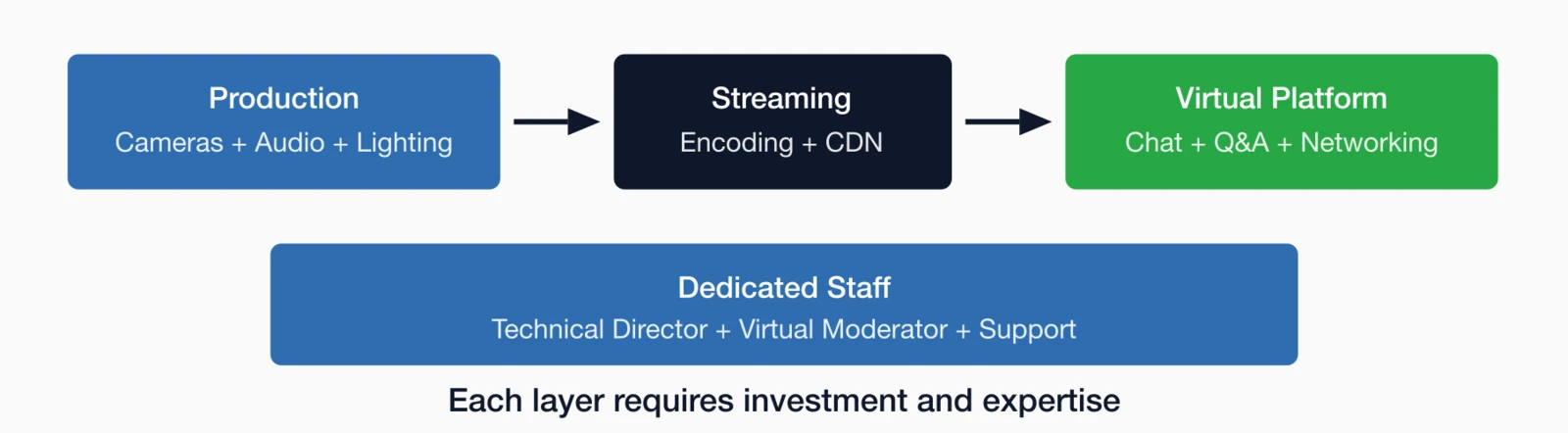
Production equipment
- Professional cameras: Not laptop webcams—real broadcast-quality video
- Quality audio: Wireless lapel mics, room mics for Q&A
- Lighting: Proper lighting for presenters on camera
- Switching/mixing: Equipment to handle multiple video sources
- Reliable internet: Dedicated, wired connection—not venue WiFi
Virtual platform
- Live streaming: Reliable, high-quality video delivery
- Interactive features: Chat, Q&A, polling for virtual attendees
- On-demand access: Recording and replay capability
- Integration: Works with your registration and AMS
Staffing
- Technical director: Managing video switching and streaming
- Virtual moderator: Monitoring chat, managing virtual Q&A
- Backup support: Someone to troubleshoot problems
Engaging both audiences
The biggest challenge in hybrid isn't the technology—it's making virtual attendees feel like participants rather than spectators watching through a window. This requires intentional design and dedicated resources.
Include virtual in Q&A
- Dedicated moderator: Someone monitoring virtual questions
- Equal treatment: Virtual questions get called on, not just mentioned
- Visible on screen: Virtual attendee questions shown in room
- Speaker acknowledgment: "We have a question from an online attendee..."
Networking for virtual
- Virtual networking sessions: Scheduled time for remote attendees to connect
- Chat channels: Topic-based discussions during sessions
- Attendee directory: Let virtual attendees find and message each other
- Hybrid meetups: In-person attendees who want to connect with virtual
Keeping in-person engaged
- Don't over-explain for virtual: In-person attendees shouldn't feel held hostage
- Leverage being there: Activities that only work in-person (hands-on, tours)
- Networking emphasis: Remind them of the in-person advantage
A deeper look: Creating equity without sameness
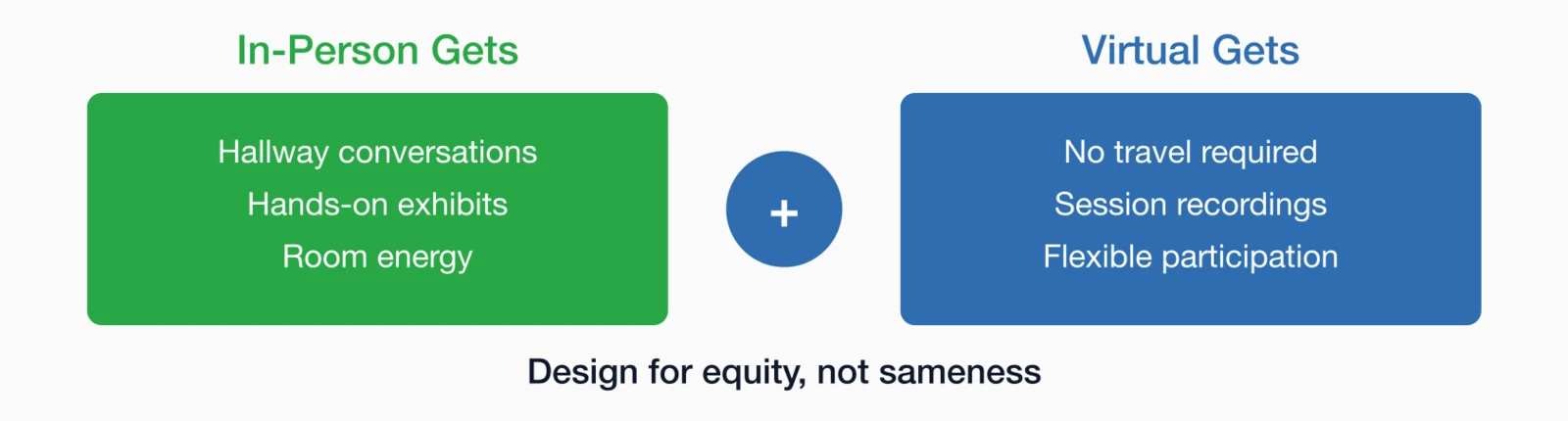
The hardest challenge in hybrid events isn't the technology—it's creating experiences that feel equally valuable to both audiences while acknowledging that they're fundamentally different. This requires shifting from "same experience" thinking to "equitable experience" thinking.
In-person attendees get things virtual attendees can't have: spontaneous hallway conversations, hands-on exhibits, the energy of being in a room with peers. No technology can replicate these. Trying to simulate them for virtual attendees usually creates awkward experiences that satisfy nobody.
Virtual attendees have different advantages: they can attend from anywhere, don't need to take time off travel, can re-watch sessions, and often can participate without their boss knowing they're at a conference. These are real benefits that matter to certain members.
Equitable design means giving each audience the best possible version of their experience rather than trying to make both experiences identical. For in-person, that means robust networking events, comfortable spaces to gather, and activities that reward physical presence. For virtual, that means high production value, interactive features that actually work from home, and content designed for screen viewing—not just a camera pointed at a stage.
One approach that works: create some content exclusively for virtual attendees. A pre-conference virtual session that's just for online registrants makes them feel like they have something the in-person crowd doesn't. A virtual-only networking hour allows remote attendees to connect without being drowned out by the in-room buzz. When both audiences have exclusive elements, neither feels like the afterthought.
The key insight is this: virtual attendees don't expect to have the same experience as in-person. They know they're watching from home. What frustrates them is being treated as if they don't matter—having their questions ignored, watching a shaky camera shot of a screen they can't read, being promised interaction that never materializes. Meet the reasonable expectations of the virtual experience, and they'll be satisfied.
Name the Experience: Don't just call it "virtual registration." Consider "Virtual Pass" or "Digital Attendee"—something that sounds like a real experience, not a second-class ticket.
Pricing strategies
Pricing is one of the trickiest aspects of hybrid events. How you price virtual vs. in-person affects registration behavior, revenue, and member perceptions of value. Get it wrong, and you may cannibalize your in-person attendance or undervalue your content.
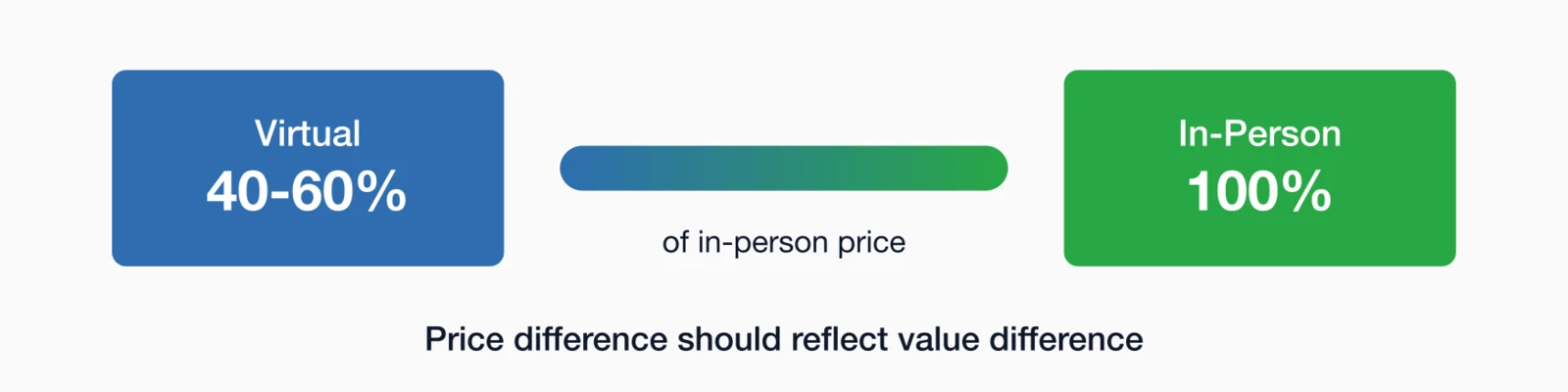
Pricing approaches
| Approach | How It Works | Considerations |
|---|---|---|
| Discounted virtual | Virtual at 40-60% of in-person price | Most common; reflects lower value delivery |
| Minimal virtual | Very low virtual price ($50-100) | Maximizes reach; may undervalue content |
| Equal pricing | Same price for both experiences | Works if virtual experience is truly equal |
| Premium in-person | In-person includes extras to justify premium | VIP experiences, exclusive networking, etc. |
Preventing cannibalization
If virtual is much cheaper, some in-person attendees may switch:
- Clear value differentiation: In-person gets exclusive benefits
- Timing difference: Virtual gets recordings later, not live access
- Upgrade path: Easy to upgrade from virtual to in-person
Production considerations
Quality production makes or breaks the virtual experience—and most associations underestimate what "quality" actually requires. Here's what you need to know about budgeting and executing hybrid production.

Budget realistically
Expect to spend 30-50% more than in-person alone for proper hybrid execution:
- Professional streaming equipment and operators
- Virtual platform fees
- Additional staff for virtual moderation
- Dedicated internet line
- Backup equipment and contingency
Test everything
- Full rehearsal: Practice with actual speakers and equipment
- Internet stress test: Verify bandwidth under load
- Backup plans: What happens if streaming fails?
- Attendee testing: Let virtual registrants test their access
Professional help
Consider hiring production professionals for hybrid events. DIY hybrid with internal staff often results in poor virtual experience. The cost of professional production is often justified by the improved experience and reduced risk.
A deeper look: What goes wrong at DIY hybrid events
I've watched enough hybrid events go sideways to recognize the patterns. Understanding what typically fails helps you decide whether you have the resources to do it right—or whether you should hire professionals.
Audio is the number one failure point. Video can be imperfect and viewers will forgive it. Bad audio makes an event unwatchable. The common DIY mistake is using the room's sound system to feed the stream. What sounds fine in a ballroom sounds terrible on a stream—echo, feedback, HVAC noise, and clattering dishes from the next room. Professional production uses isolated audio feeds, separate from the room sound.
Camera work requires skill. A static wide shot gets boring within minutes. But amateur operators who try to track speakers often create motion sickness with jerky movements, lose the speaker off-frame, or miss important visual elements. Professional camera operators know how to follow action smoothly and when to switch between angles.
Switching and graphics need attention. Someone has to decide when to cut between the speaker and their slides, when to show audience shots, and how to integrate virtual Q&A. Doing this in real-time while also running other aspects of the event is a recipe for mistakes. A dedicated technical director watching monitors and making switching decisions is essential for polished production.
Problems compound under pressure. At an in-person event, a technical glitch affects the room—you troubleshoot and move on. At a hybrid event, a streaming failure means your entire virtual audience sees nothing. And they're paying customers. The stress of knowing that every technical choice affects a remote audience often leads internal teams to make panicked decisions that make things worse.
The math often favors professional help. If you're charging $200 for virtual registration and expect 100 virtual attendees, that's $20,000 in revenue. A professional production team for a two-day conference might cost $8,000-15,000. The production pays for itself in improved experience and reduced risk. If virtual attendees have a bad experience, many won't return—and they'll tell others.
Common mistakes to avoid
I've watched a lot of hybrid events over the years—some brilliant, many painful. Here are the patterns I see in the failures so you can avoid making the same mistakes:
Treating virtual as add-on
If virtual attendees feel like afterthoughts, they won't return or recommend
Underestimating costs
Hybrid done well costs more than either format alone
Poor audio quality
Room mics that pick up echo, HVAC, and audience noise
Static camera work
Single wide shot that never follows the action
Ignoring time zones
Scheduling key sessions at impossible times for remote attendees
No virtual networking
Expecting virtual attendees to be satisfied with just watching
Late recording access
Promising recordings but delivering weeks later
No backup plan
When streaming fails (and it will), having no alternative
Reality Check: If you can't execute hybrid well, consider offering in-person with recordings available afterward. A good post-event recording experience is better than a poor live virtual experience.
Making hybrid work
Hybrid events can expand your reach and serve members who can't travel. But they require intentional design, proper investment, and realistic expectations about what's possible.
Before going hybrid, ask yourself: Can we truly create a good experience for both audiences? If the answer is no—whether due to budget, staff, or technology limitations—consider whether separate in-person and virtual events would serve your members better.
When hybrid is the right choice, commit to it fully. Half-measures create poor experiences for everyone.
For more on event planning and technology choices, see our Association Event Management Guide and our comparison of virtual event platforms
Key takeaways
- Hybrid costs more: Budget 30-50% more than in-person alone for proper execution
- Design for remote first: If remote attendees feel like afterthoughts, they won't return
- Dedicated production team: You need someone focused on the virtual experience
- Price strategically: Virtual tickets should be lower, but not so low they cannibalize in-person
- Consider alternatives: Sometimes separate in-person and virtual events work better than hybrid
Planning a Hybrid Event?
i4a's event management tools handle registration for both in-person and virtual attendees, with seamless attendance management and member data integration.
Talk to Us About EventsRelated resources
Choose the right platform for your virtual and hybrid events.
12-month checklist for conference planning.
Optimize registration for all event types.
Complete guide to planning and executing successful association events.
