Quick Summary: What's New in i4a
- Redesigned modern interface: Cleaner layouts, simplified navigation, and a visual refresh across every module — from membership management to event registration.
- AI productivity tools built in: TextCraft for writing, ImageCraft for visuals, and DataAnalyze for reports — all accessible from your dashboard without switching tools.
- 70+ video tutorials: Short, task-specific walkthroughs for every major feature, organized by topic and accessible from the built-in help center on every page.
- i4a Launchpad: A structured getting-started experience that walks new customers through setup and configuration step by step.
Part of our Association Automation Guide
I've been building association management software for over 30 years. For most of that time, our focus was on depth — making sure i4a could handle the complex membership structures, financial workflows, and event management scenarios that associations actually deal with. And it could. But like any full-featured platform, there was an unavoidable learning curve — and we knew we could do more to help people through it.
We heard from users that while the platform was powerful, they wanted more guidance getting started — especially staff who were new to association management software. That's a reasonable expectation, and it shaped our roadmap.
So we did something about it. Starting in 2024, we made the most significant changes to the i4a platform since we launched in 1996. This isn't a minor refresh — it's a fundamental rethinking of how association staff interact with the software every day.
Why we made these changes
Association staff are busier than ever. Most teams we work with have 2-5 people managing everything — membership, events, communications, finances, reporting. They don't have time to dig through menus or watch a 45-minute training session before they can send an email campaign.
The reality is that switching to any new AMS is a big undertaking. There are steps every organization must complete that we simply can't do for them — data migration, configuration decisions, training staff on new workflows. The earlier concern was that people needed more structured guidance through that process. We needed to create an environment that walked them through it step by step, in the right order, so nothing got skipped and nothing got done out of sequence.
We also watched how expectations have changed. People use Slack, Notion, and Canva in their personal workflows. They expect clean design, contextual help, and the ability to figure things out without reading a manual. Association software needs to meet that standard too.
Starting in 2024, i4a responded with a complete platform overhaul — a redesigned interface, built-in AI tools, 70+ video tutorials, a context-sensitive help center, guided onboarding, a dedicated project manager for every new customer, and a 24/7 AI help assistant called Scout.
Here's what we built.
A completely redesigned interface
The most visible change is the interface itself. In 2024–2025, i4a redesigned its admin interface with simplified navigation, modern data views with inline filtering, and a universal search bar — bringing cleaner layouts, more whitespace, and clearer labels across modules.
What's different
- Simplified navigation: The main menu is reorganized around the tasks staff actually do daily — not around database tables. Finding what you need takes one or two clicks, not five.
- Cleaner data views: Member lists, event rosters, and financial reports use modern table layouts with inline filtering, sorting, and bulk actions. No more hunting through nested submenus to export a list.
- Universal search: A search bar at the top of every screen lets you type what you're looking for — "add member," "event registration," "renewal report" — and jump directly to the right function. No more memorizing which menu something lives in.
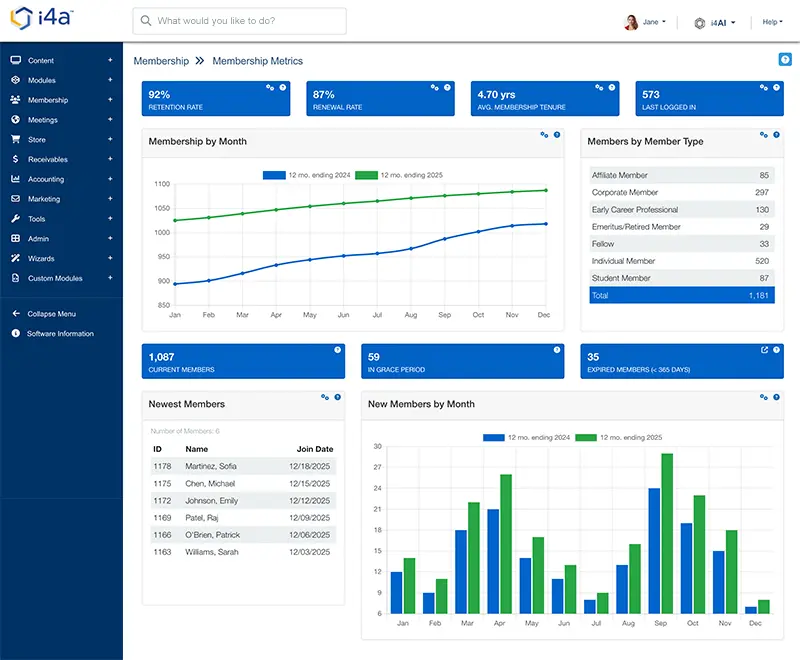
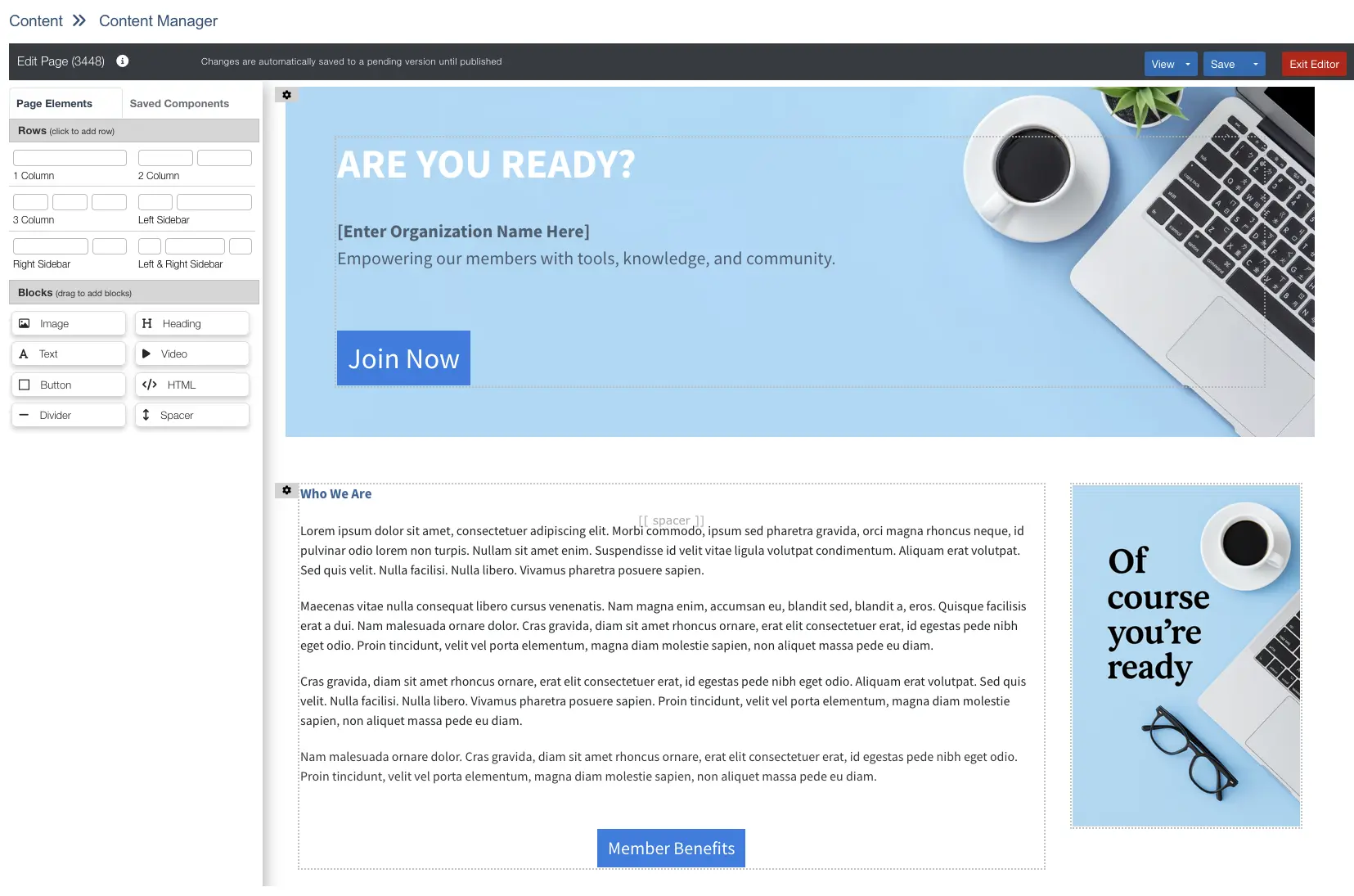
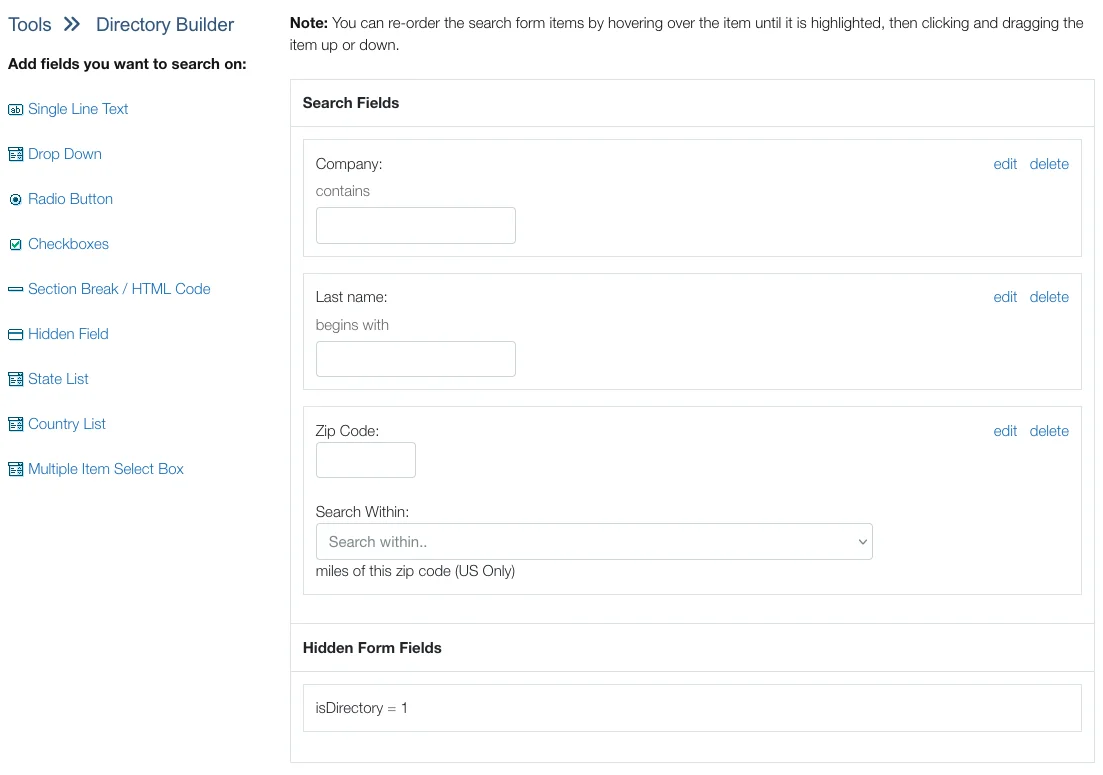
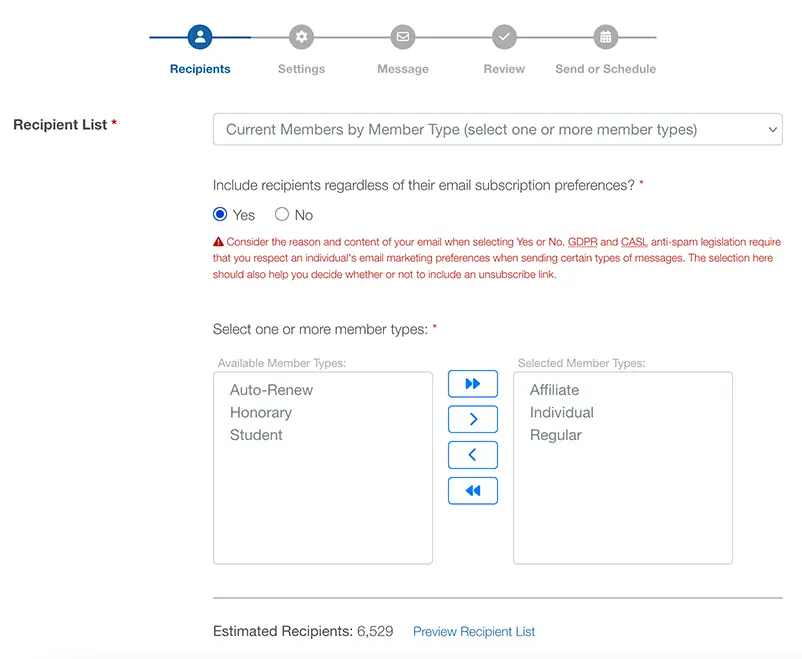
The goal wasn't just to make it "look prettier." It was to reduce the number of clicks, screens, and decisions required to complete everyday tasks. When your membership coordinator can process a new member in 30 seconds instead of 2 minutes, that adds up across thousands of transactions per year.
Keep WordPress, add membership
Many associations already have a WordPress site their staff knows and loves. We built a free SSO plugin that connects WordPress to i4a, so your members log in once and get seamless access to both your public website and their membership portal. No need to choose between a design-friendly CMS and a full-featured AMS — you get both. Your marketing team keeps working in WordPress while your membership team works in i4a, and members never see the seam.
Built-in AI productivity tools
This is the change we're most excited about. Instead of asking staff to learn yet another tool, we built AI directly into the platform. Three tools, all accessible from your dashboard:
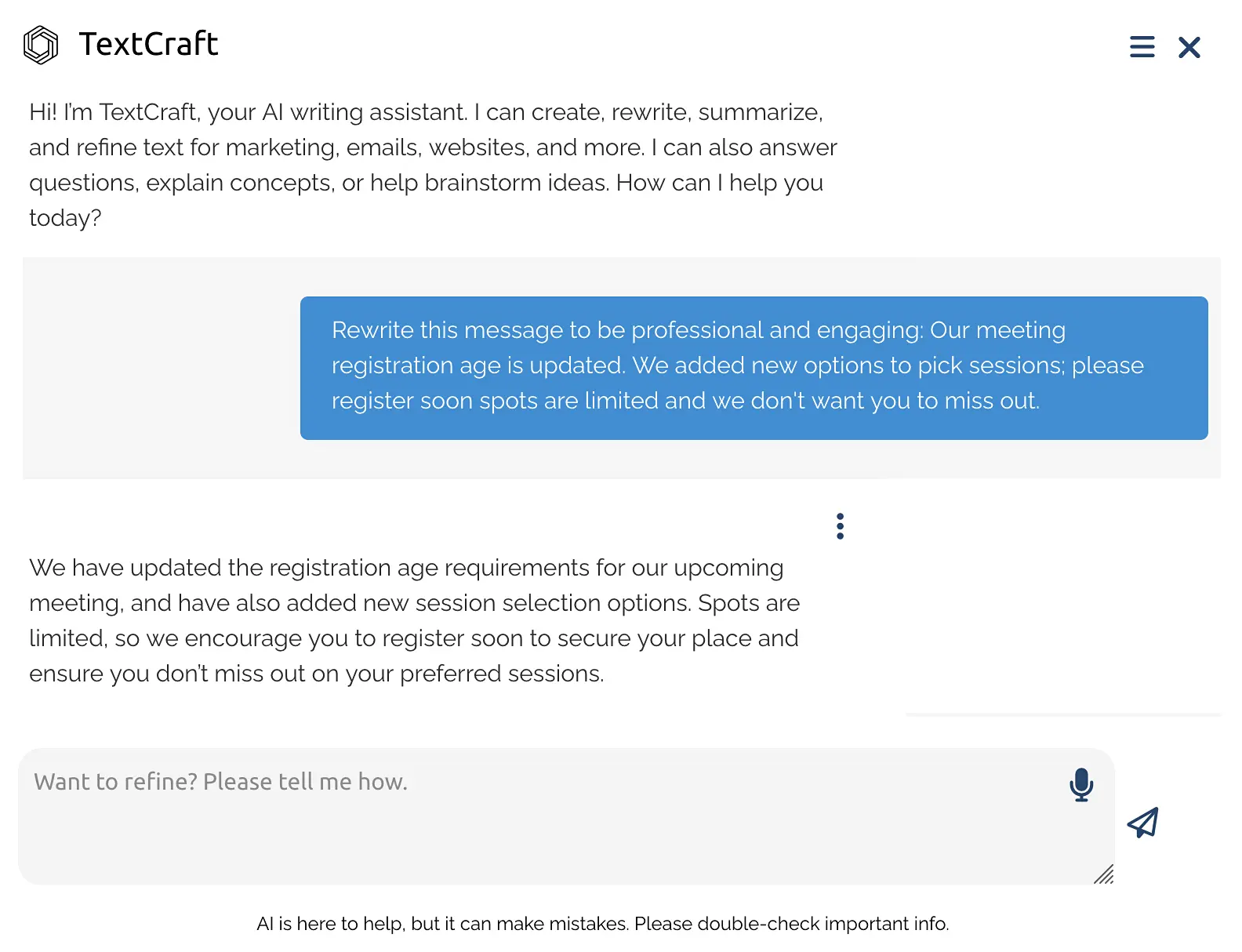
Write member emails, newsletter content, event descriptions, and board reports in seconds. Describe what you need in plain English — TextCraft drafts it in your association's voice.
Generate professional images for emails, social media, blog posts, and event promotions without a graphic designer. Describe what you want and get polished visuals instantly.
Ask questions about your data in plain English. "Which members haven't renewed in 90 days?" or "What's our event attendance trend this year?" — get answers without building reports from scratch.
The key difference from standalone AI tools: these are connected to your actual member data. TextCraft knows your association's name and context. DataAnalyze queries your real membership database. You're not copying and pasting between systems — it's all in one place.
No training required. If you can type a sentence, you can use these tools. Learn more about i4AI Studio →
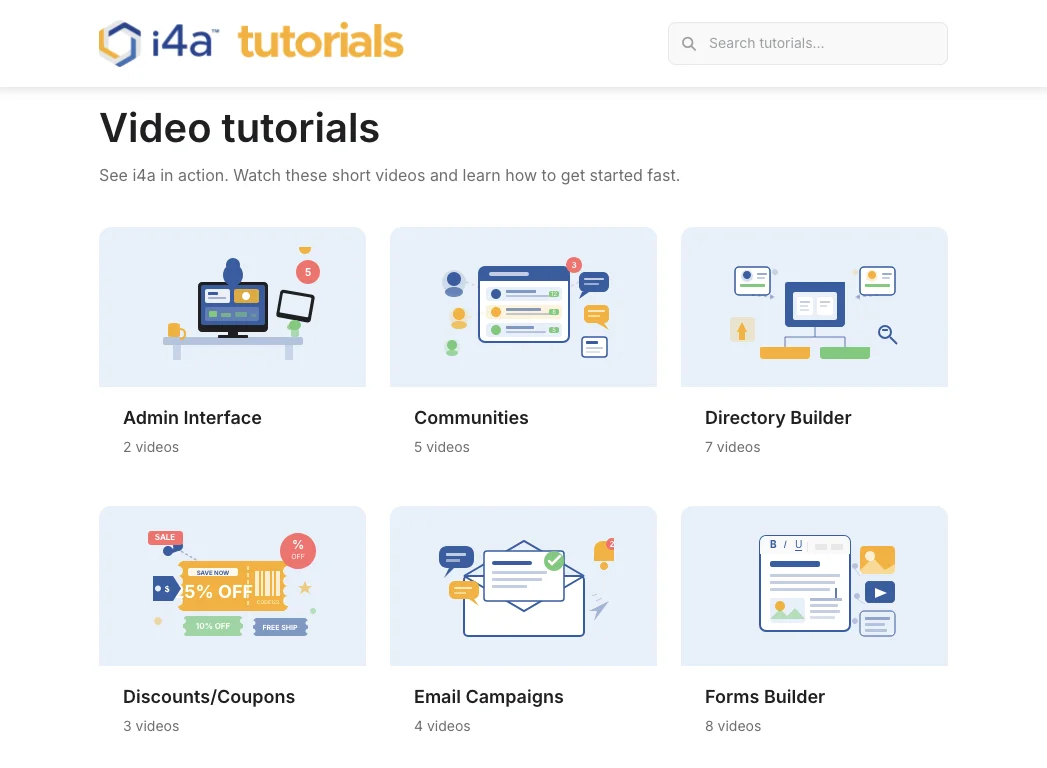
70+ video tutorials for every feature
This was the most requested improvement from existing customers: "Show me how to do it."
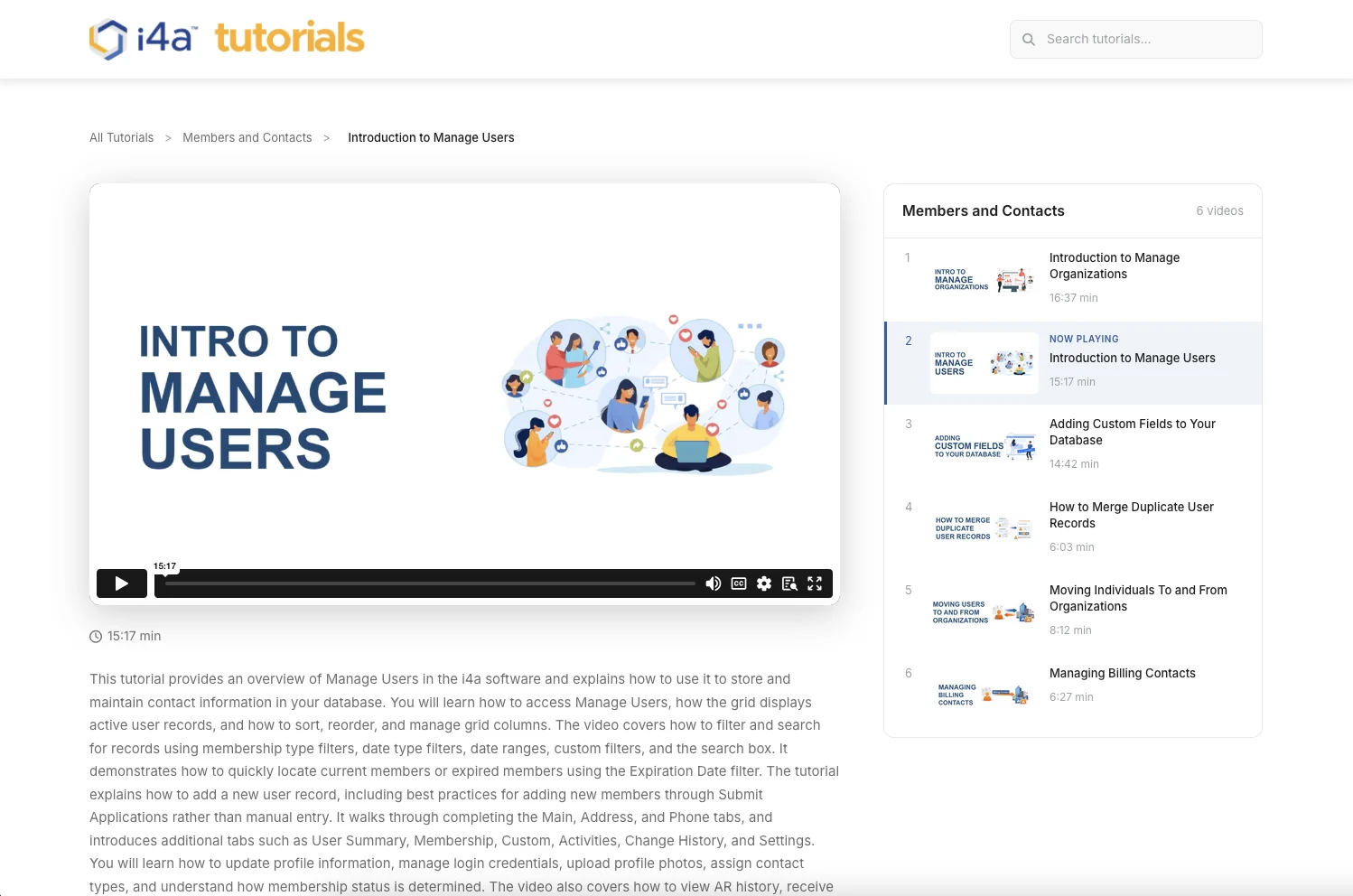
We built a library of over 70 short, task-specific video tutorials covering every major feature in the platform. These aren't hour-long webinars — they're short walkthroughs, typically 5 to 15 minutes, focused on a single task:
- How to add a new member
- How to set up an event with registration
- How to create and send an email campaign
- How to run a membership renewal report
- How to configure dues types and pricing tiers
- How to build a form and embed it on your website
Every video is organized by topic and accessible from the built-in help center. Look for the question mark icon on any screen — it opens context-sensitive help that automatically surfaces the tutorials and Knowledge Base articles relevant to the specific page you're on. You're never searching for answers from scratch — when you're stuck on something, you're two clicks away from a video or article showing you exactly how to do it.
This is especially valuable when new staff join your team. Instead of pulling a senior person away from their work to train someone, point them to the tutorial library. They can learn at their own pace and come back to specific videos whenever they need a refresher.
Why short videos work better than documentation
We used to rely heavily on written documentation. It was thorough, but nobody read it. Staff would rather call support than search through a PDF. Short videos solve this in two ways: they're faster to consume than reading, and they show the actual clicks instead of describing them. A 3-minute video replaces a 10-page document and actually gets watched.
New staff members can self-train on the platform in days, not weeks. When your membership coordinator leaves and a replacement starts, they're not waiting for a formal training session — they're watching a video and doing the work the same afternoon.
i4a Launchpad: guided onboarding that actually works
Onboarding onto any new AMS is inherently complex — there are configuration decisions, data imports, and workflow setups that every organization must work through. We recognized that our customers needed a more structured process: one that walks them through each step in the right order, prevents skipping ahead, and pairs them with a dedicated project manager who keeps the whole implementation on track.
We call it the i4a Launchpad — a structured onboarding experience that walks new customers through setup step by step:
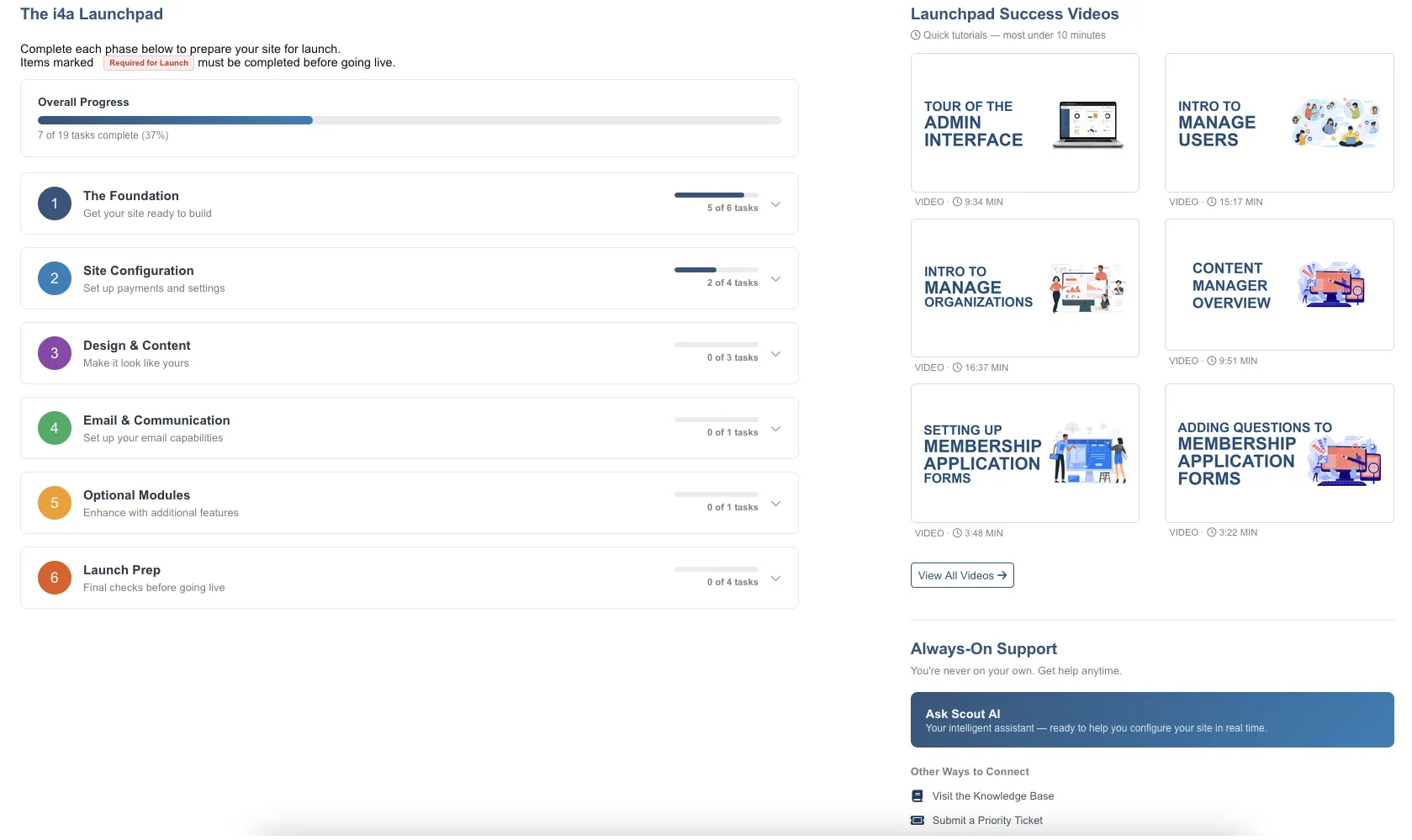
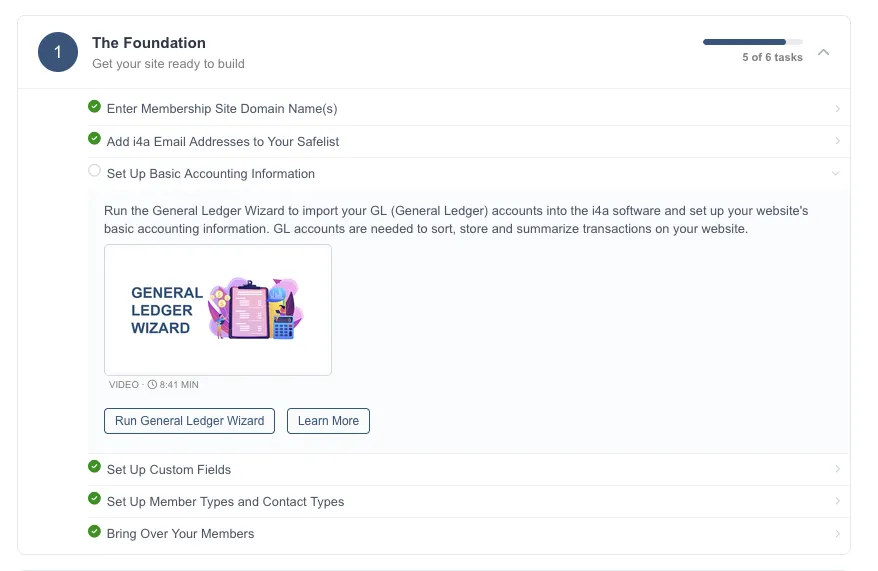
Organization settings, branding, and basic preferences — guided with contextual prompts explaining each option.
Walk through importing your member data, mapping fields, and validating records before going live.
Set up your first event, email campaign, and membership renewal process with step-by-step guidance.
Video tutorials and live Zoom sessions to get your full team comfortable with the platform.
The result: new customers are productive in weeks, not months. And when a new staff member joins your team, the same guided experience gets them up to speed without pulling your senior staff away from their own work.
The one thing that hasn't changed: our support
We've been building association software since 1996. Our U.S.-based support team has an average tenure of 19 years with the company. When you call, you talk to someone who knows associations — not a script reader in a call center.
That commitment to support is reflected in our numbers:
- 4.9 out of 5 on Capterra from verified customer reviews
- 4.85 out of 5 from over 1,000 post-support surveys since 2012
- Average team tenure of 19 years — the same people who built the platform support it
The difference now is that many questions never need to reach support at all. Between the video tutorials, Scout, and the improved interface, staff can find answers on their own.
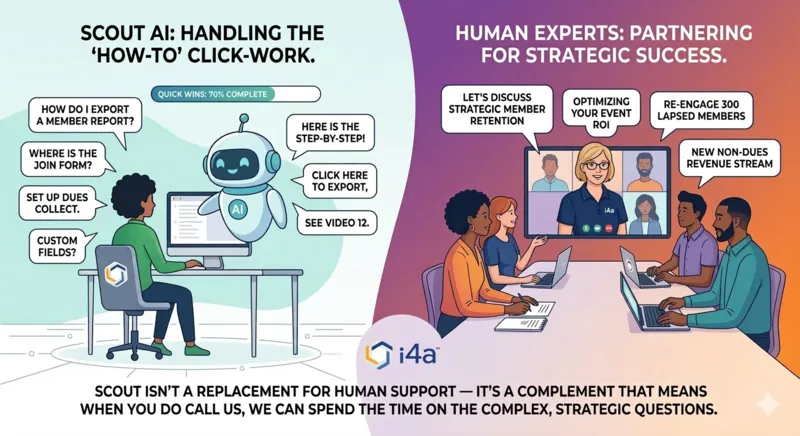
Meet Scout: your 24/7 AI help assistant
Scout is an AI-powered help assistant built right into i4a. Got a question at 9 PM on a Sunday? Ask Scout. Need to know how to set up a new event type? Ask Scout. It understands the platform, your configuration, and can walk you through any task in plain English — no waiting for business hours or searching through documentation.
Scout isn't a replacement for human support — it's a complement that means when you do call us, we can spend the time on the complex, strategic questions instead of "where do I click to export a report."
What's next
These improvements aren't the finish line. We're continuing to invest in making i4a easier to use, more powerful, and more connected to the tools associations already rely on. Our roadmap includes deeper AI integration, expanded automation capabilities, and continued UI refinements based on customer feedback.
If you evaluated i4a before 2024 and decided it wasn't the right fit, we'd genuinely like to show you what's changed. Schedule a demo and see the new platform for yourself. And if you're a current customer who hasn't explored the new features yet, reach out to our support team — we'll walk you through everything.
"Super happy customer for years, launched more than a dozen sites using the i4a AMS platform. More than $100K annual savings with the implementation of i4a compared to our previous fragmented tool setup and per-member pricing."

"I've been using i4a for many years and often wish other platforms were as easy to use. The customer service is always fabulous — everyone is super helpful, responsive, and nice."
i4a platform at a glance
Key takeaways
- Modern interface: Redesigned in 2024–2025 for clarity, speed, and ease of use across modules.
- AI tools built in: TextCraft, ImageCraft, and DataAnalyze eliminate context-switching and reduce manual work.
- 70+ video tutorials: Short, task-specific walkthroughs that replace lengthy documentation and formal training sessions.
- i4a Launchpad: New customers get productive in weeks instead of months.
- Same great support: 4.9/5 on Capterra, U.S.-based team with 19-year average tenure — now complemented by self-service resources.
See the New i4a for Yourself
The best way to understand what's changed is to see it live. Schedule a 30-minute demo and we'll walk you through the new interface, AI tools, and onboarding experience.
Schedule a DemoRelated resources
i4AI Studio: AI Productivity Tools
TextCraft, ImageCraft, and DataAnalyze — AI tools built into your AMS.
AMS Support: What to Evaluate Before Buying
The support quality questions most associations skip when choosing software.
Top Membership Software Features
The features that actually matter when choosing an AMS.
How to Automate Membership Processes
Save 10+ hours per week by automating renewals, communications, and reporting.
