Quick Summary: Member App vs Portal
- Portals are included; apps cost $50,000+: A responsive portal comes with your AMS, while native apps require $30,000-150,000 development plus $10,000+/year maintenance.
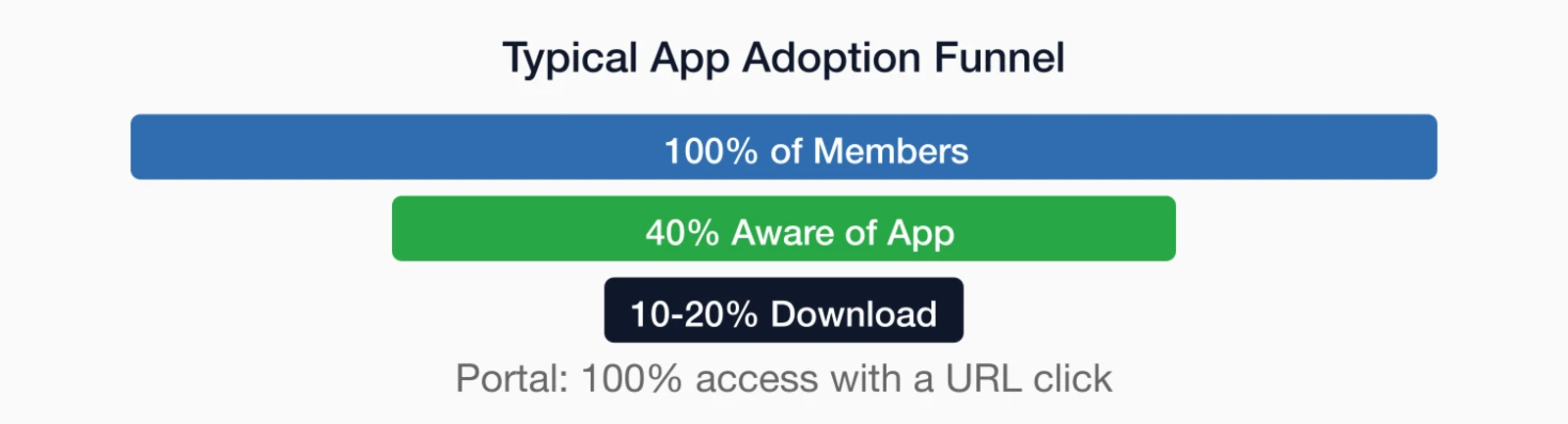
- App adoption rates disappoint: Only 10-20% of members typically download association apps; portals have zero download barrier.
- Maintenance burden is real: Every iOS/Android update can break app functionality, requiring ongoing developer attention and budget.
- Push notifications are the app's advantage: If time-sensitive alerts are critical to your strategy, apps deliver higher engagement than email.
- Start with member behavior: Build for how members actually engage, not what sounds technologically impressive.
Part of our comprehensive engagement guide
Member app vs portal: before spending $50,000+ on native app development, consider whether a responsive portal accomplishes the same goals at a fraction of the cost. Here's a realistic comparison of adoption rates, 5-year costs, and maintenance demands.
The impulse is understandable. Smartphones are ubiquitous, and a native app feels like a natural way to reach members where they are. But before investing $50,000 or more in app development, it's worth examining whether an app is actually the right solution—or whether a well-designed responsive member portal accomplishes the same goals at a fraction of the cost.
This guide provides a balanced comparison to help you make an informed decision.
Understanding your options
Before diving into pros and cons, let's clarify what we're actually comparing. The terminology gets confusing, and understanding the distinctions helps you have more productive conversations with vendors and your board.
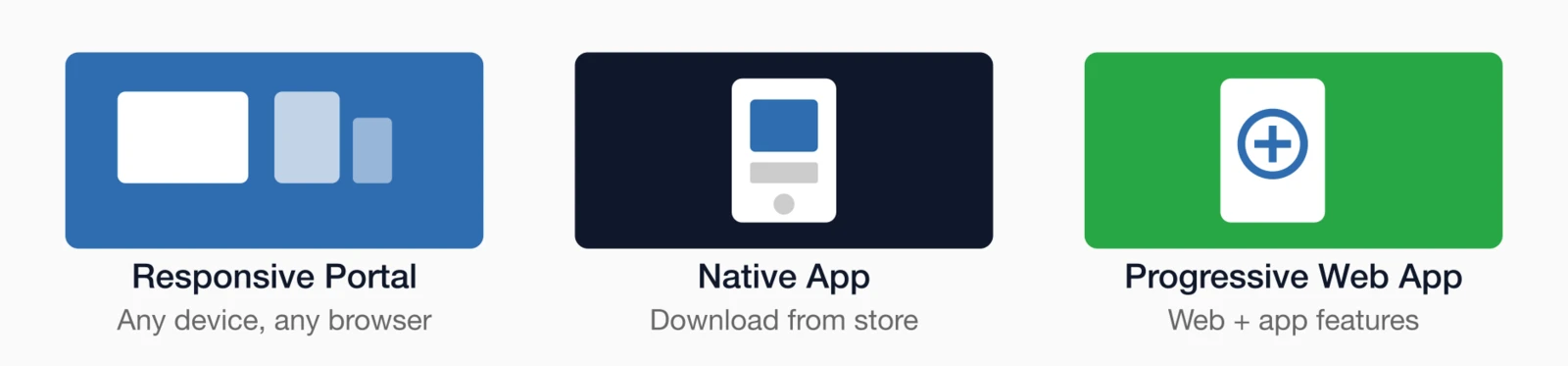
Responsive member portal
A responsive member portal is a website designed to work well on any device—desktop, tablet, or phone. Members access it through their browser; no download required. Features include member profiles, event registration, directory access, forums, and any other functionality your association management software provides. A good association website builder
Native mobile app
A native app is a dedicated application downloaded from a mobile app marketplace (iOS or Android). It lives on the member's phone and can access device features like push notifications, camera, and offline storage.
Progressive web app (PWA)
A middle ground: a website that can be "installed" on a phone home screen and offers some app-like features (offline access, push notifications) without full app store distribution.
Benefits of a responsive portal
For most associations, a well-designed responsive portal delivers everything members need without the complexity and cost of app development. Here's why the portal approach often makes more sense.
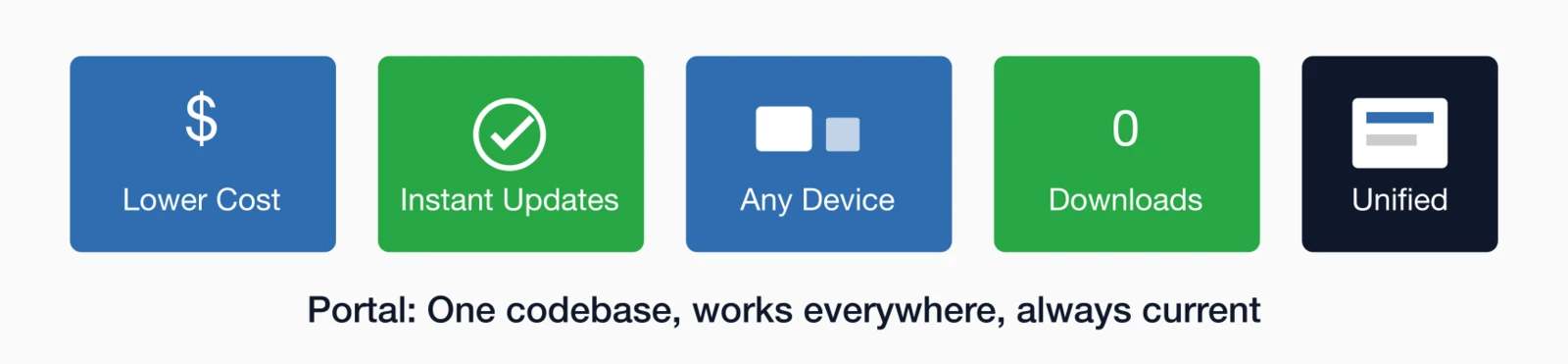
Lower cost and complexity
A responsive portal is typically included with your AMS platform. No separate development project, no app store fees, no maintaining separate iOS and Android versions.
Easier maintenance
Portal updates happen automatically. Native apps require ongoing maintenance—every iOS or Android update can break functionality, requiring development work to fix.
No download barrier
Portals work immediately with a URL click. Apps require finding the app store, downloading, setting up an account—each step loses potential users. UX research comparing mobile apps and responsive websites consistently shows that friction in the access path dramatically reduces engagement.
Instant updates
Change something in your portal, and all users see it immediately. App updates require app store approval (1-7 days) and users must update their apps.
Unified experience
One codebase, one design, consistent experience across devices. Apps often end up with different features or behaviors than the web version, confusing members.
Benefits of a native app
There are scenarios where a native app genuinely adds value that a portal can't match. Understanding these advantages helps you decide whether they justify the additional investment.
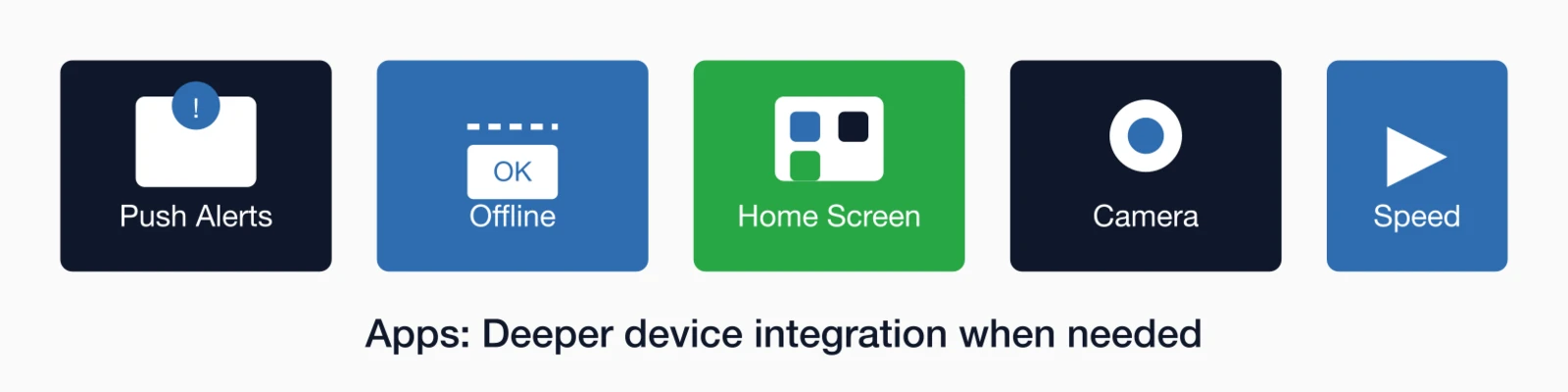
Push notifications
The killer feature. Push notifications reach members directly on their phones with higher engagement rates than email. For time-sensitive communications—event reminders, breaking news—push notifications are powerful.
Offline access
Apps can store content locally for offline access. Useful if members need to reference materials where internet connectivity is unreliable—though this is increasingly rare.
Home screen presence
An app icon on the home screen is a persistent reminder that the association exists. This can drive more frequent engagement than a bookmarked website.
Device integration
Apps can integrate with device features: camera for badge scanning, calendar for event syncing, contacts for networking. Though many of these are now possible through web APIs.
Performance
Native apps can feel faster and smoother than web apps, though the gap has narrowed significantly. For simple functionality, the difference is negligible.
Cost comparison
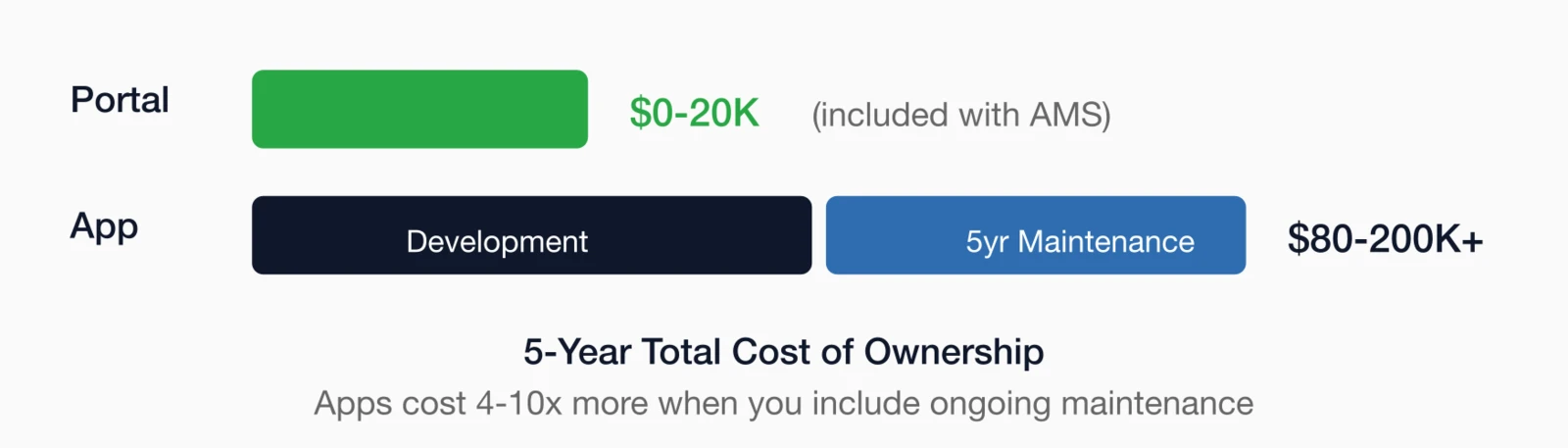
The true cost of an app is almost always more than the initial development estimate—often by a factor of 2-3x over a five-year period. Before making a decision, consider the full picture:
Responsive portal costs
- Development: Usually included with AMS platform
- Customization: $0-20,000 for significant custom features
- Maintenance: Included with AMS support
- Updates: Automatic, no additional cost
Native app costs
- Initial development: $30,000-150,000 depending on complexity
- iOS + Android: Often need to build both; doubles some costs
- App store fees: $99/year (iOS) + $25 one-time (Android)
- Annual maintenance: $5,000-25,000 for updates, bug fixes, OS compatibility
- Major updates: $10,000-50,000 when significant changes are needed
A deeper look: The hidden costs of apps
I've seen associations get app development quotes of $40,000 and think that's the full investment. It's not. Here's what often gets overlooked:
Ongoing OS updates: Mobile operating system vendors release new versions annually. Each can introduce changes that break app functionality. Someone needs to test, fix, and resubmit your app. This isn't optional—apps that stop working on current OS versions get removed from app stores.
AMS synchronization: Your app needs to talk to your membership database. When your AMS updates, integration may break. Someone needs to maintain that connection.
Feature parity: Members expect the app to do what the website does. When you add web features, you need to add them to the app too—another development cycle.
User support: "The app isn't working" support requests require different troubleshooting than web issues. What phone? What OS version? What app version?
Budget for ongoing maintenance from day one. A typical association app costs $10,000-15,000 per year to maintain properly after the initial build.
When to choose each option
With the costs and benefits laid out, here's guidance on when each option makes the most sense for your association.
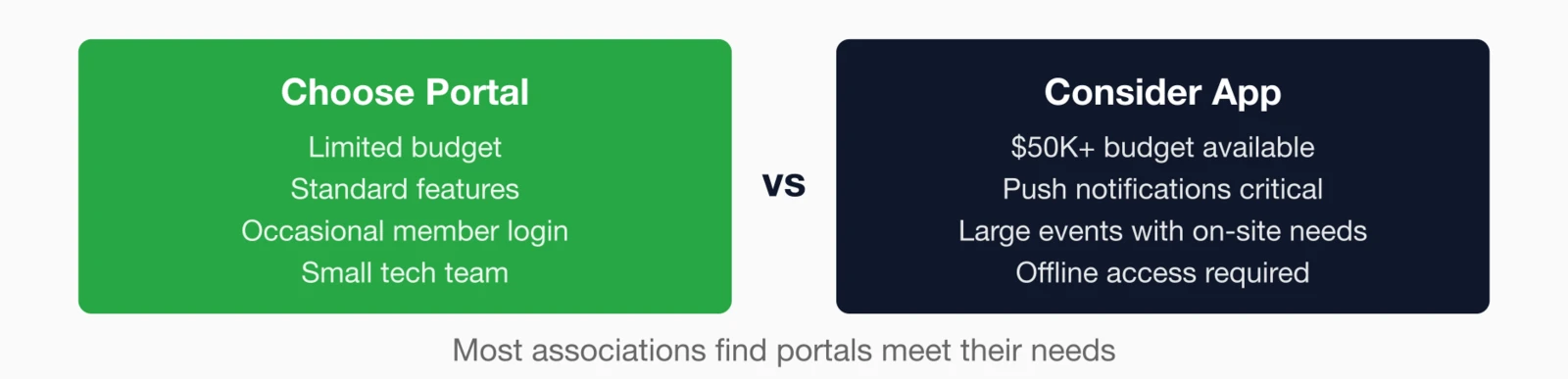
Portal is usually better when:
- Budget is limited (most associations)
- Technical resources are constrained
- Primary use is occasional (monthly or less frequent login)
- Features are standard (profile, events, directory, content)
- Members are comfortable with web-based access
Native app may be worth it when:
- You host frequent, large events where on-site app functionality adds value
- Push notifications are critical to your engagement strategy
- Members need offline access to significant content
- Budget allows for $50,000+ initial investment plus $10,000+/year ongoing
- You have the technical capacity to manage app maintenance
Reality check: Ask members whether they'd download and use an app. Many associations find that even enthusiastic members don't follow through on downloads. The "we need an app" enthusiasm often exceeds actual member demand.
Hybrid approaches
You don't have to choose just one option. Many associations find success with hybrid approaches that combine the strengths of different solutions.
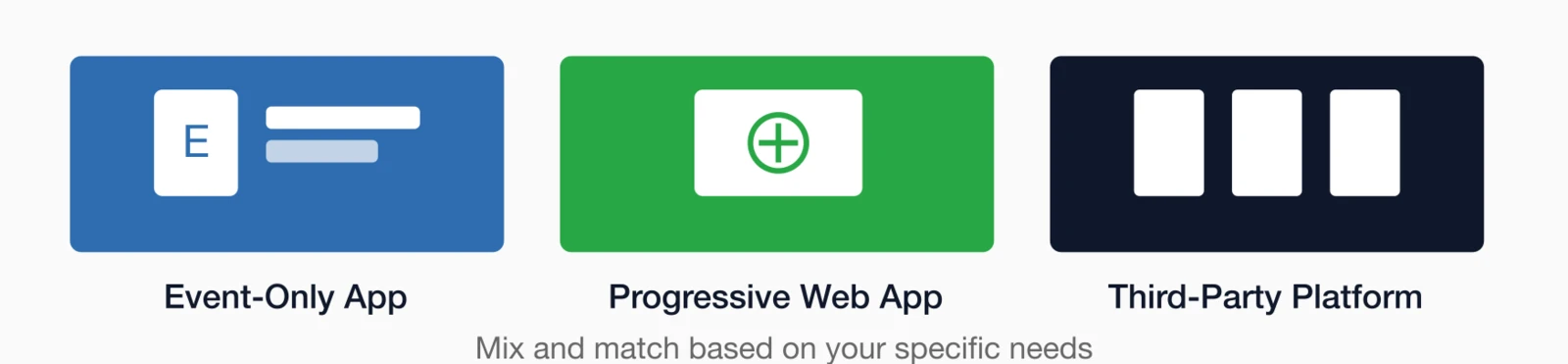
Event-specific apps
Instead of a year-round member app, many associations use event-specific apps just for conferences. These provide agenda, speaker info, networking, and notifications during the event without the year-round maintenance burden.
Progressive web apps
PWAs offer a middle ground: web-based but with app-like features including home screen installation and (limited) push notifications. Lower cost than native, more capable than basic responsive design.
Third-party platforms
Some associations use community chat platforms or specialized association apps that provide mobile functionality without custom development. This works if the platform's features align with your needs.
Making the decision
Before committing to either path, work through these questions with your team—and be honest about the answers.
What specific functionality requires a native app that a responsive portal can't provide?
What percentage of members would realistically download and use an app?
Do we have budget for initial development AND ongoing maintenance?
Do we have technical capacity to manage app updates and support?
What are similar associations doing, and is it working for them?
The honest answer for most associations
For most associations, a well-designed responsive member portal delivers more value than a native app—at a fraction of the cost and complexity.
If you decide an app is right for your organization, go in with realistic expectations about adoption rates, ongoing costs, and the effort required to keep it functional and useful.
Start with the user, not the technology
The app vs. portal debate often starts with technology and works backward to justify the decision. Better to start with member behavior: How do members currently engage? What would make their experience better? What problems are we actually trying to solve?
For most associations, the answer points to improving the responsive portal experience—making it faster, more useful, and better designed—rather than building a separate native app. That's not a failure to innovate; it's smart resource allocation.
For more on member engagement technology, explore our Member Engagement Guide or learn about i4a's member portal features.
Key takeaways
- Most associations should start with a responsive portal: Lower cost, easier maintenance, and works for most use cases
- Native apps excel for specific scenarios: Heavy event usage, push notification needs, or offline access requirements
- App adoption is often lower than expected: Downloading an app is a barrier; web access is immediate
- Total cost of apps is often underestimated: Development is just the beginning; ongoing maintenance is significant
- The real question is member behavior: Where do your members actually engage? Build for that.
Looking for Mobile-Friendly Member Engagement?
i4a's responsive member portal works beautifully on any device—no app download required. See how it creates seamless mobile member experiences.
Request a Portal DemoRelated resources
Top Membership Software Features
What to look for when evaluating AMS platforms.
Complete guide to engaging members across channels.
Online Member Forums Best Practices
Build active discussion communities that work on any device.
Learn about i4a's responsive member portal features.
