Quick Summary: Member Directory Optimization
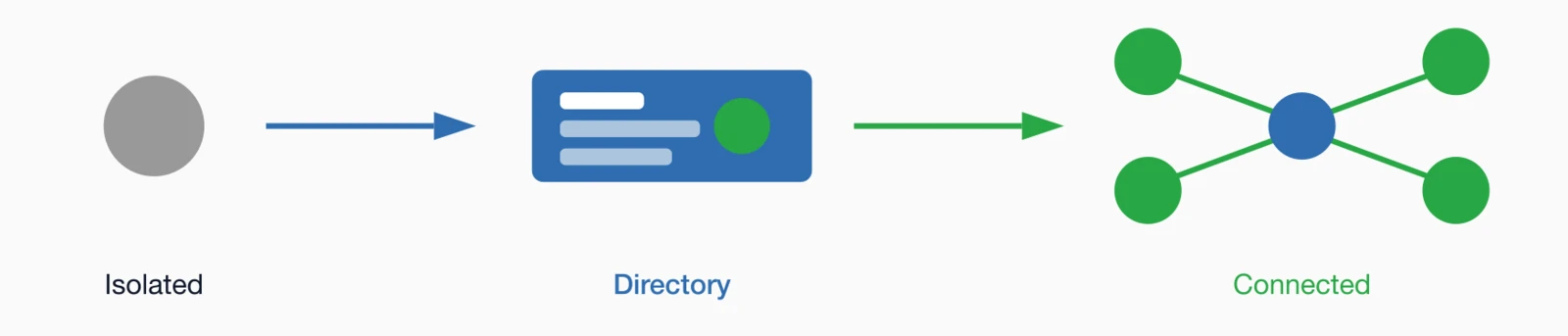
- Peer connections drive retention: Members who use the directory to connect with colleagues renew at significantly higher rates than isolated members.
- Profile completion is critical: Use progress indicators, benefits messaging, and direct outreach to drive completion above 70%.
- Search quality determines usage: Members must find peers by location, expertise, and organization in seconds or they won't return.
- Privacy controls build trust: Let members control field-by-field visibility to encourage more complete profile sharing.
- Mobile access is non-negotiable: Members search directories at conferences and events—frustrating mobile experiences drive them to public networks.
Part of our complete engagement guide
Member directory optimization—whether you call it a directory, registry, or roster—transforms a static list into a networking tool members actually use. With peer connections a top reason members join, your directory is a retention asset—if you get profiles complete, search working, and connections flowing.
A well-optimized member directory isn't just a list of names. It's a networking tool that helps professionals find collaborators, mentors, service providers, and friends in their field. It's searchable institutional knowledge about who knows what. Done right, it becomes one of your most valuable—and most used—member benefits. Professional associations and education organizations
The problem is that most directories are under-optimized. Profiles are incomplete. Search is clunky. Privacy controls are confusing. Members don't know the directory exists or can't find what they need when they try to use it.
This guide covers how to transform your directory into a powerful networking tool that members actually use. Your association website builder and member directory software
The value of a good directory
Peer-to-peer connections are one of the stickiest benefits any association offers. Members can find industry news anywhere. They can get continuing education from many sources. But access to a curated network of professionals in their specific field? That's harder to replace—and it's why a well-optimized directory is so valuable.
Research on professional networking
What members use directories for
- Finding expertise: "Who in our membership knows about X?"
- Geographic networking: "Who's in my city that I could connect with?"
- Career connections: "Who works at companies I'm interested in?"
- Mentorship: "Who has experience I could learn from?"
- Service providers: "Which members offer services I need?"
- Reconnection: "Whatever happened to that person I met at the conference?"
The retention connection
Members with more peer connections are significantly less likely to lapse than isolated members. A directory that facilitates these connections directly impacts retention. Every connection made through your directory increases the likelihood that member renews—and refers others.
The challenge is that a directory only works if profiles are complete and the tool is easy to use. An incomplete directory frustrates members looking for specific expertise; a clunky one gets abandoned after one try.
Essential profile fields
The fields you collect determine what members can search for and what they'll find. Include too few, and the directory isn't useful. Include too many, and nobody completes their profile. Finding the right balance is critical.

Must-have fields
| Field | Why It Matters |
|---|---|
| Photo | People connect with faces; photos dramatically increase profile engagement |
| Name | Obviously required; include credentials/designations if relevant |
| Title/Role | Helps members find peers at similar career stages |
| Organization | Essential for identifying potential collaborators or competitors |
| Location | Geographic searching is one of the most common use cases |
| Areas of Expertise | Enables finding specific knowledge; use standardized tags |
| Contact method | At minimum, a way to connect through the platform |
Optional but valuable fields
- Bio/About: Free-form text letting members describe themselves
- Years of experience: Helps members find mentors or peers at their level
- Industry/Sector: Important for trade associations with diverse membership
- Willing to mentor: Flag for members open to mentorship connections
- Committee involvement: Shows engagement level and interests
- Social links: Professional social media profiles for additional connection options
- Languages spoken: Valuable for international associations
A deeper look: Standardizing expertise tags
Free-form text fields for "areas of expertise" create search problems. One member types "data analytics," another types "data analysis," a third writes "analytics & reporting." Someone searching for expertise in this area might miss two-thirds of relevant members.
Instead, use standardized tags that members select from a predefined list. This ensures consistent terminology and makes search results comprehensive. You can still allow members to add custom expertise areas, but the standardized tags should be the primary search mechanism.
Build your tag list based on your profession's common specializations. Start with 20-30 well-defined categories; you can expand based on member feedback. Review annually to add emerging specialties and retire obsolete ones.
Driving profile completion
A directory is only as good as its data. If half your members have incomplete profiles, the directory's value drops dramatically—both for members searching and for those with incomplete profiles who never get found. Here's how to drive completion rates up.

During onboarding
The best time to capture profile data is during the join process—but don't make it a barrier. Collect essential fields (name, organization, location) during registration, then prompt for additional details in the first week via email.
Progress indicators
Show members their profile completion percentage: "Your profile is 60% complete." List what's missing and explain why each field matters. Many members will complete their profile just to get to 100%.
Benefits messaging
Don't just ask members to complete their profile—tell them why:
- "Get found by colleagues looking for your expertise"
- "Connect with members in your region"
- "Help potential collaborators find you"
- "Join the [X]% of members with complete profiles"
Direct outreach
For members with persistently incomplete profiles, direct outreach works. A personalized email from a staff member—"I noticed your profile is missing a photo, would you like help adding one?"—often prompts action when automated reminders don't.
Highlighting complete profiles
Feature members with complete profiles in newsletters, on the homepage, or in "member spotlight" features. This creates social proof that completing your profile is normal, and offers recognition to those who do.
Making directories searchable
Search is where directories succeed or fail. If members can't find who they're looking for quickly, they won't come back for a second try. The difference between a directory members love and one they ignore often comes down to search quality.

Essential search capabilities
- Keyword search: Search across names, organizations, bios, and expertise
- Filter by location: State/province, city, region, or radius from a point
- Filter by expertise: Using standardized expertise tags
- Filter by organization type: Company size, sector, or category
- Filter by member type: Professional vs. student, board members, committee chairs
- Combined filters: "Marketing professionals in Texas" should be easy
Search result display
Results should show enough information to evaluate matches without clicking through to each profile:
- Photo (critical for recognition)
- Name and credentials
- Title and organization
- Location
- Primary expertise areas
Usability tip: Test your directory search by asking a few members to find specific types of people—"Find someone who knows about data governance in California." Time how long it takes and note any friction. Real user testing reveals problems you won't see from the admin side.
Privacy and visibility controls
Some members hesitate to complete profiles because they're unsure who will see their information. Others have legitimate privacy concerns about listing their contact details publicly. Clear privacy controls remove these barriers and build trust.

Field-level control
Let members control visibility for each field independently. Someone might want their name and organization public but keep their email address visible only to other members—or hidden entirely except for platform messaging.
Directory opt-out
Some members have legitimate reasons for staying out of public directories—job search concerns, privacy preferences, or employer policies. Allow opt-out, but default to opted-in so your directory is useful.
Clear privacy policies
Explain exactly who can see what:
- Can non-members see the directory? (Usually no)
- Can members see everyone, or only certain types?
- What information is shared when someone contacts them?
- Is contact information exported in any reports or lists?
Transparency builds confidence. When members understand exactly how their data is used, they're more willing to share it.
Facilitating connections
Finding someone in the directory is only the first step. The real value comes when members actually connect—and that requires making the next step easy and comfortable for both parties.

Contact options
- Platform messaging: Members can message each other without sharing personal contact info
- Connection requests: "Social network-style" requests to connect
- Direct email: If the member has opted to show their email address
- Calendar booking: For members who offer office hours or mentorship
Suggested connections
Proactively suggest connections based on:
- Shared expertise areas or interests
- Geographic proximity
- Similar organization types or sizes
- Common committee or event participation
- Complementary expertise (connect people who could help each other)
Mentorship matching
If your association offers mentorship programs, the directory is the natural foundation. Allow members to indicate whether they're seeking or offering mentorship, and facilitate those matches through the platform.
With the right association management platform
Mobile directory access
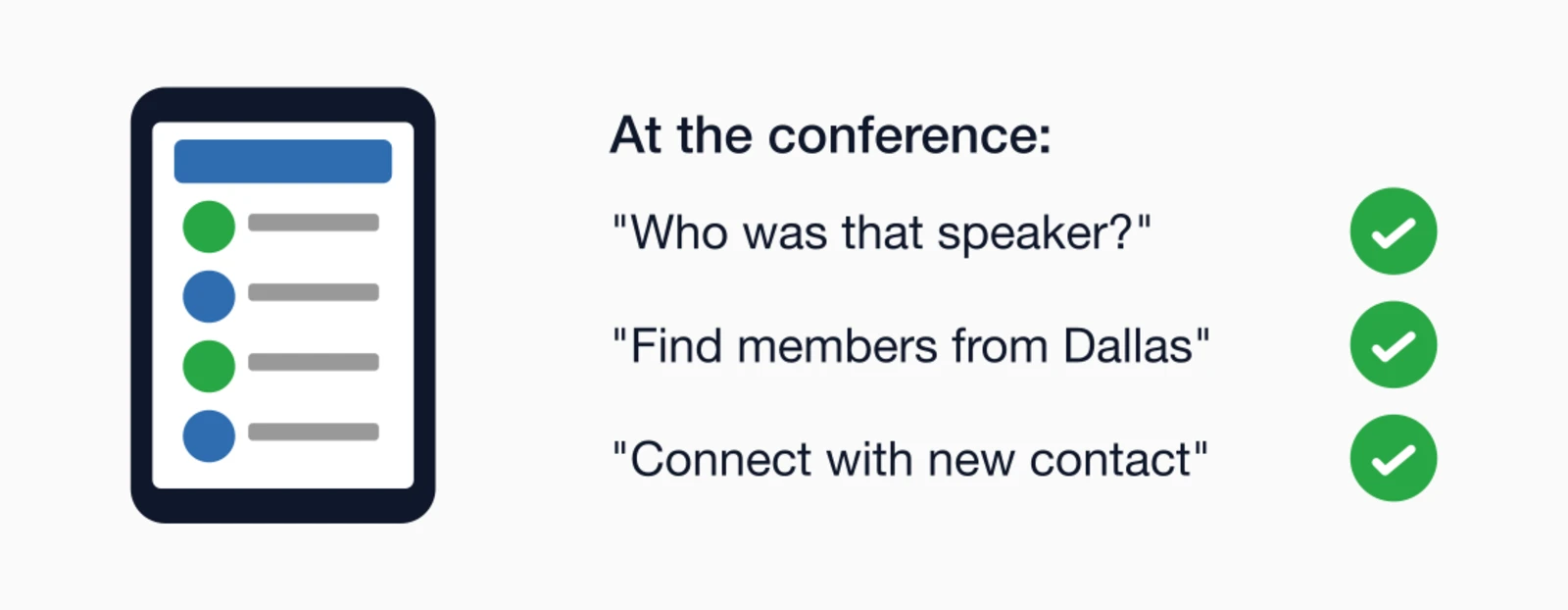
Members often search directories when they're away from their desks—at conferences, after meeting someone, or when they have a quick question and want to find an expert. If your directory doesn't work well on a phone, you're missing these high-intent moments.
Mobile design requirements
- Responsive layout: Works well on any screen size
- Touch-friendly: Large tap targets, swipe gestures where appropriate
- Fast loading: Optimize images, minimize data transfer
- Quick search: Search should be prominent and easy to access
- One-tap contact: Calling or messaging should be immediate
Conference use case
At your annual conference, members will use the directory to:
- Look up someone they just met
- Find people from specific organizations to connect with
- Identify attendees with relevant expertise before sessions
- Reconnect with contacts from previous years
Test your directory on a phone before your next event. If it's frustrating to use, members will resort to public social networks—and you'll lose that engagement opportunity.
Measuring directory success
Track metrics that reflect actual value creation, not just activity. A directory that gets lots of visits but never leads to connections isn't delivering value.

Key metrics
| Metric | What It Tells You | Target |
|---|---|---|
| Profile completion rate | Data quality for search | 70%+ complete profiles |
| Photo upload rate | Profile visibility and appeal | 60%+ have photos |
| Monthly directory searches | Usage level | Trending up over time |
| Searches per unique user | Repeat usage (value finding) | 2+ searches/month for active users |
| Connection messages sent | Actual networking happening | Varies; growth is key |
| Directory users vs. non-users retention | Impact on loyalty | Higher retention for users |
Connecting to retention
The most important analysis: do members who use the directory renew at higher rates? Segment your membership by directory usage—those who've searched, those who've sent connection messages, and those who haven't used it at all. Compare renewal rates across groups.
If directory users renew at higher rates (they almost certainly do), you've quantified the ROI of directory optimization. See our guide on Calculating Member Lifetime Value
Making your directory indispensable
A great member directory doesn't just list contact information—it actively facilitates the peer connections that make membership valuable. When members can find the expertise, mentorship, and collaboration opportunities they need through your directory, they become more engaged and more likely to renew.
Start by auditing your current directory. What's the profile completion rate? How easy is it to find someone with specific expertise in a specific location? Can members connect directly through the platform? The answers will point you toward your biggest optimization opportunities.
Then invest in the changes that matter most: driving profile completion, improving search functionality, and making connection easy. The ROI comes in the form of more engaged members who find ongoing value in their membership.
For more strategies on building engaged communities, see our Member Engagement Guide or explore forum best practices
Key takeaways
- Peer connections drive retention: Members who use the directory to find and connect with colleagues are significantly less likely to lapse
- Profile completion requires incentives: Progress indicators, benefits messaging, and direct requests all improve completion rates
- Search and filter are essential: Members should find peers by location, specialty, company, and areas of expertise in seconds
- Privacy controls build trust: Let members control what's visible—transparency about data use encourages participation
- Mobile access matters: Members often search directories at conferences and events; mobile-friendly design is non-negotiable
Want a Directory Members Actually Use?
i4a's member directory integrates directly with your membership database—complete profiles, powerful search, and built-in messaging all in one platform.
Let's Talk About Directory FeaturesRelated resources
Online Member Forums Best Practices
Build active discussion communities that complement your directory.
Complete guide to building active, loyal member communities.
How to Reduce Membership Churn
Strategies for improving retention through engagement.
Create connections that drive long-term engagement.
