Quick Summary: Membership Software Features
- Unlimited storage matters most: Per-member pricing penalizes growth—choose flat-rate pricing with unlimited members and contacts.
- 10 essential capabilities: Database/CRM, member portal, payment processing, event management, email marketing, website integration, reporting, integrations/API, and support.
- Self-service reduces admin work: Member portals for renewals, profile updates, and event registration free staff for higher-value tasks.
- Integration is critical: API access, accounting exports, LMS connections, and SSO prevent data silos and manual workarounds.
Part of our complete software buyer's guide
Top membership software features aren't equally important—unlimited storage and integrated payments matter more than flashy dashboards. Here are the 10 essential AMS capabilities, plus red flags that signal you're paying for features you'll never use.
After 30 years helping associations evaluate software, I've seen the same mistakes repeated: boards dazzled by flashy demos, staff stuck with platforms that don't fit their workflows, and organizations locked into contracts they regret. Whether you run an association, nonprofit, or AMC, certain features are essential for success. Here's what I tell every organization to look for.
Unlimited member & contact storage
Many membership platforms charge based on the number of members or contacts in your database. This creates a frustrating situation where you're penalized for success—the more you grow, the more you pay. Beyond your active members, associations need to track prospects, lapsed members, conference attendees, and historical records—all of which count against tiered pricing limits. This single factor can turn an affordable platform into a budget-breaking expense as your organization scales. Understanding how vendors structure their pricing is one of the most important steps in your evaluation process.
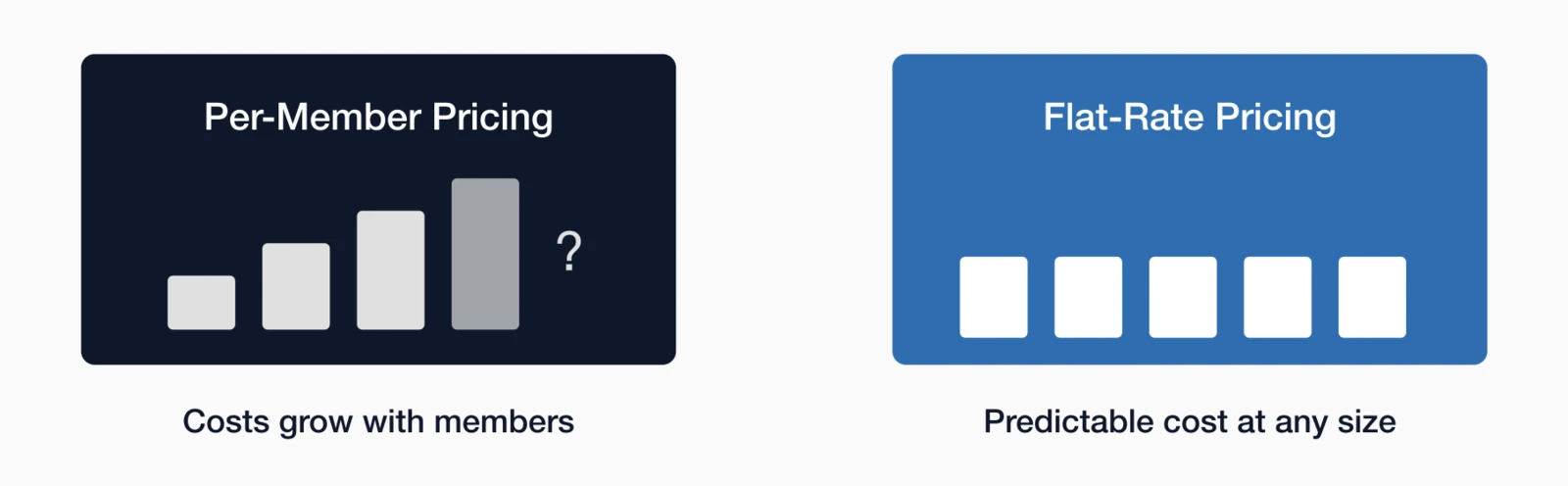
What to look for: A platform that offers unlimited member and contact storage at a predictable, flat monthly rate. This allows you to grow without worrying about escalating costs.
I've seen mid-sized associations hit an unexpected price wall because their vendor bumped them into a new tier once they added a few thousand prospects for an annual conference campaign. What seemed like an affordable platform suddenly cost twice as much—right when they were trying to grow.
Pro Tip: Ask vendors specifically about their pricing model. Some advertise "unlimited" but have hidden fees based on usage or features.
i4a uses flat-rate pricing with unlimited members and contacts. Your pricing is based on your plan and how many staff need admin access—not how many members you have.
Membership database & CRM
Your member database is the heart of your membership management system. It should be more than just a list of names—it should be a comprehensive CRM (Customer Relationship Management) system that tracks every interaction and touchpoint. The strength of your database determines whether you can segment members effectively, personalize communications, and identify at-risk renewals before it's too late. Too many associations discover after implementation that their new platform lacks basic customization options or can't handle their organizational structure. Before committing, ensure the database can adapt to your needs rather than forcing you to adapt to its limitations.
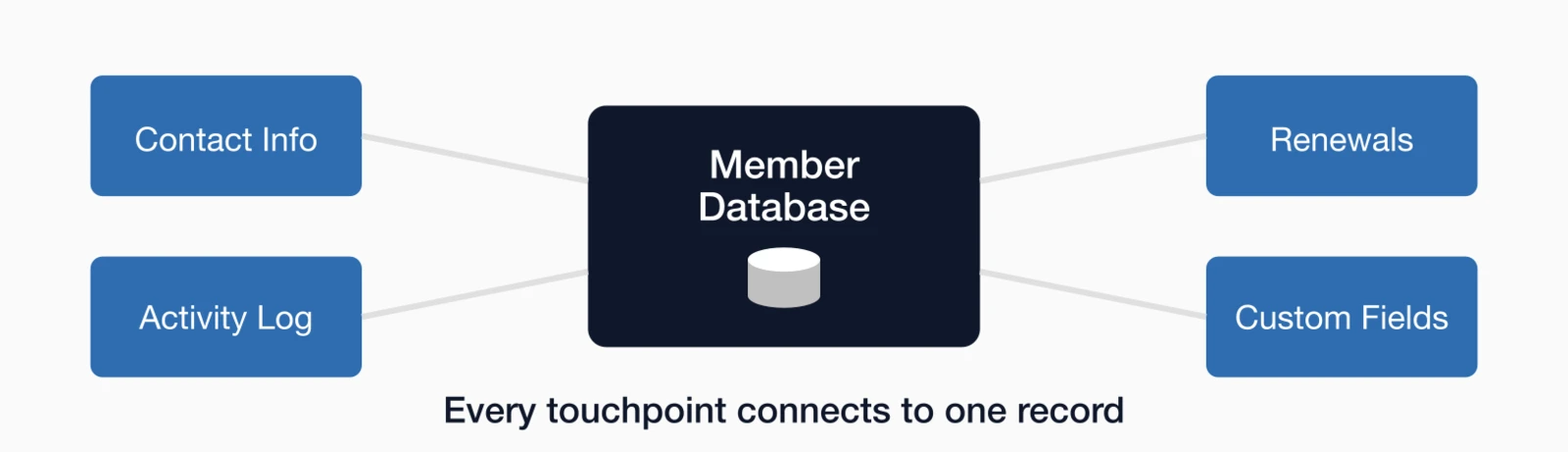
Essential capabilities:
- Custom fields to track organization-specific data
- Member history and activity logs
- Advanced search and filtering
- Membership types and categories
- Renewal tracking and automated reminders
- Organizational memberships
- Notes and communication history
A robust membership management system
Consider an association where members belong to multiple chapters, each with different dues structures and renewal dates. If the system treats every chapter relationship as a separate record, you get data chaos—duplicate contacts, conflicting renewal dates, and no single view of the member. A proper membership database handles these organizational complexities natively, without workarounds or custom development.
Online member portal & self-service
Members today expect to manage their own information, register for events, and access resources 24/7. A robust member portal reduces administrative burden while improving member satisfaction. Self-service capabilities free your staff from routine tasks like address updates, receipt requests, and event lookups—giving them time for higher-value work. The portal also becomes your members' primary interaction point with your organization, making its usability and functionality critical to perceived value. When evaluating portals, test them from a member's perspective: can you complete common tasks without frustration?
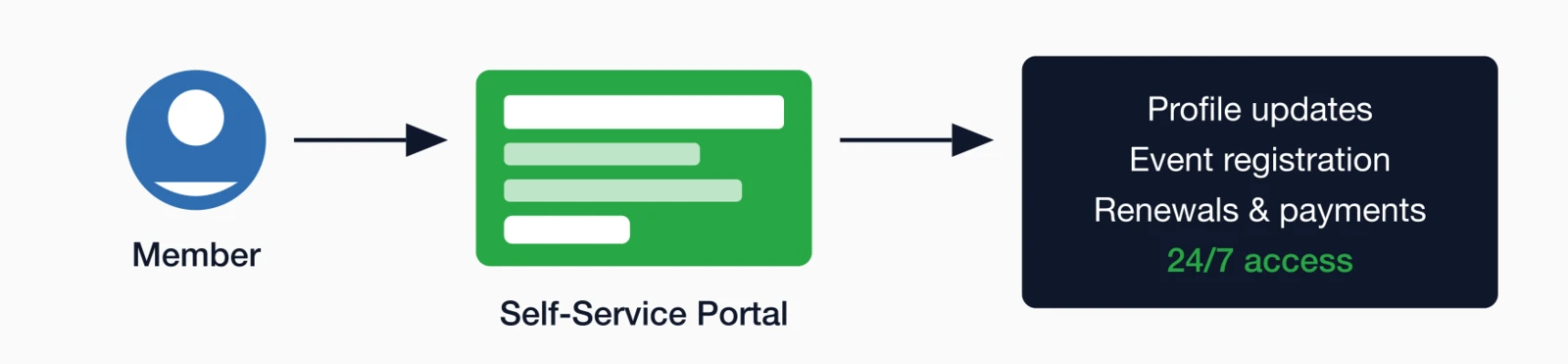
Key features:
- Profile management (update contact info, upload photos)
- Membership renewal and payment processing
- Event registration and payment
- Access to member directories
- Resource libraries and downloads
- Discussion forums and communities
- Single sign-on (SSO) capabilities
Integrated payment processing
Handling dues, event registrations, and product sales requires secure, reliable payment processing that's deeply integrated with your membership system. When payments flow seamlessly into your database, you eliminate manual reconciliation, reduce errors, and give members instant confirmation of their transactions. Disconnected payment systems create extra work for staff and increase the risk of revenue falling through the cracks. Security matters too—your members trust you with their financial information, and a data breach can damage that trust irreparably. Here's what your payment processing should include.
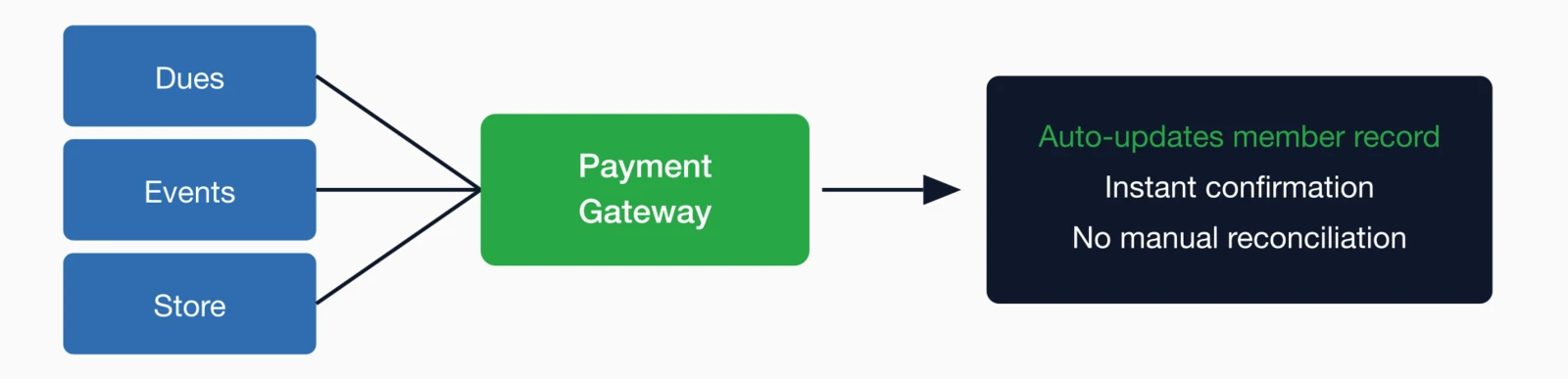
Must-have capabilities:
- Accept all major credit cards (Visa, Mastercard, Amex, Discover)
- Support for ACH/bank transfers
- Recurring billing for automatic renewals
- PCI-DSS compliance for security
- Payment gateway
- Installment payment plans
If a vendor says a payment feature is "coming soon," assume it doesn't exist. You need payment processing that works today, not promises on a roadmap.
Event management & registration
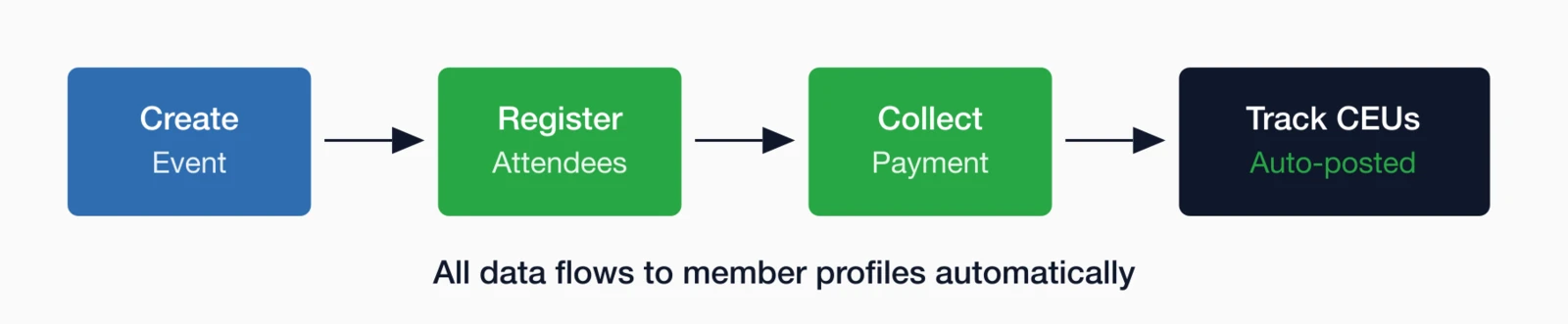
Events are often a primary member benefit and revenue driver. Your platform should make it easy to plan, promote, and manage events of all types—from small webinars to multi-day annual conferences with complex registration options. Integrated event management means attendee data flows directly into member profiles, pricing automatically adjusts for member status, and CEU credits post without manual entry. Using a standalone event tool that doesn't connect to your member database creates duplicate data entry, pricing errors, and missed opportunities to track engagement. Whether you host five events a year or fifty, seamless integration saves countless staff hours.
Essential features:
- Online event registration with payment collection
- Multiple registration types (member vs non-member pricing)
- Session and track management for conferences
- Badge printing and check-in tools
- CEU/credit tracking
- Speaker and exhibitor registration
Learn more about how powerful event management tools
When event registration lives in a standalone tool that doesn't talk to your member database, staff end up spending hours manually reconciling registrations, updating member records, and chasing down payments that fall through the cracks. With integrated event management, that manual work disappears—member pricing applies automatically, attendance syncs to profiles, and CEU credits post instantly.
Email marketing & communications
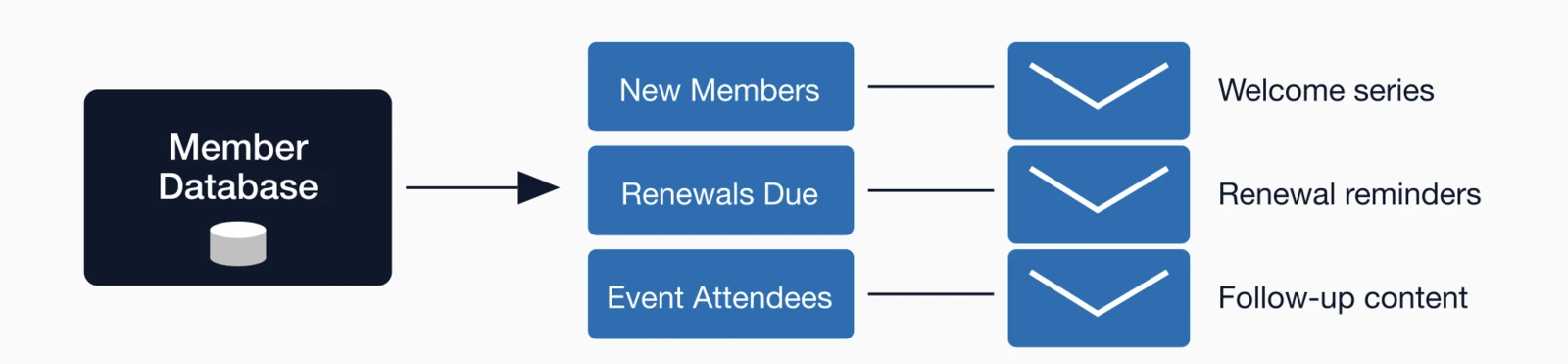
Regular communication is essential for member engagement. Your membership platform should include robust email marketing capabilities without requiring a separate tool. When email is integrated with your database, you can segment audiences based on membership status, event attendance, interests, and any custom field you track—making every message more relevant. Separate email tools require constant list exports and imports, leading to stale data and members receiving messages that don't apply to them. Built-in email also means you can trigger automated messages based on member actions, like welcome series for new joins or renewal reminders for expiring memberships.
What you need:
- Email builder with templates and drag-and-drop editor
- Segmentation and targeted campaigns
- Personalization tokens (merge fields)
- A/B testing capabilities
- Analytics and reporting (open rates, click rates)
- Unsubscribe handling
Website integration & content management
Your membership platform should integrate seamlessly with your website, or better yet, provide a built-in content management system. Your website is often a member's first impression of your organization, and it needs to reflect professionalism while making it easy to join, renew, and access benefits. Member-only content areas add tangible value to membership, while public directories and resources showcase your community to prospects. When your CMS and membership database work together, updates happen in one place rather than requiring parallel maintenance across disconnected systems.

Key capabilities:
- Responsive, mobile-friendly website builder
- Member-only content areas
- Online member directory (public and private)
- Document library and resource center
- Forms and surveys
- Integration with existing websites via APIs
Reporting & analytics
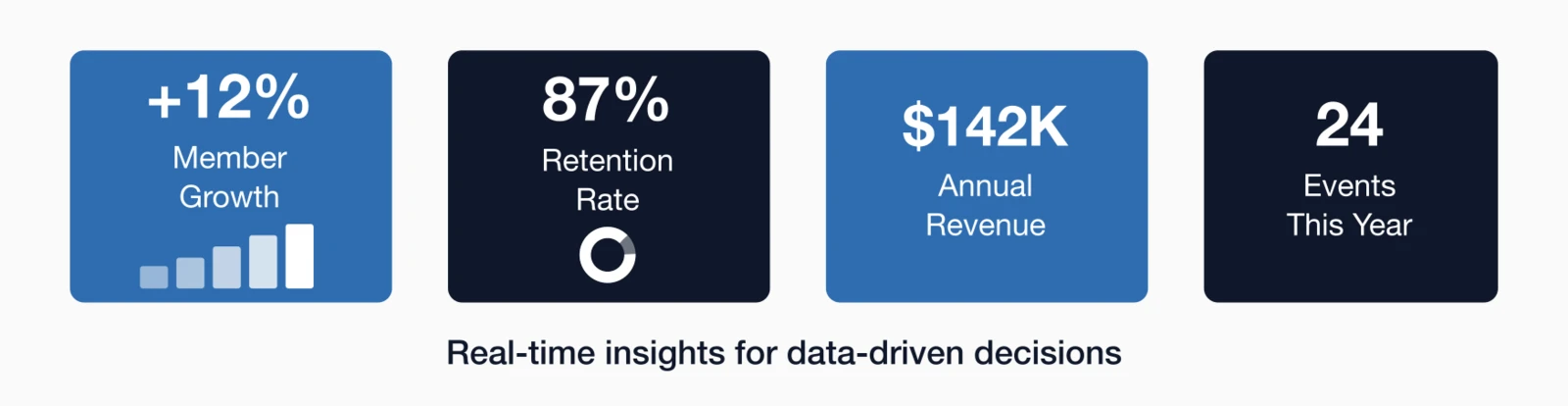
Data-driven decisions require robust reporting capabilities. Your platform should provide insights into membership trends, financial performance, and engagement metrics. Without good reporting, you're making decisions based on gut feeling rather than evidence—and you may be missing warning signs like declining retention in specific segments or revenue trends that need attention. The best platforms make reporting accessible to staff without requiring technical expertise, while also offering the flexibility for power users to build custom analyses. Board reporting becomes dramatically easier when you can pull accurate numbers in minutes rather than hours.
Important reports:
- Membership growth and retention reports
- Revenue reports (by source, time period, category)
- Event attendance and registration reports
- Email campaign performance
- Custom report builder
- Scheduled/automated report delivery
- Export to Excel, PDF, CSV
- Dashboard with key performance indicators (KPIs)
Imagine discovering that members who attended at least one webinar in their first year renewed at nearly double the rate of those who didn't. That single insight could reshape your entire onboarding program. You can't act on patterns you can't see—and too many organizations are flying blind because their platform makes reporting an afterthought.
Integrations & API Access
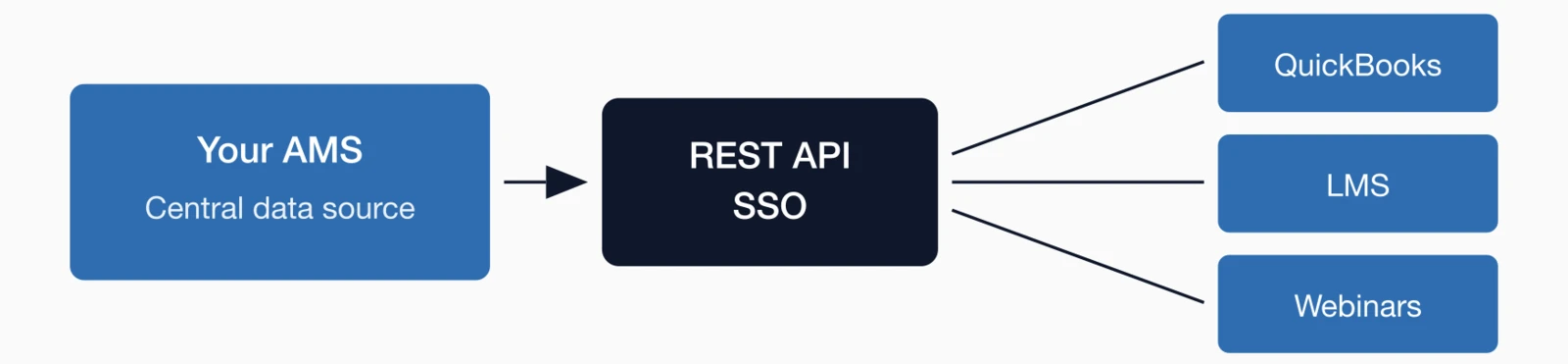
No single platform does everything perfectly. The most effective systems integrate seamlessly with the other tools you rely on—or provide robust APIs that allow for custom integrations when needed. Most associations depend on a combination of accounting software, learning management systems (LMS), community platforms, webinar tools, and other specialized solutions that must share data with the AMS or membership database.
According to Sequence Consulting's 2026 Association Trends Report
A modern AMS should also support single sign-on (SSO), prioritizing OAuth 2.0, with support for OpenID Connect (OIDC) and SAML, enabling members and staff to access the AMS, LMS, and community platforms using a single set of credentials—improving both security and user experience.
Common integrations:
- Accounting software (e.g., QuickBooks)
- Learning management systems (LMS)
- Community and engagement platforms
- Webinar and virtual event tools
- RESTful APIs for custom integrations and data synchronization
- SSO for unified authentication across systems
How i4a handles this: We make it easy to export data to QuickBooks for accounting, and we support integrations with several popular LMS platforms for continuing education tracking. We also expose a REST API so your tech team or integration partner can wire in other tools as needed.
Exceptional support & training
Even the best software is only as good as the support behind it. Look for a vendor that offers comprehensive training, responsive support, and dedicated account management. Your staff will have questions—during implementation, during busy season, and whenever they're trying something new. The difference between a vendor who answers in hours versus days can mean the difference between a successful renewal campaign and a stressful scramble. Training also matters beyond the initial onboarding: as staff turns over and new features roll out, ongoing education keeps your team effective. Here's what to look for in a support relationship.
Support to expect:
- Onboarding and training
- Phone, email, and chat support
- Knowledge base and video tutorials
- Dedicated account manager
- Regular software updates and improvements
Here's the reality: even the best software will hit bumps—a report that doesn't run as expected, a workflow question, a tricky data import. The difference between a frustrating experience and a productive one often comes down to whether you can reach a real person who knows your setup. I've heard too many horror stories from organizations stuck in ticket queues for days while their renewal campaign sat frozen.
Making your decision
Choosing membership management software is a significant investment of time and money. By focusing on these essential features, you'll be well-equipped to evaluate your options and find a platform that truly meets your organization's needs. The evaluation process can feel overwhelming with so many vendors making similar-sounding claims, but systematic comparison based on your specific requirements will reveal meaningful differences. Remember that you're not just buying software—you're entering a partnership that will shape how your organization operates for years to come. Take the time to get it right.
One piece of advice I give every association: don't just evaluate features—evaluate fit. The best platform on paper means nothing if your staff won't use it or your members find it confusing. Get your team involved early, and watch how people actually interact with the software during demos.
Next steps:
- Create a checklist of must-have features based on this article
- Involve key stakeholders in the decision process
- Request demos from 3-5 vendors
- Ask about pricing models and hidden fees
- Check references from similar organizations
Key takeaways
- Unlimited storage is non-negotiable: Platforms charging per-member penalize growth—look for flat-rate pricing with unlimited member and contact storage to avoid escalating costs as you expand
- 10 essential features to evaluate: Unlimited storage, database/CRM, self-service member portal, integrated payment processing, event management, email marketing, website integration, reporting/analytics, API/integrations, and comprehensive support
- Member portal drives engagement: Most members prefer self-service options—portals that enable profile updates, renewals, event registration, and resource access can significantly reduce routine support requests
- Integration capabilities matter: Modern AMS platforms should offer API access, the ability to export to QuickBooks, a payment processor, email tools, and integration with WordPress for seamless workflow automation
See i4a in Action
Discover how i4a delivers all of these essential features—plus unlimited members and contacts—starting at just $99/month.
Request Pricing InfoRelated resources
Comprehensive guide to membership databases, automated renewals, self-service portals, and choosing the right membership software.
Learn how AMS platforms combine membership, events, email, and payments in one integrated system for associations.
AMS vs CRM: What Does Your Association Need?
Understand the difference and choose the right platform type.
10 Questions to Ask During a Demo
Make the most of your demo by asking these essential questions.
