Quick Summary: Welcome Email Series
- First-year retention gap exists: New members renew at just 75% versus 84% overall—early engagement closes that gap.
- Send immediately: Welcome emails get 50%+ open rates when they arrive within minutes of joining, not days.
- Build an activation ladder: Each email drives a small action—Access → Personalize → Connect → Use → Commit.
- Five emails over 30 days: Warm welcome, primary resource, community connection, benefits discovery, and first check-in.
- Track activation KPIs: Portal login (7 days), profile completion (14 days), community action (21 days), first value event (30 days).
Part of our email marketing best practices guide
Welcome email series templates determine whether new members become engaged advocates or churn risks. The first 30 days set the trajectory—here's the 5-email framework that closes the first-year retention gap.
One welcome email isn't enough. I've seen associations send a single "welcome to the association" email and then nothing until the renewal notice arrives 11 months later. Those associations struggle with first-year retention rates often hovering around 40-70%, as new members drift away without clear guidance on value. The ones that systematically introduce members to resources, community, and quick wins through a structured series keep far more members longer—turning one-time joiners into loyal advocates.
Activation beats information every time. A well-designed welcome series doesn't just inform—it activates. It gives new members specific, low-friction actions like updating profiles, attending a virtual networking event, or accessing exclusive content, building immediate momentum and habit. Your email marketing platform should make it easy to automate this entire sequence with triggers based on join date.
The activation ladder: Think of your welcome series as a micro-commitment ladder—each email asks for a small action that increases the likelihood of the next:
Access (log in) → Personalize (complete profile) → Connect (introduce yourself) → Use (access a resource) → Commit (register for an event, join a committee interest list, or book an orientation call)
This guide provides the proven 5-email framework, optimal timing, subject lines, content templates, and calls-to-action that drive opens, clicks, and retention—without overwhelming your team or members.
Why welcome emails matter
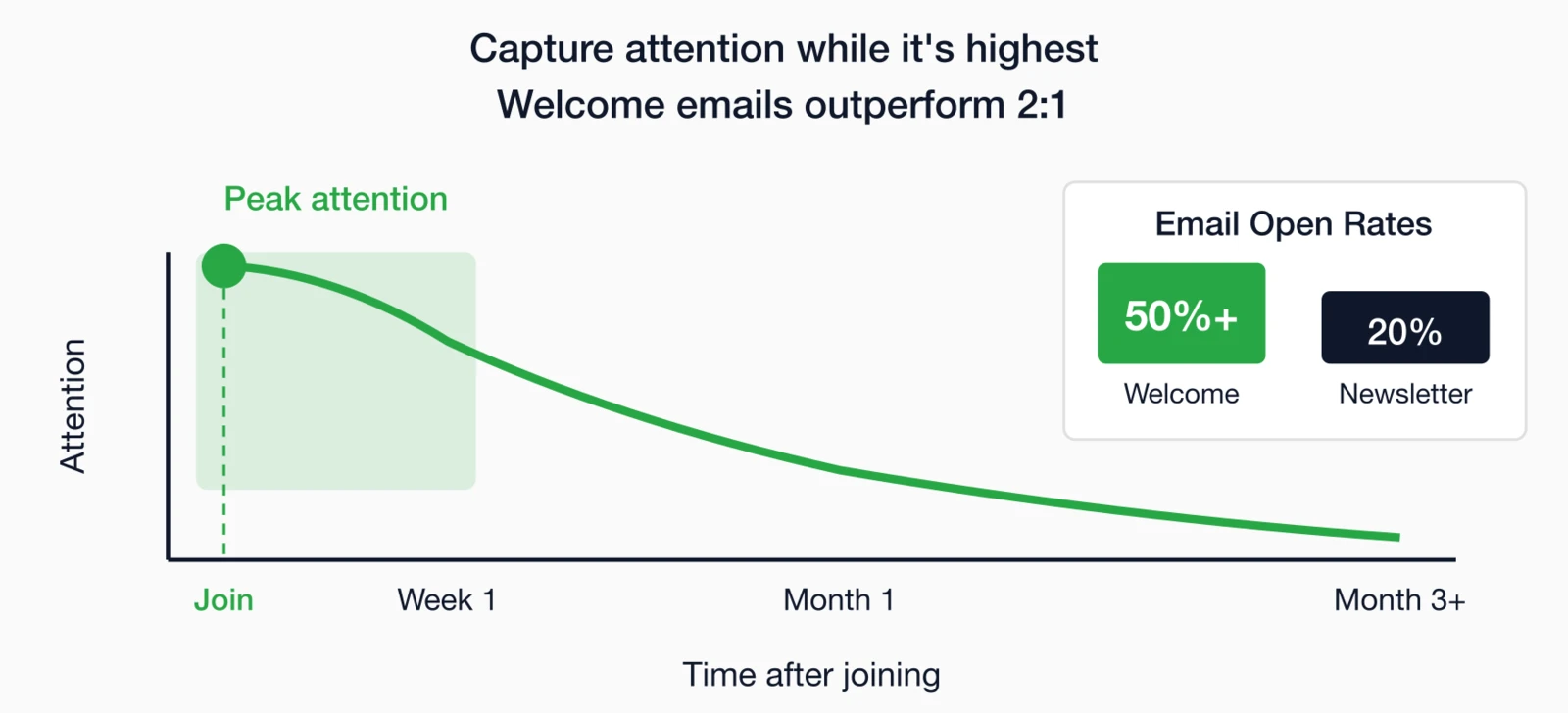
Welcome emails get exceptional engagement—higher than any other automated sequence you'll send. They arrive when interest is highest, the moment a member has made a decision to join and wants confirmation they chose well. Average welcome email open rates exceed 50%, compared to 20-25% for regular newsletters. This window of heightened attention makes your welcome series the most important email sequence you'll design, with direct implications for first-year retention.
The first-year retention connection
First-year retention is consistently lower than subsequent-year retention for most associations. According to the 2025 MGI Benchmarking Report, first-year members renew at just 75% compared to the 84% overall renewal rate—a 9-point gap that represents your biggest retention opportunity.
The good news: associations recognize the importance of early engagement. 84% use welcome emails, 37% send welcome kits, and 29% make personal welcome calls. And 25% of associations started new onboarding programs in 2024.
A strong welcome series directly addresses this by:
- Immediately confirming the decision to join was worthwhile
- Reducing the "now what?" uncertainty new members feel
- Creating early wins and engagement moments
- Building habit-forming connections to resources and community
Timing your series
Timing matters as much as content. Too fast overwhelms; too slow loses momentum. The pacing of your welcome series needs to match your members' capacity to absorb information while maintaining enough frequency to stay top-of-mind during the critical first month. Finding this balance requires testing, but the framework below provides a proven starting point for most associations.
Recommended timing
Immediately (within minutes)
Confirm membership, validate their decision, and provide immediate access to member benefits.
Day 2-3
Introduce your most valuable member resource—the benefit they'll return to repeatedly.
Day 5-7
Introduce networking opportunities and help them connect with peers and industry leaders.
Day 10-14
Highlight additional perks they may have missed—discounts, resources, and exclusive access.
Day 21-30
Personal outreach to assess their experience, answer questions, and gather early feedback.
Adjusting for your association
- High-touch associations: May add more emails (6-7) with personal touches
- Large associations: May automate more thoroughly, adding conditional paths based on engagement
- Event-heavy associations: May include an event-focused email if joining near a major event
- Global associations: May need time-zone-aware content
The key is consistency—every new member should get a complete welcome series, not just those who happen to join when staff has bandwidth.
Designing for real-world member constraints
Your welcome series needs to work for all members—not just those in your headquarters' time zone with perfect vision reading on a desktop. Two constraints deserve explicit attention: global reach and accessibility.
Designing for global members
Even US-first associations increasingly have international members. Build a simple conditional into your welcome series: if a member's country or time zone is outside North America, insert content that acknowledges their situation:
- How to access event recordings when live sessions are inconvenient
- Time-zone-friendly ways to engage (async community forums, on-demand resources)
- Who to contact with region-specific questions
This small adjustment signals that you've thought about their experience—and that membership value isn't limited to US business hours.
Accessibility is a retention lever
Accessible emails reduce friction for everyone—mobile readers, older members, busy professionals scanning their inbox. Follow W3C accessibility guidelines: use descriptive link text, clear headings, sufficient color contrast, and alt text for images.
Fewer confused members = fewer support tickets = more activation.
Email 1: The warm welcome
Your first email sets the tone for the entire membership relationship—it arrives when the member is most excited and attentive. This is your chance to validate their decision, make them feel genuinely welcomed, and give them immediate access to what they just paid for. A delay of even a few hours can dampen enthusiasm and create unnecessary friction.
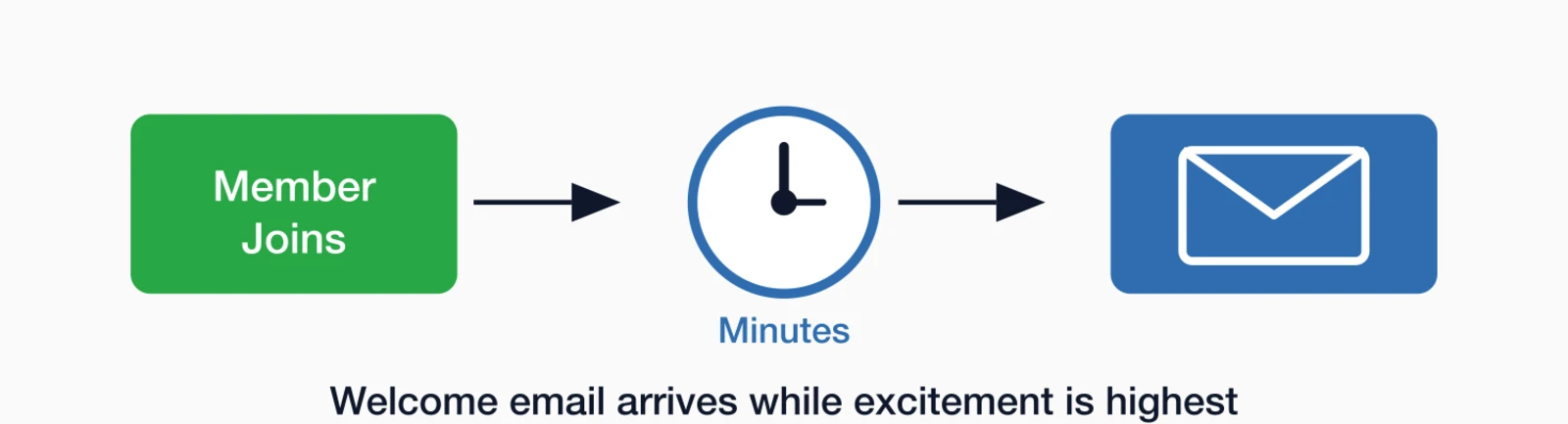
Timing: Immediately (within minutes of joining)
Goal: Confirm membership and make the member feel valued
What to include
- Genuine welcome: Acknowledge their decision and what it means
- Membership confirmation: Details of what they've joined (level, dates)
- Login credentials or link: Immediate access to member portal
- What to expect: Brief preview of what's coming in the series
- One quick action: Simple first step (complete profile, download a resource)
Template framework
Subject: Welcome to [Association Name], [First Name]!
Body:
Hi [First Name],
Welcome to [Association Name]! We're genuinely excited to have you as a member of our community of [description—e.g., "10,000+ professionals dedicated to advancing our field"].
Your membership is now active. Here's how to get started:
1. Access your member portal: [Login button/link]
Your username: [email]
2. Complete your profile: Help us personalize your experience and connect you with relevant resources and colleagues.
Over the next few weeks, I'll send you a few more emails highlighting the resources, benefits, and opportunities available to you. These emails will help you get the most from your membership right away.
Welcome again—we're glad you're here.
[Signature from CEO or Membership Director]
Personal touch: Use the CEO or executive director's name as the sender for welcome emails. It signals importance and creates a personal connection, even though the email is automated.
A deeper look: Run a 60-second onboarding test
Before you finalize your welcome series, run this quick friction test. Have someone unfamiliar with your organization:
- Open Email 1 on a mobile phone
- Click through and successfully log in to the member portal
- Find the resource you'll feature in Email 2
Time them. If they can't complete all three steps in under 60 seconds, the problem isn't your email copy—it's the workflow. Fix the login process, simplify the portal navigation, or make the resource easier to find before sending thousands of new members through the same frustrating experience.
Email 2: Getting started
Now that the initial welcome is complete, it's time to guide members toward their first meaningful engagement with your organization. This email focuses on one specific resource—your most valuable or most used benefit—and helps them discover it before they forget about their new membership and drift away. The goal is creating an early win that reinforces their decision to join.
Timing: Day 2-3
Goal: Guide members to their first valuable resource or action
What to include
- One primary benefit highlight: Focus on your most valuable or most used resource
- How to access it: Step-by-step, not assumed knowledge
- Why it matters: Connect to their professional needs
- Clear CTA: One button leading to one action
Template framework
Subject: [First Name], here's the member resource everyone talks about
Body:
Hi [First Name],
Now that you're settled in, I want to make sure you know about [specific resource]—it's the resource our members tell us they can't live without.
[Resource Name]
[2-3 sentences explaining what it is and why it's valuable]
Here's how to access it:
- [Step one]
- [Step two]
- [Step three]
[ACCESS RESOURCE button]
Spend 10 minutes exploring this today—it'll show you the kind of value your membership provides.
[Signature]
A deeper look: Choosing your featured resource
Which resource should you feature in email two? Look at your data:
- Usage data: What do members access most often?
- Survey feedback: What do members cite as most valuable?
- Unique value: What can members only get from you?
- Quick wins: What delivers immediate value with minimal effort?
For professional associations, this is often a knowledge resource (standards library, research database, practice guidelines). For trade associations, it might be industry data or a member directory. Choose something members will use repeatedly, not a one-time benefit.
Advanced: Branch by member type
Instead of one featured resource for everyone, create a simple branching rule based on role or career stage. This is "advanced personalization" that doesn't require complex AI—just one signup question and two email versions:
Early career / Students
- Mentorship programs
- Job board / career toolkit
- Entry-level certifications
- Student chapter connections
Managers / Business owners
- Industry standards library
- Advocacy alerts
- Benchmarking data
- Member directory for partnerships
The effort to maintain two versions of one email is minimal compared to the relevance gains. Members who see content that matches their situation engage more and renew at higher rates.
Email 3: Connect with community
Community connection is one of the strongest predictors of member retention. Members who form relationships with peers, participate in discussions, or feel part of something larger are far more likely to renew than those who remain anonymous consumers of benefits. This email introduces community opportunities and provides a low-friction way to take the first step toward connection.
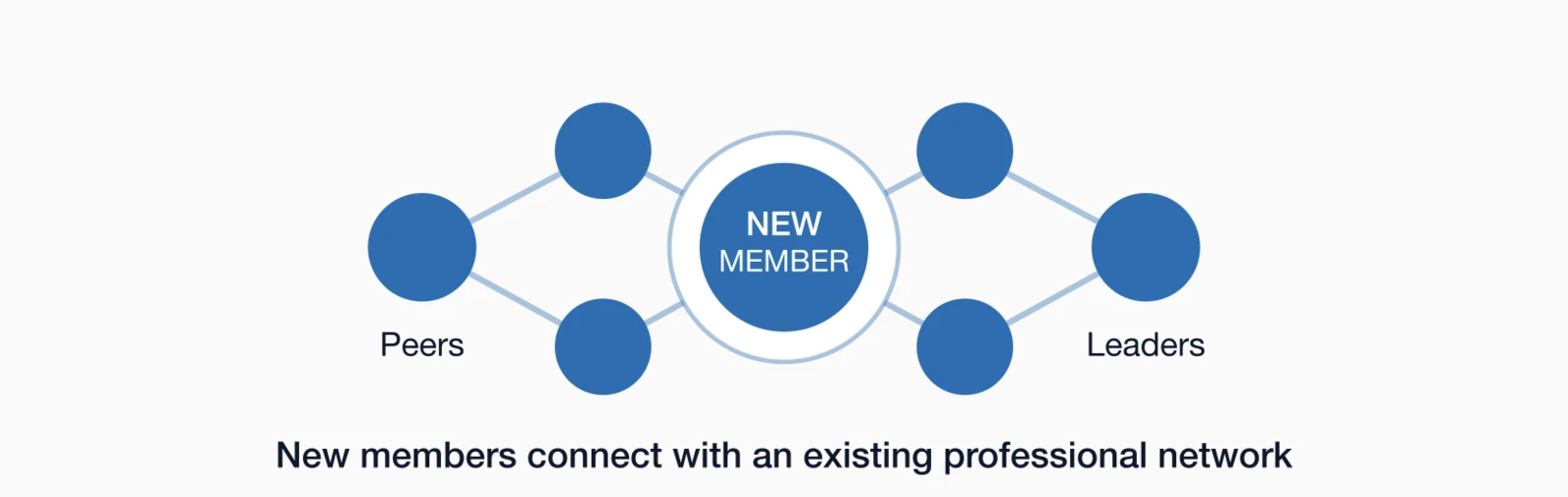
Timing: Day 5-7
Goal: Introduce community and networking opportunities
What to include
- Community overview: How members connect (forums, events, chapters, groups)
- Specific opportunity: One concrete way to connect now
- Social proof: Why community matters, what others say about it
- Low-barrier first step: Introduce yourself, join a discussion, RSVP to an event
Template framework
Subject: [First Name], meet your new professional network
Body:
Hi [First Name],
Membership in [Association Name] connects you with [number] colleagues who understand your work, share your challenges, and want to help each other succeed.
Here's how members connect:
[Community/Forum Name]: Our online community where members discuss [topics], share resources, and help each other solve problems. [Brief stat—e.g., "200+ active discussions this month alone."]
[Events/Chapters]: [Brief description of in-person or virtual networking]
Your first step: Introduce yourself in our New Member forum. Tell us a bit about your role, what you're working on, and what you hope to get from your membership.
[INTRODUCE YOURSELF button]
You might be surprised how quickly someone responds with a helpful resource or connection.
[Signature]
High-touch at low scale: New member office hours
One of the highest-retention moves is getting a new member into a live human moment early. Consider adding a secondary CTA in this email inviting members to a recurring "New Member Office Hours" session:
- Weekly or biweekly 15-30 minute Zoom, staff-led
- Limit to 15-20 people for genuine interaction
- Record a FAQ recap for members who can't attend live
- No agenda required—just "bring your questions"
This creates a human connection point without requiring significant staff time. Members who attend one session are significantly more likely to engage with other community features and renew.
Email 4: Exclusive resources
By week two, some members have explored their benefits while others haven't logged in since joining. This email resurfaces value they may have missed—hidden gems, discounts, and exclusive access that help justify their investment. For members who haven't engaged yet, this can be the email that brings them back. For active members, it deepens their appreciation of what membership includes.
Timing: Day 10-14
Goal: Highlight member-exclusive benefits they might not have discovered
What to include
- Hidden gems: 2-3 benefits members often don't know about
- Money-saving offers: Discounts, insurance, partner programs
- Member-only access: Resources non-members can't get
- Value quantification: Help them see the ROI
Template framework
Subject: Member perks you might have missed
Body:
Hi [First Name],
Your membership includes some benefits that members often don't discover right away. I wanted to make sure they're on your radar:
[Benefit 1]: [Description and how to access]
[Benefit 2]: [Description and how to access]
[Benefit 3]: [Description and how to access]
Between these benefits alone, most members more than cover the cost of their membership. The [Benefit 1] alone has saved members an average of $[amount].
[EXPLORE ALL BENEFITS button]
[Signature]
A deeper look: Value math without hard numbers
Not every association has clean ROI data. If you don't have exact dollar amounts, use qualitative value framing that's still persuasive:
- "If one template saves you an hour..." — Connect to time savings
- "If one introduction helps you land a client..." — Connect to business outcomes
- "If one standards update prevents a compliance issue..." — Connect to risk avoidance
- "If one session gives you an idea you implement..." — Connect to professional growth
This approach is persuasive without requiring exact dollar proof, and it invites members to calculate value in terms that matter to their specific situation.
Email 5: First check-in
The final email in your core welcome series shifts from introduction to relationship-building. A month in, members have either engaged with their benefits or they haven't—and this check-in provides both groups what they need. Engaged members appreciate the personal touch and can provide valuable feedback. Disengaged members get a reminder that help is available and someone cares about their experience.
Timing: Day 21-30
Goal: Assess early experience, offer help, gather feedback
What to include
- Check-in question: How's it going? What questions do you have?
- Offer assistance: Real person to contact with questions
- Quick survey option: 2-3 question pulse check (optional)
- Reminder of what's available: Light recap of key resources
Template framework
Subject: Quick check-in: How's your membership going?
Body:
Hi [First Name],
You've been a member for about a month now, and I wanted to check in. How's everything going?
Have you had a chance to:
- Explore [key resource mentioned in email 2]?
- Connect with colleagues in [community mentioned in email 3]?
- Check out [benefit mentioned in email 4]?
If you have questions about anything—how to find something, how to get involved, what's available—just reply to this email. I read every response.
[Optional: Link to 3-question survey about early experience]
We're here to help you get the most from your membership.
[Signature]
Make replies go somewhere real: When you say "reply to this email," make sure someone actually receives and responds to those replies. A staff member should own new member communications and be accountable for response times.
The one-sentence reply prompt
Want to create a "white glove" feel even when automated? Add a simple reply-based prompt that invites genuine responses:
"Quick question—what's the #1 thing you're hoping your membership helps you achieve this year? Just hit reply with one sentence."
Route these replies to a real staff member who can respond personally. This approach creates genuine connection, surfaces member needs you might not have known about, and generates qualitative insights about what matters most to new members. Nothing is more personal than a real human response.
Personalization strategies
Basic personalization (first name, membership level) is expected by today's members—they notice when it's missing. Advanced personalization, however, can significantly improve engagement by making every email feel relevant to the recipient's specific situation, interests, and membership type. The investment in building personalized welcome tracks pays dividends in higher open rates, deeper engagement, and stronger first-year retention.
Personalization by membership type
If you have different membership levels or types, create parallel welcome tracks:
- Individual vs. corporate: Different benefits, different language
- Student vs. professional: Different career stages, different resource highlights
- Premium vs. standard: Different feature sets to introduce
Personalization by interest or role
If you collect specialization or role data at signup, use it:
- Highlight resources relevant to their specialty
- Feature communities or groups they'd naturally fit
- Mention events in their geographic area
A deeper look: Behavioral triggers in welcome series
Advanced welcome series include conditional logic based on member behavior:
- If they complete profile: Send thank you and highlight next step
- If they don't complete profile: Send reminder with specific guidance
- If they access the portal: Acknowledge and guide to next resource
- If they don't open emails: Send re-engagement with different subject line approach
This requires a marketing automation platform, but the improvement in engagement and first-year retention often justifies the investment. An integrated association management system makes this type of automation possible without manual intervention.
Using AI for assisted personalization
AI can help you scale personalization without surveillance or gimmicks. Think of it as staff efficiency + relevance, not replacing human judgment. Practical, grounded uses include:
- Content variation: Generate 2-3 versions of Email 2 copy for different member types, then have staff review and refine
- Community summaries: Auto-summarize recent community discussions into a "What members are talking about" snippet for Email 3
- Reply categorization: Categorize reply-based prompts into buckets (questions, feedback, concerns) for faster staff follow-up
- Subject line testing: Generate subject line variations to A/B test, improving open rates over time
The goal is making your small team more effective, not replacing the human touch that makes welcome communications feel genuine.
Measuring success
Opens and clicks matter, but the richer story is activation analytics. Track these four KPIs to understand whether your welcome series is actually driving the behavior that leads to retention:
Portal login
Profile completion
First community action
First value event
Portal login within 7 days: Did they access their membership at all? Low rates here signal friction in your login process or unclear value proposition in Email 1.
Profile completion within 14 days: Did they invest time in personalizing their experience? This predicts engagement with personalized content and community matching.
First community action within 21 days: Did they post, comment, RSVP to an event, or engage with peers? Community connection is one of the strongest retention predictors.
First "value event" within 30 days: Did they download a resource, access a member discount, take a CE course, or use the member directory? This confirms they've experienced tangible membership value.
Track these metrics by cohort (members who joined in the same month) and correlate with first-year renewal rates. You'll likely find that members who hit all four milestones renew at significantly higher rates than those who don't—giving you clear targets for welcome series optimization.
Set new members up for success
A well-designed welcome series isn't just good marketing—it's good member experience. You're helping new members discover value faster, connect with community sooner, and build the habits that lead to long-term engagement. The time you invest in designing and automating this sequence pays dividends every time someone joins, creating a consistent experience that serves members well and improves your first-year retention metrics.
Start with the five-email framework above. Automate it so every member gets the same consistent experience. Then refine based on what your data tells you about engagement and first-year retention.
The first 30 days set the trajectory for the entire membership relationship. Make them count.
For more on member communications, explore our guide to renewal email sequences or the complete Association Email Marketing Guide.
Key takeaways
- Welcome emails are nearly universal: 84% of associations use welcome emails for new members (2025 MGI Report)
- First-year retention is critical: New members renew at just 75% vs. 84% overall—early engagement closes that gap
- Start immediately: Send the first welcome email within minutes, not days
- Build an activation ladder: Access → Personalize → Connect → Use → Commit
- Track activation KPIs: Portal login (7 days), profile completion (14 days), community action (21 days), value event (30 days)
Automate Your Welcome Series
i4a's platform includes automated welcome sequences that trigger the moment someone joins—no manual intervention required.
See How Automation WorksRelated resources
Membership Renewal Email Sequences
Build automated renewal campaigns that drive on-time renewals.
Target members with relevant content at every lifecycle stage.
Complete strategy guide for association email marketing.
90-day framework to turn new members into engaged advocates.
