AI Assistants Built Into Your Membership Software
i4AI Studio is an add-on that puts three AI assistants inside your i4a platform. Tell them what you need in plain English—write content, create images, or analyze data—without switching apps or learning new tools.
View Transcript
Transcript for "i4AI Studio Overview" video
Imagine multiplying the impact of your work, creating more in less time with better results.
That's what our new AI tools deliver, text craft, image, craft, and data analyze together. They're your ultimate impact amplifiers and they're integrated right into your I four A software.
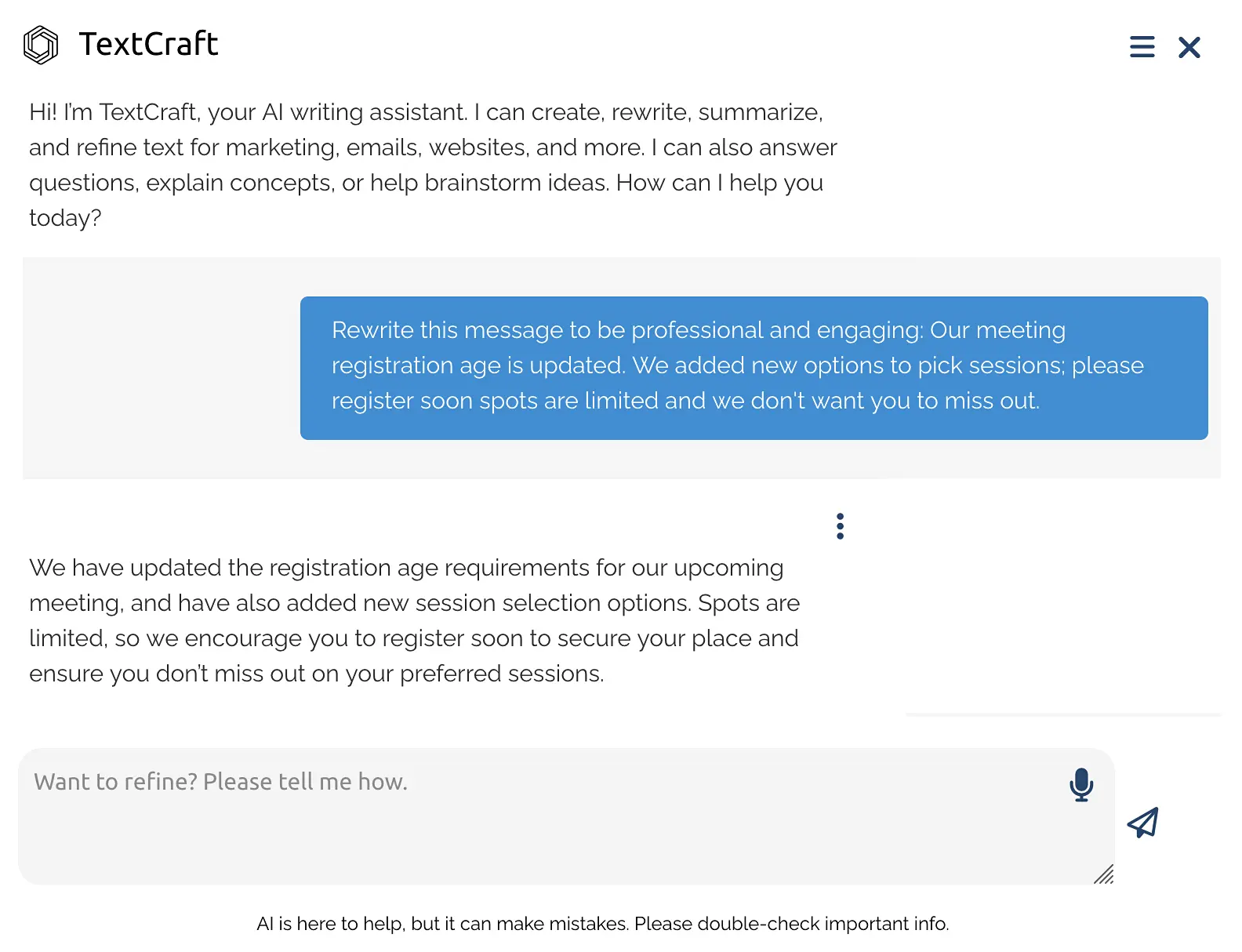
Text Craft transforms your words into impact website content, promotional campaigns, educational materials, whatever you need related to your website or anything else outside of I four A Text Craft adapts paste in any text and watch it become clear, polished, and ready to impress. With it built right into the editor, it couldn't be easier to use.
Image Craft empowers you to create the visuals you've always imagined from presentations to marketing. Skip the stock photos. Design exactly what fits your vision. Save your creations right to your site's file manager or to your computer for use outside of your website.
Data Analyze gives you instant insights. Upload any CSV file, not just the ones you generate in your I four A software. You can import data from any source. Here's a quick bar chart of members by member type, and wherever you see the export button in your I four A software, you can send that data straight to data, analyze in seconds, spot trends, uncover patterns, and make smarter decisions.
Plus, turn your data into charts, PowerPoint presentations, interactive maps, and more, all automatically generated for you. All you have to do is ask.
With I four AI Studio, you'll get your work done faster, better. Your work becomes sharper, your message stronger, and your results undeniable.
One Tool for Writing. One for Images. One for Data.
Each one is optimized for a specific type of task.
TextCraft
AI writing assistant for emails, newsletters, and announcements
ImageCraft
AI image generator for graphics, photos, and visuals
DataAnalyze
AI data analyst for reports, charts, and insights
TextCraft: Your AI Writing Partner
Describe what you need, and TextCraft writes a first draft. Works for emails, newsletters, event announcements, and member communications.
What You Can Do
- Generate content: Write blog posts, articles, email campaigns, social media captions
- Rewrite and refine: Improve clarity, adjust tone (friendly, formal, persuasive), fix grammar
- Summarize documents: Turn long reports into executive summaries or bullet points
- Expand ideas: Turn brief notes into full paragraphs or detailed explanations
- Interactive refinement: Ask follow-up questions, request tone changes, expand sections
Example Use Cases
- "Write a 3-paragraph welcome email for new members who joined this month"
- "Rewrite this event invitation to sound more welcoming and less formal"
- "Summarize this 5-page committee report into a one-paragraph executive summary"
- "Generate 3 subject lines for a summer membership renewal campaign"
ImageCraft: AI Image Generation & Editing
Describe the image you want. Choose a style. Download and use it.
What You Can Do
- Generate images from text: Event banners, social graphics, illustrations, scenes
- Edit existing photos: Remove backgrounds, swap colors, add or remove elements
- Apply your branding: Upload logos, specify hex codes, maintain consistency
- Transform and enhance: Adjust lighting, apply styles, improve quality
Example Prompts
- "Create a professional conference banner with our logo in the top-right corner"
- "Remove the background from this headshot and make it transparent"
- "Generate a social media image showing diverse professionals networking"
- "Change the background of this product photo to #004a99 (our brand color)"
Create Visuals for Any Communication
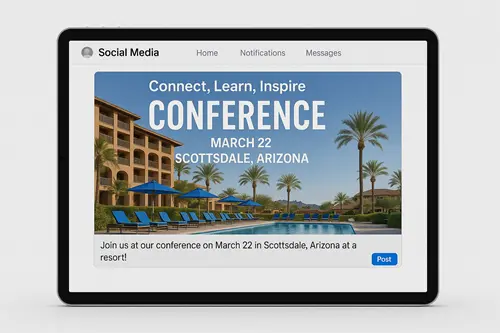
Social Media Posts
Images for member spotlights and announcements.
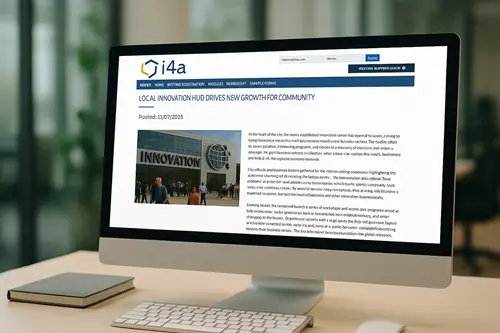
Breaking News Articles
Visuals that make your news articles engaging.
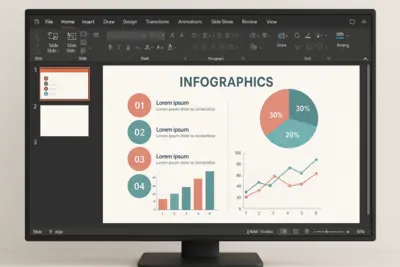
Presentations & Slides
Graphics or icons that reinforce key points.

Blog Posts
Visuals that bring attention to blog posts.

Email Campaigns
Custom headers, icons and illustrations.
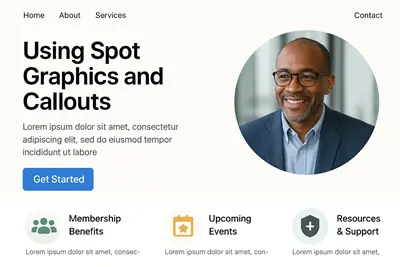
Page Content & Callouts
Spot graphics to highlight sections.
DataAnalyze: From Spreadsheet Chaos to Instant Clarity
Upload a spreadsheet. Ask a question. Get charts and answers—no formulas, no pivot tables, no data science degree required.

- Hours spent sorting, filtering, and building formulas
- Export data, open Excel, try to remember pivot tables
- Board meeting tomorrow, report still not done
- "What does this data even mean?"

- Ask questions in plain English, get instant answers
- Charts, maps, and summaries created automatically
- Board-ready reports in minutes, not days
- "Here's exactly what this data tells us."
No sorting. No filtering. No formulas.
Just answers.
Upload File
Ask a Question
Get Clear Answers
What DataAnalyze Can Do
Ask anything about your data—DataAnalyze figures out the rest
Plain-English Summaries
Get clear explanations of what's in your data—no spreadsheet expertise required.
Instant Charts & Visuals
Bar charts, pie charts, line graphs, and maps—created automatically.
Geographic Insights
See members or registrants by state, region, or country on interactive maps.
Quick Segmentation
Group by member type, organization, event, or any field in your data.
Trend Spotting
Identify spikes, slow periods, and patterns over time automatically.
Data Issue Detection
Spot missing emails, duplicates, or unusual values before they cause problems.
What You Can Create
Export your insights in any format you need
Presentations
PowerPoint slides ready for your board meeting
Excel & CSV
Clean, organized data files for further analysis
Chart Images
PNG graphics for reports and newsletters
Interactive Maps
Clickable geographic visualizations
See i4AI Studio in Action
Watch how TextCraft, ImageCraft, and DataAnalyze work together inside your membership platform. We'll walk through real examples tailored to your association's needs.
Built for Small Teams With Big Ambitions
You don't have time to learn new tools or pay for multiple AI subscriptions
No Separate Subscriptions
One add-on gets you all three tools. No ChatGPT Plus, no Midjourney accounts, no separate AI services.
Saves Hours Weekly
Tasks that used to take hours (writing campaigns, creating graphics, analyzing data) now take minutes.
Built Right In
Access all three tools from your membership platform. No switching between apps or logging into separate accounts.
Unlimited Members
Like everything in i4a, you can use AI tools with unlimited member records—no per-contact fees or usage limits.
What Membership Leaders Ask About i4AI Studio
Explore Related Features
See how our integrated platform works together
Ready to Stop Paying for Multiple AI Subscriptions?
Schedule a demo to see how i4a's association management software with AI-powered content creation, graphic design, and data analysis works in action for your association. We'll walk through capabilities and pricing options tailored to your team size.
